



Broken Links Repair
This document will answer the following questions:
How to repair broken links?

Click on Broken Links > Unsolved 404 Errors

- “/” represent a homepage.
- Redirect your broken links to your homepage by typing “/ ” to the column(2).
- Click Save to finish the broken link repair.
- Click Ignore if you don’t want to fix it for the moment.
How to work on ignored broken links?


1. Click the ignored link you wish to edit.
2. Click on Reduction to bring the broken links back to Unsolved 404 Errors for further Edit.
3. Click on the BIN if you wish to delete the link.
How to manage 301 redirects?

Click Broken links > Manage 301 Redirect

- Click the check box of the link you wish to redirect.
- “/”represents the homepage.
- Type in links you wish to redirect to or simply type ”/ “ to redirect your link to the homepage.
- Click on Save to finish the redirect.
- Click on ignore if you wish to work on it later.
What Is Bounce Rate and How to Optimize It?
Bounce rate and exit rate. What do these terms mean?
Do they have an impact on your content marketing or are they just another term with no meaningful contribution towards making a sale?
In this article, I’ll be discussing the concept of bounce rate and how you can optimize it.
Therefore, I urge you to continue reading.
What Is a Bounce Rate?
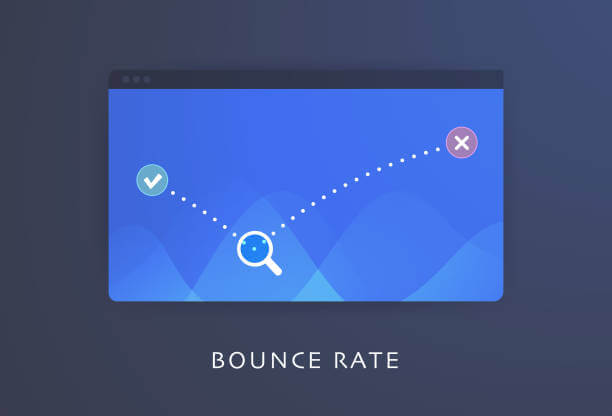
Bounce rate is the percentage of customers, visitors, prospects, readers, or web users that visit your site and leave without making any clicks or making visits to other domains on your website.
It is important because it can help to bolster your conversion rate as well as improve the growth of your content marketing.
When you discover your bounce rate and reduce it, your conversion rate will automatically increase.
What’s more, Google and other search engines use bounce rate as an SEO ranking factor. For this reason, you should optimize your site’s bounce rate.
Additionally, a high bounce rate may indicate that your landing page is not appealing, disorganized, or uninteresting to prospective customers.
It can also mean that you’re not attracting the visitors that are best suited to your site, or that your prospects lack a decent user experience on your webpage.
It is a sign that you’re getting your content marketing strategy wrong.
A high bounce rate will affect the performance of your business and lead to low SEO rankings on search engines.
When making content marketing strategies, one key component is exploring how to make your landing page more engaging so that customers visit the page and make a purchase.
According to a study on GoRocketFuel.com, the average bounce rate is between 41% and 51%.
However, this value varies significantly depending on the source of your traffic and which industry you are in.
Blogs, for example, typically have high bounce rates of around 90%.
E-commerce, on the other hand, has low bounce rates ranging from 20% to 45 percent.
How to Check Your Website’s Bounce Rate?
A bounce means the visitor or web user enters your website and fails to trigger an order.
Triggering an order means visiting other pages on your site through links or executing a call to action.
That said, here’s how you can check the bounce rate of your website so that you can begin optimizing it for higher Google SEO rankings.
How to Check Your Website’s Bounce Rate Through Google Analytics
Google Analytics is one tool for checking your site’s bounce rate.
Here are the steps for finding out the bounce rate of your site:
Step 1
- Log in to your account with Google Analytics and choose the concerned website.
- If you don’t have one, you should create one for the website.
Step 2
- Go to the left-hand side and you’ll find the page for Audience Overview.
- Then select the Overview option.
Step 3
- Check the bounce rate of your site by selecting Bounce Rate.
- You can also explore the other metrics.
- If you want to explore the bounce rate of the whole website, then select Bounce Rate.
- If you prefer to explore individual pages, then you should use the Behavior option and then select Site Content.
- Then click on All Pages.
- You’ll see a table with a column for bounce rate.
- You can also view the bounce rate at various periods by changing the date in the right-hand corner as appropriate.
The Difference Between Bounce Rate and Exit Rate
In this section, you will be able to know the difference between the bounce rate and the exit rate.
Bounce rate is the percentage of single-session interactions of a visitor with a page.
It’s the percentage of visitors that enter a page and leave without clicking on anything, commenting on any element, or filling out a form.
In contrast, the exit rate is the percentage of exits from a specific page.
To determine the bounce rate, you must determine the total number of page views for a specific page (like the homepage) and the number of bounces from that page.
Then you divide the number of bounces by the total number of pageviews
For exit rate, you’re comparing the number of visitors who leave your website from a particular page, which was the last in the session, to the total number of page views.
The fundamental difference between the two is that in bounce rate, the visitor only had a visit to a single page.
In exit rate, the visitor had more than one-page view but only the last one is considered during the calculation.
In simple words, if the last page was also the entry page in a single session, then it is a bounce.
To clarify these concepts, let’s say a website has five pages:
- Home Page
- Product Page
- Product Confirmation Page
- About Us Page
- Contact Us Page
If users visited the website from Monday to Friday in the following format:
Monday: User A > Home Page > Product Page > Confirmation Page > About Us Page > Leave
Tuesday: User B > Home Page > Leave
Wednesday: User C > Home Page > Product Page > Leave
Thursday: User D > About Us Page > Contact Us Page > Leave
Friday: User E > Contact Us Page > Leave
In the example above, there were bounces only on Tuesday and Friday by User B and User E, respectively.
The other days were exits, as the users visited more than one page during the session.
How Does Google Analytics Calculate The Bounce Rate?
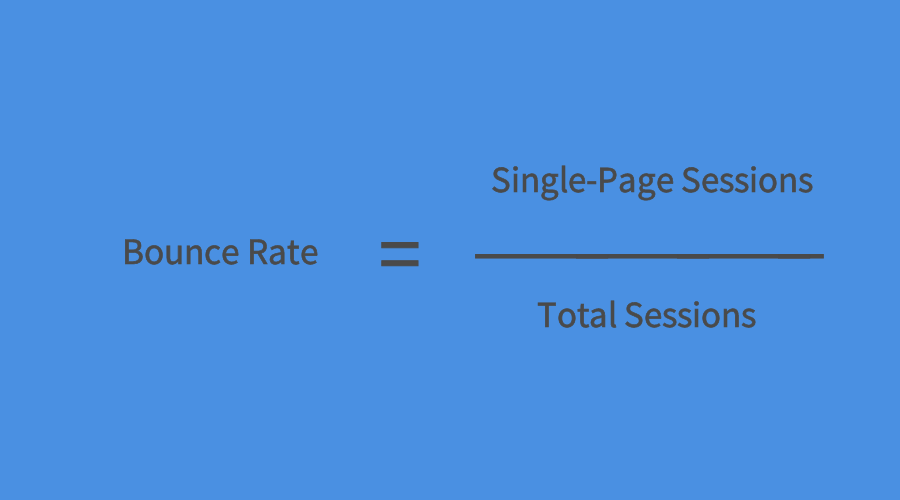
According to Google Analytics, to calculate the bounce rate of a page, you divide the number of single-page views by the total number of views for that page.
That is:
Website Bounce Rate = Single-Page Sessions/Total Sessions
For example, if your website had a total of 1000 visitors (which is the total session) and 70 of them left from the homepage without initiating any requests, then the bounce rate would be 7 percent.
How to Reduce Your Website’s Bounce Rate?
Here are some tips to reduce your website’s bounce rate.
1. Diagnose the Problem
When you diagnose a problem, you have solved it halfway.
You should do an extensive study as to why your visitors are leaving without taking any positive action.
2. Page Load Time
It’s frustrating when you have to wait for a page to load.
When the loading time of your webpage is more than three seconds, you will have a high bounce rate because your prospects cannot wait that long.
That is much worse with mobile phones.
Therefore, you should optimize your images and other content so that pages load within two seconds.
3. Improve Keywords to Rich your Content
Google craves more content to show up on your site since it can better understand your business. The more content, the higher opportunities for top SERP ranking.
Use Ryviu to increase your customer reviews and enrich important keywords related to your product, service, or industry, which can further push your site rankings to the top of the results page.
Online customer reviews like Ryviu not only give you free content but also help you get a better position in Google search results.
And these free reviews have great potential to impact your site’s SEO and facilitate your digital marketing.
4. Easy Navigation

You should ensure that your website is easy to navigate.
Additionally, you should point out where users can find different content categories.
5. Great Website Design
When you have an appealing website design, visitors will love to stay longer on your webpage.
If they spend more time on your webpage, the more likely they will take positive action.
6. Use Diverse Content Types
Using different types of content on a webpage can reduce bounce rates.
Videos can help to pass instructions in simple steps in a more comprehensive way than texts.
Images of high-quality help to link up your ideas and help improve comprehension.
7. Use Keywords
When you use appropriate keywords richly in your articles, Google and other search engines will rank your content highly.
Therefore, the prospects entering your webpage will find content that is relevant to their searches.
That will reduce the bounce rates.
8. Target-Focused Contents
Making your content relevant to a certain niche is equally important in achieving your content marketing goals.
Your content should be focused on a specific group of people instead of the general audience.
That way, when these groups of people search for that particular content, Google will suggest your website.
9. Pop-Ups

Pop-ups are intrusive and annoying.
The more pop-ups you have on your site, the higher the bounce rate you’ll have.
10. Ads
Just like intrusive pop-ups, ads are not only annoying but distracting as well.
You should keep them to the barest minimum and they should not interfere with smooth navigation.
11. Call-To-Action
You should have a single call to action that is not only visible but also appealing, enticing, and convincing.
12. Make Use of Internal Links
Internal links restrict the visitor to your site and help them assess the different contents of various sections on your webpage.
13. Broken Links

Broken links annoy and frustrate your visitors and interfere with a good user experience.
Therefore, you should limit them. Google Search Console can help with that.
Other useful tips that you can apply to your content marketing include:
- Using tools such as Google Analytics, Microsoft Clarity, and others to track your visitor engagement.
- Creating and releasing new content regularly
- Using positive customer reviews to build credibility and trust
- Using internal links that open a fresh tab
- Ensure your website is mobile-phone-friendly.
- Employ A/B testing when you are not sure which decisions will increase user experience.

Tips to Improve Shopify SEO Ranking with Image Optimization
Research has shown that more than 45 percent of people who come to an e-commerce site like Shopify are more likely to leave and not make a purchase if the site is slow. That is why image optimization is key.
From the creation of high-quality, low-size images, which can decrease the lag time of an online store, to boosting the user experience, image optimization is key to attracting and keeping shoppers.
That said, in this article, I’ll be discussing the concept of image optimization and divulging tips that will help to improve Shopify’s SEO ranking with image optimization. Read on.
What is image optimization?

Image optimization means refining the website images so that the pages on the site are lighter and load faster, and data usage is less.
Image optimization boosts your search engine optimization rankings and gives your visitors a more online experience.
Your site becomes more visible to the public on search engines, which ultimately results in more purchases.
It provides high-quality images with the optimal size, resolution, and format so that there is more user engagement.
Image optimization also incorporates naming images appropriately so that the various search engines can effectively scan them and fully comprehend the page context.
You can carry out image optimization by caching the images, compressing the images, or resizing them.
The goals of image optimization include:
- Reduction of page-load time
- Reduction of the data cost for loading the page
- Increasing your SEO rankings using SEO optimized images
- Attracting potential buyers and getting a purchase
- Increasing customer satisfaction through an increase in user experience
Additionally, image optimization features four main elements:
- The file size of the image (JPEG, PNG, or WEBP images)
- The image-size compression level
- The image width and height
- Finding the right balance between all the elements above for a better website performance
Why Is Image Optimization Important?
HTTP Archive data shows that image files that you don’t optimize contribute 75 percent of the weight of a webpage.
That can impact the performance of your website negatively because images make up the biggest percentage of the webpage size.
Image optimization reduces the overall weight of your site. Image optimization is useful for several reasons. Some of them include:
Improve Page Load Speed
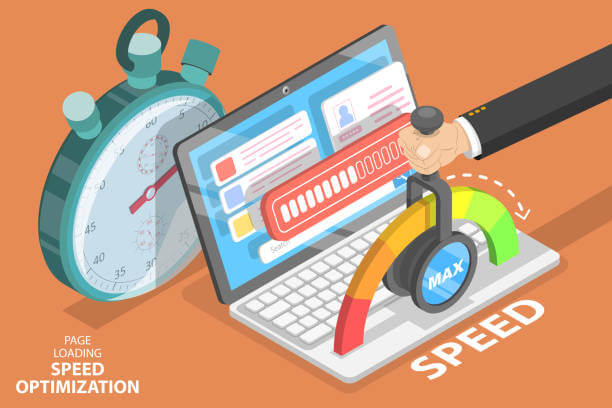
Image optimization boosts the loading speed of your page and makes it work faster. It makes your shoppers have a better online experience on your page, which is likely to lead to a purchase.
This is significant because a two-second delay in your page’s loading time increases your bounce rate by up to 103 percent.
The page load speed of a webpage is the measure of how fast or slow your page contents load. It is also known as the page load time. It is the time your page takes to reveal its contents.
Page load time, in addition to image size, also depends on other factors like the website host, design, and layout.
If your page is slow with a load time of greater than three seconds, your conversions drop because your website’s bounce-rate increases significantly.
However, if the load time is less than two seconds, then your website visitors will love your site and have a great experience because they will spend more time surfing through your content.
Additionally, the faster your webpage loads, the higher Google ranks your pages.
Tools you can use to analyze the load time of your webpage include:
- Google’s PageSpeed Insights
- ImageKit’s Website Analyzer
- Web Page Test
Improve SEO Rankings

Besides improving page load speed, image optimization also helps you get better rankings on Google.
Image optimization makes web pages load faster, which is a ranking criterion for Google.
With better rankings, search engines and internet users can comprehend the content on your webpage better, and your website is more accessible online. That will generate more traffic, which is good for your business.
A recent survey showed that of all the searches made on Google, 32 percent of the search results were images, and that figure is significant.
Additionally, an increase in the importance of visual search has led to the incorporation of text and image queries into developing search functions.
Boost Conversions

There’s a direct relationship between the load speed of your webpage and your SEO ranking.
The faster your page loads, the more time your prospects spend on your webpage. That leads to a higher chance of conversions and purchases.
A Kissmetrics study revealed that 79 percent of prospective shoppers who don’t get satisfaction with the load speed of a web page don’t want to buy from the site again. Other Koz studies also confirm this pattern of behavior.
That is because when your page loads slower than two seconds, the probability of visitors leaving your site is higher.
Image Optimization Tips for Shopify
Now that you know why image optimization is important, here are some tips on image optimization for Shopify.
Compressed Picture
Compressed images decrease the size and details by cutting out header information.
Image formats that are compressible include:
- PNG
- JPG
- GIF
Compression allows you to alter the image size, quality, and detail level. However, there is a noticeable reduction in the quality of the product image.
Image with Alt Attribute
Alt attributes are texts that replace an image product either when your browser hasn’t loaded or for visually impaired people using the internet.
Depending on the settings of your browser, hovering over the image displays the alt text.
Alt text increases the SEO feature of your site’s content. Google uses alt text and the image title to process your images.
With good alt texts that have relevant keywords, your website will have a better rank in search engines and your e-commerce products will feature well in web searches and Google images.
When optimizing an image, you should always complete the alt attribute for all the image products on your site.
Below are some important tips to follow:
- Just like the names for your image files, you should describe the images plainly.
- You should not put too many keywords into the alt attributes.
- You shouldn’t include alt attributes for decorative images.
- You should ensure your alt texts make sense by writing coherently.
- You should check the alt attributes for all your product images regularly.
- You should include model or serial numbers for products that have them.
Choose the Right Image Format
Choosing the perfect image format is key to image optimization. The available formats include:
- PNG
- JPG
- GIF
For simple images, I recommend using the PNG format. However, for colored images, JPG is best.
Optimized Image Captions
Image captions are the tags that are below the images. Even though they don’t influence SEO directly, they are still present on your website and therefore positively impact user experience.
Image captions help to draw visitors to your web page’s content. It helps to reduce the bounce rate on your site.
Create an Image Sitemap

An image sitemap also helps with your site’s SEO rankings.
Image sitemaps are tools that give more information about the image content on your webpage.
It contains a list of the pages on your site. That helps search engines like Google know about the organization of your webpage.
To bolster your site’s rankings, include every meme, video thumbnail, photo, infographic, and any other content on the site map.
Image map entries should contain:
- Title
- URL location
- License information
- Description
- Caption
Furthermore, if there are video contents, video map entries should also include:
- Title
- URL location
- Raw video URL file
- Thumbnail URL
- Description
Additionally, image maps help search engine crawlers properly navigate through your site. That boosts your SEO rank as well.
Create Unique Images
Creating unique images is integral to image optimization. What’s more, Shopify stores value images highly, so you should make every image count by using unique images.
Resize Your Images in Line with Your Site Dimensions
Another way to optimize your images for your Shopify store is to resize your images appropriately.
Resizing the images helps to decrease your product image weight, which helps your page load faster.
You can achieve this by:
- Lossy compression – reduces the overall quality, data, and size of the images. It is an irreversible process, which is why you should always have a duplicate of the real image.
- Lossless compression – does not reduce the image quality. It reduces only the size. Apps that you can use for this include PicMonkey, Adobe Photoshop, Canva, Pixlr, and GIMP.
It’s important to remember that for all Shopify merchants, you should always ensure that all your images are below 70 kilobytes for the best experience.
Best Image Optimization App for Shopify Store (Includes SEO Image Optimizer)
As a Shopify store entrepreneur, knowing which app to use for image optimization can be a hurdle.
So, I’ve made a list of the best 10 apps you can use for Shopify SEO image optimization.
- SEO Image Optimizer
- Image Optimizer
- Banner Slider by Secomapp
- Plugin Speed optimizer
- ImageFinder
- Image Optimizer + Compression
- Image Slider, Product Carousel
- Minifier SEO Image Optimizer
- Awesome SEO Image Optimizer
- Variant Image Penguin

How to Increase Website Page Authority
Did you know that website pages also have authority? And that there is a ranking for pages found online? Sounds new, right? And yes, it’s not a group of people working to promote peace and order. Website Page Authority or Page authority is the scoring done by Moz to check a page’s ability to get a good rank in the Search Engine Result Pages. It is from 1 to 100, the higher the score, the higher the rank as well.
In achieving that desirable score on the search engine of your page, you’ll need the proper use of SEOs or Search Engine Optimization. When you use relevant and most searched keywords online in your blogs or content, Google indexes your web, particularly for that page where those keywords appear.
What is Good Page Authority?
So what does it mean when you say good page authority? It means your page logarithmic scale that is between 50 and 60. Making that score get higher is easier as compared with scores between 70 and 80 because it is very close to excellent. You’ll need to try harder than usual to get that higher authority for your page.
You’ll know exactly how your website page will rank through its score in its page authority which many online businesses have been trying to monitor and use for better clicks, more views, and eventually, more profit. It’s a good strategy so as not to gamble on bad quality content that will not even appear on Google for everyone to see.
How to check the page authority of a website?

You can use Moz and Ahrefs two tools to look up the authority of a page, these two tools can let you know your page ranking and ranking between your domain and your competitors, and also see backlinks and links The website information, reasonable use of this information can help you improve the page authority faster.
How to Improve Your Site’s Page Authority
1. Create Links.
When readers are presented with various choices in connection to their study or what they like to read, they are likely to stay on your page and finish your entire page. Lists, graphs, images, and videos attract a lot of attention and trust from customers. These are pieces of evidence that can be used to convince them about your point. Therefore, creating links on each of the pages of your website will be helpful in this. Because PA is for measuring the ability of your web page to rank, it is best to give focus on that through an external and internal link.
2. Share the links with those with low page authority.
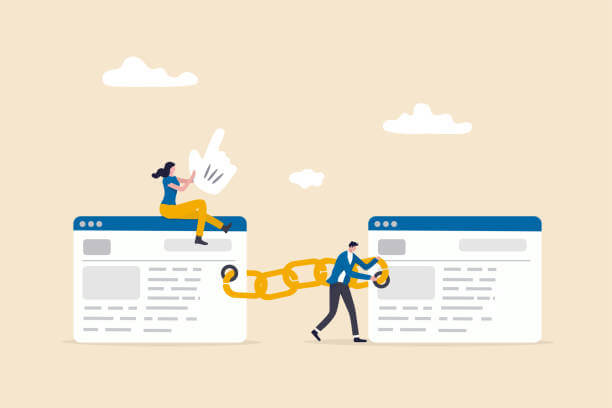
A website is composed of both high and low page authorities which are very important in the ranking of your website as a whole. That’s why creating a balance among the pages is crucial, too. You can do that by managing the internal linking of each page with a free backlink included in the text. Start by picking a page on your website that needs help in its PA. Make sure to link that page to those that have high PA within your website. The trick, however, is to guarantee that the link is contextual or is connected to the page you are referring to in the free backlink. This way, your customers can still enjoy a smooth, seamless reading experience and avoid confusion.
3. Ensure that the page contains good content.
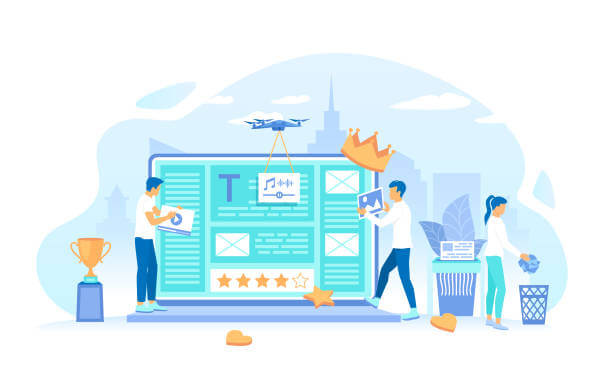
Your chance of getting more views and clicks is easier if you make sure that you have good quality content in it. Topics that interest audiences like fashion, technology, and more will be an automatic magnet for readers who might become your customers in the future. No matter how many free backlinks you put in your content, if it’s bad quality content, no one will read it and Google might just reject to put it in the list of search results. You can also use an app to detect which of the pages on your website needs improvement in its page authority score. Choose a page with high PA score and link them to those that have low PA so they can help each other be noticed by more audience.
4. Start creating your Domain authority.
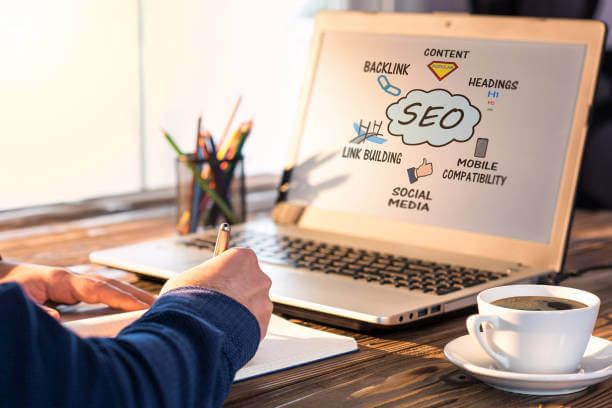
As you begin to improve your page authority, it shall follow that you will, later on, increase your domain authority. This refers to the total score of each page as a whole, which with properly optimized internal links, can be boosted all at the same time. Aside from maintaining good quality content, it is also necessary that you ensure the 100% optimization of your whole website. This includes on-page optimization, using proper URLs, avoiding duplicate blogs or contents, and of course, having a clear structure for your website so audiences will not be lost understanding of your whole content.
5. Always delete harmful or useless links to your website.
Bad links can bring a great effect on your website pages. You must prevent adding bad links to your pages if you want to keep all that you have worked hard for. Otherwise, lower PA and ranking, as well as a penalty, shall be imposed on your website. Performing a regular link audit can help eliminate these harmful and suspicious links from your website. Some of these links are those that come from gambling and porn sites. Removing them from your website is also quick and easy. First, you’ll need to report the issue to the webmasters responsible for such links and request for them to remove it from your pages. Otherwise, use Google disavow tool to seek help in eliminating the bad links from your site directly. Bad links are like cancer that can be contagious, affecting one page at the beginning until it entirely impacts your whole website. Don’t let this happen and ruin your hard work. Take the steps to remove these bad links as soon as you detect them.
Final Words
It’s good to know that there is an authority in online businesses that manage the rankings and popularity of web pages. This facilitates the search engines and the list of results that audiences get. Make sure to always have that top spot on the list by performing the steps mentioned in this blog. The secret again is a link, link, and link just like in a chain that is connected to help one another improve on something. Revisit your website page authority now and try applying these steps to your website.
12 Tips for How You Can Use Google Trends for Better SEO
How do you know someone’s favorite besides asking them about it? In eCommerce, you’ll know which product or service is trending through the popular Google Trends. One key thing to have when joining the big world of SEO is the ability to work with words and visuals. Because you chose to do business virtually, you’ll need to learn the ins and outs of this type of work.
What Is Google Trends?
If you are looking for a way to check the ‘trending’ or the most searched keywords on the web, Google Trend is what you need. It’s one of Google’s features that allows you to see how many times a term or word is being entered into the search engine. The website’s total search volume is used to measure how frequently some specific words have been searched. For example, as summer approaches, searches for the keyword “swimsuit” will gradually increase.
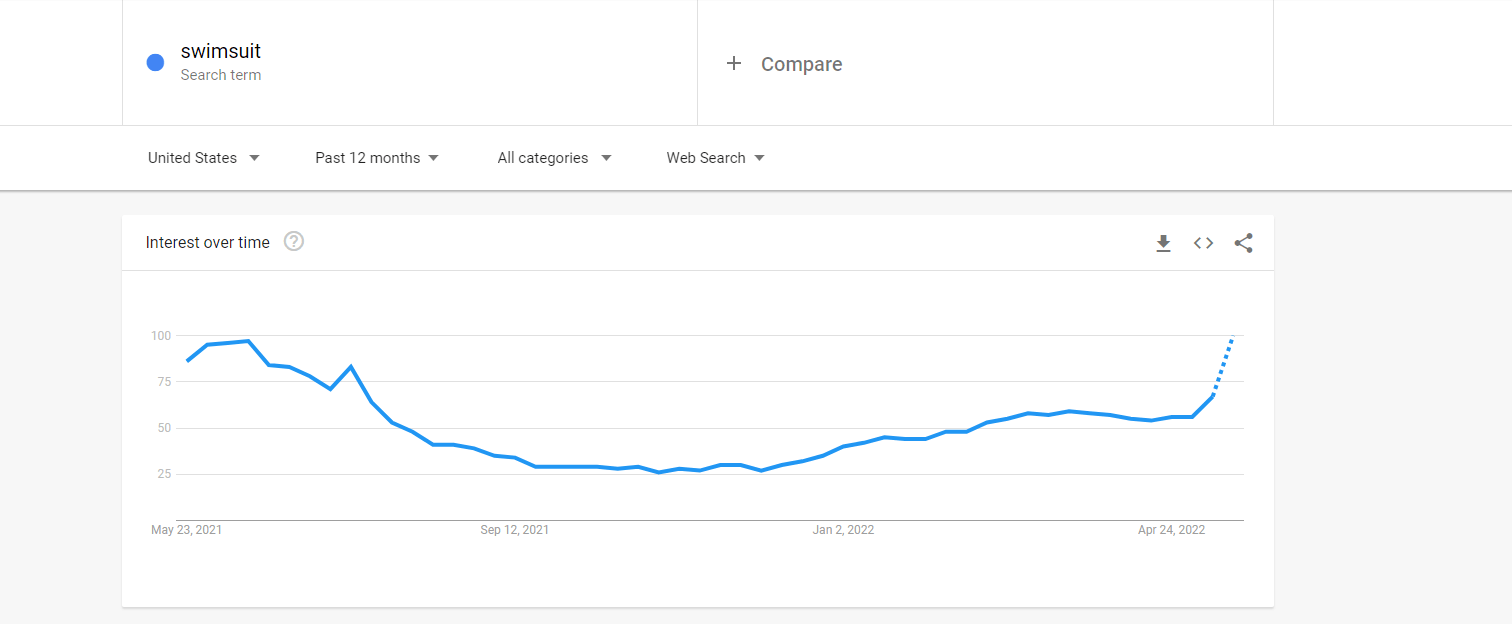
With that, Google Trends is often used for keyword search, effectively helping to discover the cause for the increase in keyword search volumes that are due to certain events. This feature also provides other data related to keywords such as geographical information and the volume index of search engine users.
How to Use Google Trends for SEO?
- Keyword Research
– This could be the most obvious purpose of using Google Trends; providing us with a list of keywords that are commonly entered and searched online by users. In this type of research, the main goal is to get all the words that interest audiences, the number of internal clicks made, and the length of time users lingered on a page with such keywords. With the help of Google Trends, keyword research ultimately becomes so much easier and faster.
- Finding Related Keywords
– Similar to how useful Google Trends was with keyword research, finding other related or common keywords is also possible through this feature. It allows users to browse a long list of keywords where there can be some that are connected to your businesses. These keywords will be handy when you decide to write blogs and content for your site.
- Discover Related Topics
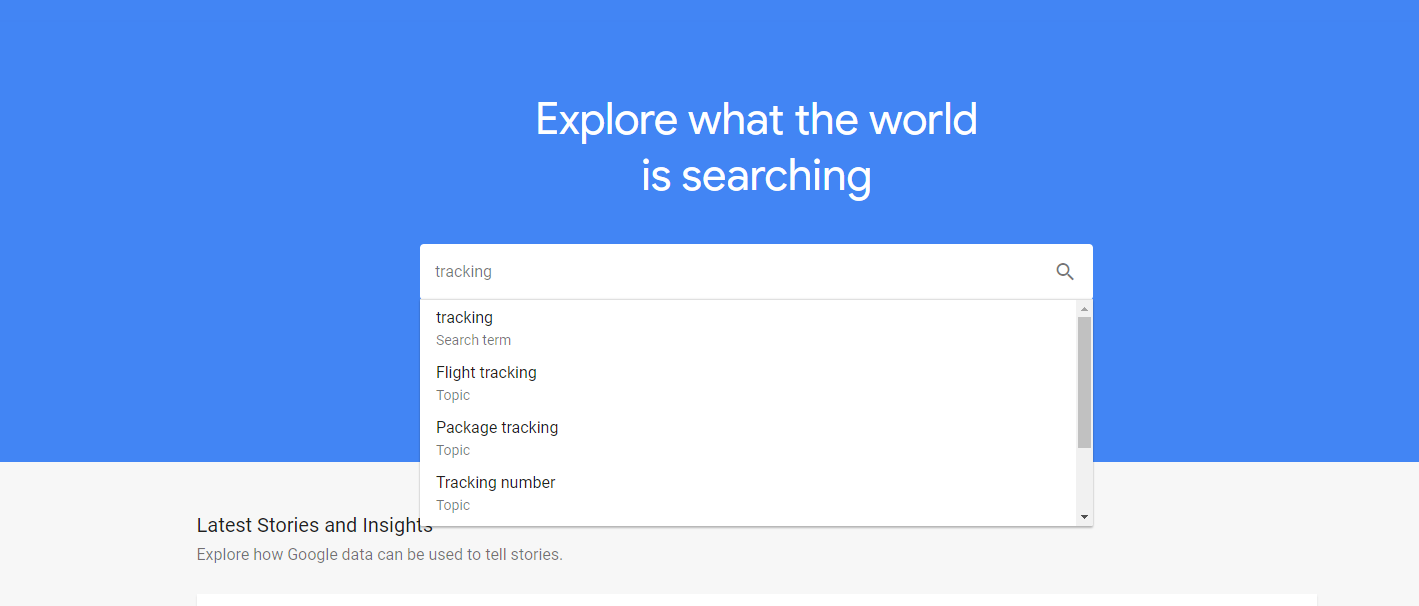
The keywords you get from Google Trends come from a variety of topics. To discover topics related to your business or somehow similar to it, you’ll need a list of the terms commonly entered on search engines such as Google. By finding connected topics, you’ll be able to make your content more meaningful and make it on top of the search engine results.
- Start Big & Whittle Down
When making your blogs or content for your business, you may begin with random topics that lead to your store, your products, and your services. Using Google Trends, later on, will enable you to trim down those contents and use the keywords on the list for better optimization and audience views in the future.
- Context, Context, Context
When you know that the word “cannabis” has been searched more than a hundred times in a specific city, you’ll know that it’s a keyword you can use to create attractive content for your site. Such is the case of a medical marijuana store in some states where the use of weeds is legal. Putting the keywords you get from Google Trends into the context of your business is especially necessary to make customers relate well to what your product or service is for.
- Get More Advanced With Specific Search Options
– Be ahead of your competitors by using specific keywords and phrases in your content and blogs. Google Trends shall assist you in choosing the best lineup of words and search options for your business and for your audience to see immediately in the search engine after they enter such keywords. Celtics is on Google Trends 2022 which can work to your advantage if you are into the cable connection business. Write something interesting about Celtics and see how many people will take the time to read your blog and eventually, sign up for your cable connection services.
- Target By Location
– Aside from the most searched keywords, the location of users who browsed a search engine’s results can be identified as well. Google Trends allows you to check which region has the most number of clicks or views of a particular keyword. When a query was searched on Google, you may also tell the location from where it came from. This is helpful when checking a potential customer’s proximity to your business and for delivery purposes.
- Trend Predictions

There’s a reason why this feature is called Google Trends and that is because it tells you which products and services are in-demand today. How? That is through the topics connected to the keywords that appear on the list of Google Trends. You can tell which styles of clothes, cellphone models, and others will become a hit in the future based on the topics or ideas that users research about.
- Use Long-Tail Key Phrases To Inspire Content
– Google Trends 2022 gives you a clear idea of the most wanted topics by users. Long-tail key phrases make a good start for good content that many users would be interested to read. This year, one of the trending key phrases searched on Google is “Jif peanut butter recall” in connection to the recent outbreak in the US. How and why the outbreak happens then inspires you to write content for your food product business.
- Use Data For Video Optimization
– The catchiest video on any search engine would be those that contain keywords frequently researched by users. Google Trends will guide you on the content of your video and in optimizing the terms to include in the dialogues or the advertisements found in your video.
- Use Cyclical Trends For Brand Positioning
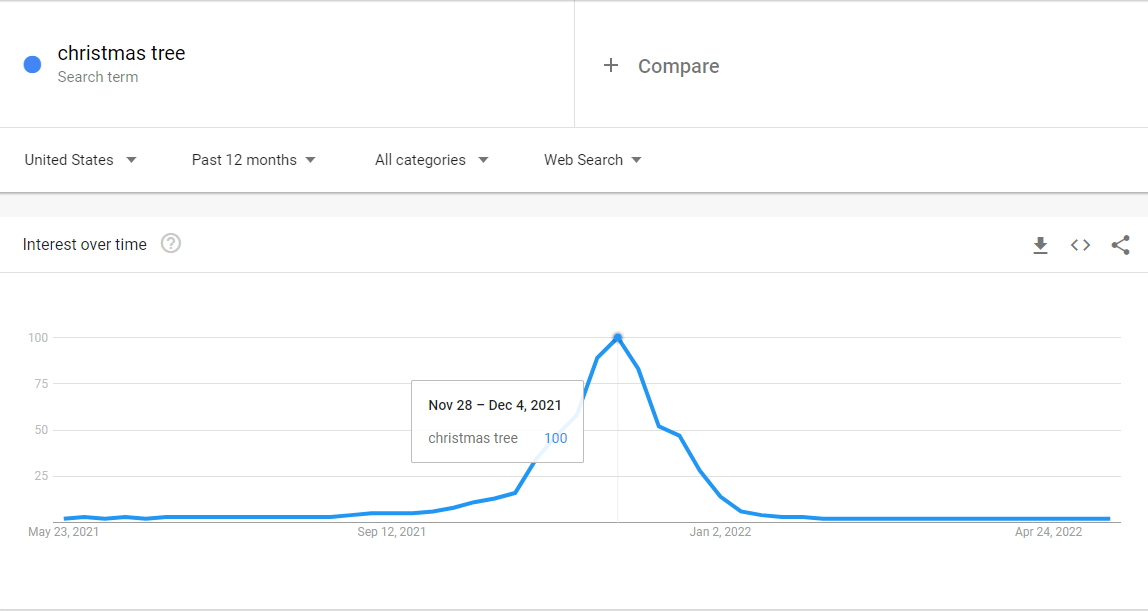
Cyclical trends pertain to the business cycle wherein the profit in a particular product and service becomes high and then goes low at a certain point. One good example of this is the seasonal businesses which are only popular on occasions such as Christmas, New Year, and Valentine’s Day. Using Google Trends, you can identify which of the products on Valentine’s Day get the attention of buyers the most based on the keywords they input in the search bar.
- Identify Blind Spots & Don’t Misread The Trends
Google Trends lets you identify the areas where your business will not be a good fit or in which areas you still need to improve. The trends don’t always help you find the best choice for your product or service. Keep in mind to just pick the information that truly relates to your business and avoid those that will not help grow your business. Not because everyone is following that trend means it will also be good for your business.
Final Words
Starting a business is always about knowing what people will buy and what they are interested in. With Google Trends around, doing so is now easier, faster, and more practical. Whichever of those twelve you plan to use Google Trend 2022, remember that keywords can only be as powerful as how you use them in your content. Choose the best words and phrases for your business content.
Beginner’s Guide: Simple Shopify SEO Tips
Bring out the best of your Shopify store through effective Search Engine Optimization or also known as SEO. Even though Shopify reigns as one of the most popular platforms in eCommerce where small online businesses are found, it still needs the help of SEO.
Some of the powerful Shopify SEO tips you can try are on the list below. These steps help keep the visibility of your Shopify store on top.
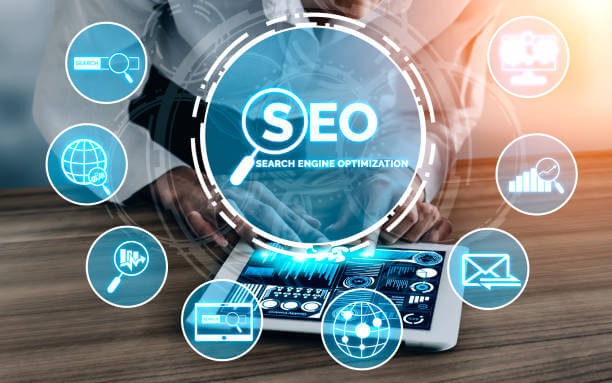
What is SEO?
Technically, SEO is used to improve your website to increase its visibility to people who search the internet for some related products and services through Google, Mozilla, and others. As long as your website stays on the top of the search new customers and existing ones will be directed to your store and hopefully make a profit.
Google and Mozilla are search engines that use crawl pages on the web through bots to collect information about each page. Such information shall be placed in an index for easier access. SEO is, in fact, the very basis for the success of effective marketing.
Benefits of SEO to Shopify Stores
1. SEO is practical and easy to apply.

With SEO, various benefits can be acquired such as your ranking in the search engine. To have better web visibility and more new customers, keyword search can be applied. This strategy allows online businesses to check which keywords match what they have and the kind of SEO they need. Lastly, using SEO is very practical and easy that you can generate leads without spending much.
2. SEO is Mobile-friendly.
It will be easier for your business to reach your target audience through SEO. Because of its mobile-friendly features, SEO can make Shopify stores visible to shoppers using smartphones to browse products and make a purchase. This is a generation of mobile users, thus, the age of mobile shopping as well.
3. SEO Gauges and Sharpens Your Performance

Using SEO in your business tests your patience and endurance. The result of your hard work does not immediately show up. It takes time to the point that can make anyone give up along the way. Your ability to track orders allows you also to study the behavior of your customers which you can use for future needs like when you need a fresh new marketing strategy. By following those Shopify SEO tips, you are simply sharpening your skills as an online store.
Shopify SEO Tips
Here are some simple Shopify SEO tips to explore.
1. Install Google Analytics for your store
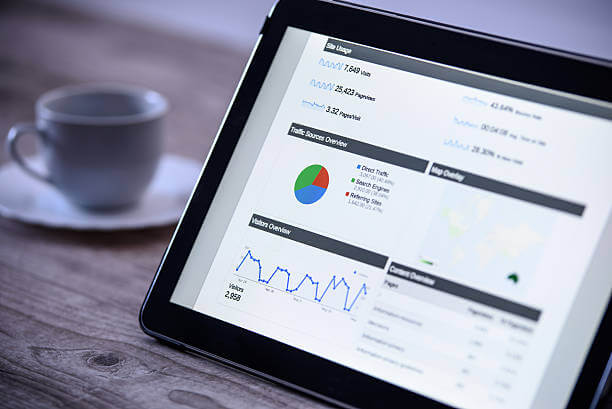
With Google Analytics installed on your PC for your store, it’s faster and more convenient for you to collect data about your customers. Every website visitor’s data are acquired by Google Analytics using a Javascript page tag inserted into each page. By running through the website visitor’s web browser, important details were gathered and then sent to one of Google’s servers. Using Google Analytics for your Shopify store gives you a data-driven technique to further achieve more customers and generate more traffic.
2. Build an easy-to-understand website structure
The structure of your website should be easy enough for site visitors to navigate, which pertains to how the pages on your site are connected through valid internal links. The context can be easily read by the algorithm if the site’s information is organized the right way. Likewise, a good website structure provides users with smooth browsing and also an improved crawling in discovering the good pages on your site.
3. Page Experience & Page Speed Optimization
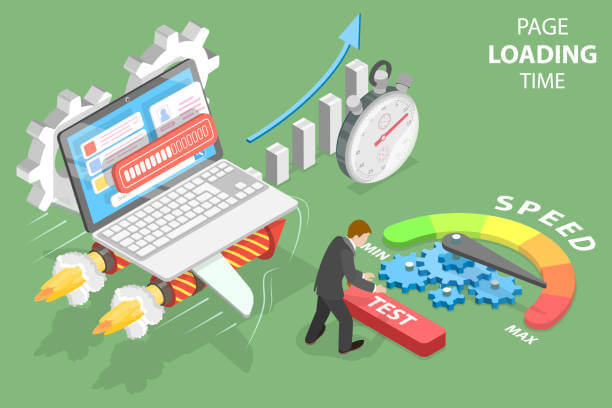
Better page experience is possible through good page speed optimization. This process is an SEO tactic that improves the search visibility and traffic of a website using specific keywords. Customers can quickly find your store and choose it over the many competitions online if it has all the related keywords to their search.
You can check your website’s loading speed with Google’s speed test tool: PageSpeed Insights.
4. Title Optimization
One way of improving your site’s ranking in the search engines is to use your target keywords in the title of any product, webpage, or blog you are creating. Titles should only be up to 70 characters or fewer to make the title tag easy to understand.
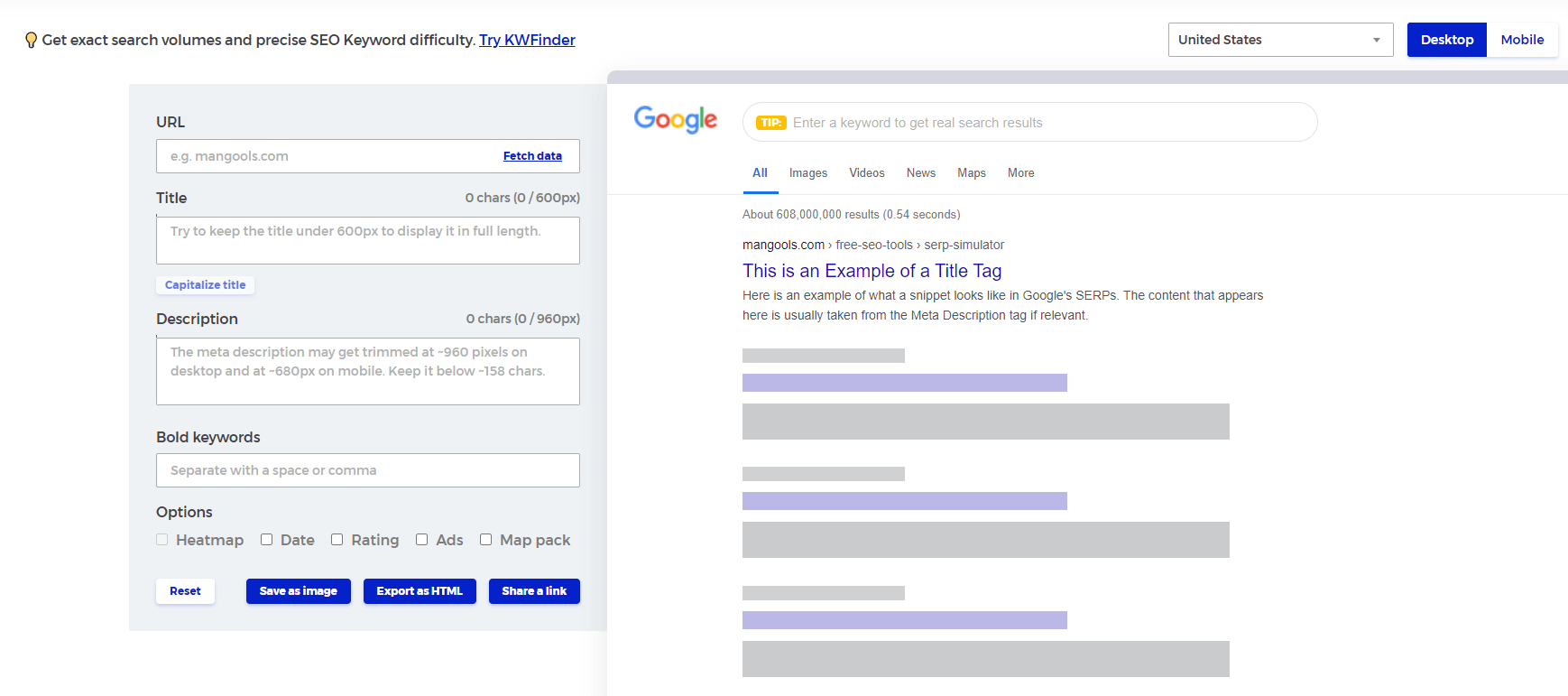
You can use mangonels free tool to test your website title and meta description
5. Meta description Optimization

On-page SEO can work better if you will optimize your Meta description or if you make that snippet only up to 155 characters and which is a summary of what a page is about. With a clearly-written Meta description, your Shopify store can be easily found by customers and thus, generate more leads and sales.
6. Image ALT and size optimization
Alt attributes need to be clear and carefully written. The names of the images you put on your website should be descriptive enough and in plain language so as not to confuse your customers. Likewise, selecting the right file size and type is required to enhance your website’s speed and quality.
7. Conduct keyword research based on your product

Through applications like Ahrefs and SurferSEO, you can discover keywords that are closely related to your product and service. Such keywords play a vital role in your Shopify SEO needs. Specifically, those keywords should appear in each tag and title of your content to ensure they will be detected by the crawlers.
8. On-page optimization check
In connection with conducting a keyword search, on-page optimization has to do with your use of those keywords in your blog or other content. They are your customers’ way of getting into your website and it is your website’s means of being considered by the crawlers to be included in the Google index. The same apps and tools, Ahrefs and SurferSEO, can assist you in optimizing every page of your website by giving you information on how many times a keyword was used and how many times you still need to use them.
9. Start Blogging

Once you already have a solid list of keywords and phrases that are trending and connected to your product, it’s now time you write your blog. Make use of all those keywords, images, and other elements such as descriptions you learned earlier to improve your website’s content. Remember to always “optimize” and “organize” all that you present for better customer retention and appeal.
10. Optimize for Mobile
Your blog needs to be read by everybody as much as possible for a higher chance of being noticed and of getting higher sales. One way to do that is by optimizing your content for mobile use. A lot of customers prefer using smartphones that their PC or laptop because they’re always on the go. Make sure to check if your content can be viewed on mobile beforehand.
Bottomline
Keep in mind that everything on the internet happens with just a click. Using SEO for your Shopify store is about making people have that interest to click on your website to check out your products and eventually, make a purchase. SEO, when used the right way, can make that search a lot easier for your website and your customers to meet. Study each strategy in SEO and learn your way to always be on top of the search results next time.
Keywords
What is “keywords”?
Keywords is the words and phrases that people use to find your site or products in search engines like Google.
What is the target keywords?
A target keyword is one word or phrase that can best summarize your page. people will find you on search engines by this word. SEO Ant prove “target keywords” portion to help you include the word or phrase that best suits your pages.
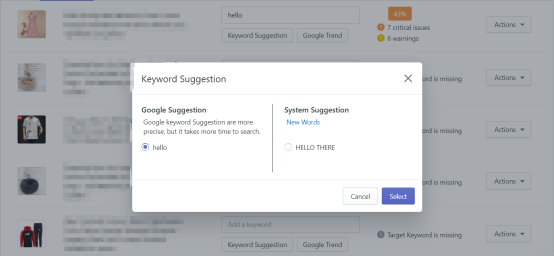
Keyword suggestion:
The keyword suggestion is based on the keyword that you entered and suggested by Google Algorithm. For reference only.

Google Trend:

Google & System Suggestion
Local SEO: Everything you need to know
This local SEO guide shows you how Google works with local sites and how to optimize your website to rank higher in local searches for your business.
Local SEO Services
You can be assured that your business will be seen when you hire local SEO services. The Local Search Engine Optimization Campaign (SEO) service is perfect for local or small business owners looking to rank higher on search engines like Google and attract more customers.
What is Local SEO?
A local SEO strategy boosts your business’s visibility in local search results on Google through search engine optimization (SEO).
It is possible for any business that operates in a specific geographic area or has a physical location to benefit from Local SEO. You will also likely see three listings (also known as a map pack) when searching on Search Engine results when any essential keywords for your company are entered. This is a good indication that local SEO can help your business grow.
However, you have to understand the way Google works before understanding local SEO.
So What does Google do?
Search phrases are entered into Google, and the search engine looks at various website signals, or ranking factors, to determine whether they match the search query.
People might not realize that when someone types something into the search bar, Google isn’t running a live search of the entire internet. This is searching all of Google’s discovered sites. A copy of this is known as the Google Index.
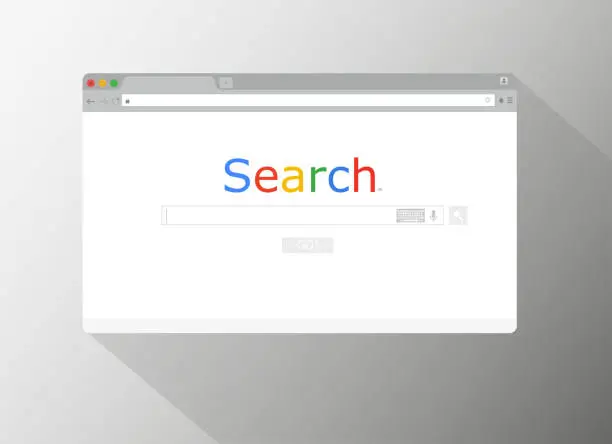
Google crawls the web with the help of small programs called “spiders” as part of the indexing process. Spiders work similarly: They begin by crawling a page, followed by links, then continue to crawl the links on that page, looking for content on the next page, and so on.
As Google crawls the web, it will store all the content on its servers, which will be used to build its index. There is no other way to describe the enormity of the spiders’ work, which is related to the rate at which they crawl trillions of pages per second. Keeping the index regularly updated is an important way to make sure that new links are being found quickly and that the index is up-to-date.
What Factors Does Google Consider When Determining To Rank?
Hundreds of thousands of sites are ranked by Google in a blink of an eye, using various ranking methods. This process is known as an algorithm. In organic search results, a list of websites that match your search is listed as a result of an algorithm checking the index to find websites that match your search. Links from inbound sources determine the ranking and relevance of those results.
The algorithm considers on-site and off-site factors in determining which websites contain relevant content to your search. Lists of all relevant sites are ranked by prominence after adding them all. In other words, the algorithm determines which, among a wide variety of on-site and off-site elements, are the sites that best meet your search criteria and are listed at or near the top of the results.
A website’s search engine optimization can substantially impact its relevancy, prominence, and hyperlink popularity. A digital footprint optimized for the correct elements will result in your site showing higher search results.
Local SEO Pattern.
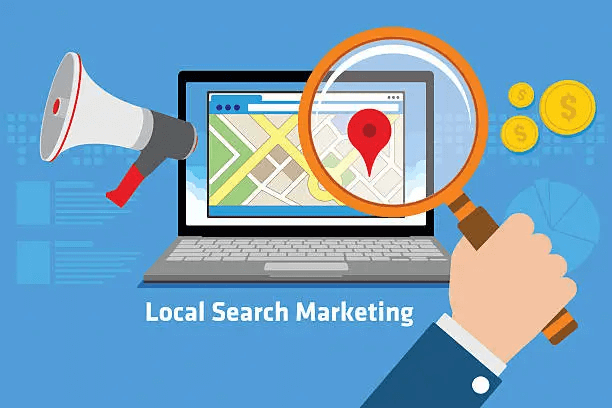
Are our local organic listings important? Google determined that people seeking certain kinds of businesses want results local to them because they analyzed their behavior during trillions of searches. When Google searches for a local keyword, a proximity factor is taken into account, which means the search engine considers your location while exploring. Searchers can still get this result without including a city name or “near me.”
You can search for “pizza delivery” in Google local SERPS (search engine results pages) if you’re at work and would like to order a pizza for lunch.
A similar search done at home will yield completely different results. If you want pizza delivered, you probably need it delivered close to home.
It has existed for years, but the use of desktop computers limited the scope of local searches. However, mobile search has exploded in recent years thanks to the widespread use of mobile devices, so local SEO has become vital to the success of any business offering regional products and services.
How Does Local SEO impact Rankings?
How can marketers benefit from this? Local search results and local map pack listings are separated by different algorithms, even though both are displayed in organic Google search results. In the local map pack, there is the opportunity to appear in both the organic search results and also in the local search results as a local business.
When you’re a beginner in online marketing, one of the biggest challenges you’ll face is knowing what to focus on to make your efforts as effective as possible.
Local Search Ranking Factors is a marketing analytics software Moz survey featuring the top 35 to 40 worldwide experts in local SEO. According to the survey, local SEO visibility is impacted by several factors.
As with Google’s traditional algorithm, localized content and link popularity are factors, so it’s essential for you to create local landing pages for the locations where you’re located- especially if you have more than one- and to include relevant details such as an address, phone and meta descriptions as well as to follow SEO best practices. Your content marketing and link-building strategies should take this into account as well.
Location-based factors, such as a Google My Business listing, local data citations, and reviews from your local customers, also play a part in your local search engine optimization efforts, and as a result, you might want to incorporate them into your local SEO strategy.
Additionally, local SEO tools can help you develop localized SEO audits, from discovering keywords and phrases that are relevant to your local audience, building citations, managing Google My Business listings, business profiles, and posts, and even tracking your inclusion in local packs.
As with Google’s traditional search algorithm, website content plays a key role, but local factors like Google My Business, citations, and reviews are also considered.
Take Advantage of SEO
Additionally, as we learn more about how Google ranks local search and the relationship between SEO basics and local search, more and more marketers have begun to emphasize signals that will optimize their websites’ digital footprints in the context of localized search. Using this method, you can increase your company’s position on the search results page, which can result in more potential customers discovering your company.
To appear in these searches, you will need to consider many factors. These factors will determine your visibility, but keep in mind that local search continues to grow and change. Use Moz’s annual survey as a guide to form your strategy playbook by keeping track of which signals are becoming more and less critical over time. You will be able to serve more people in your geographic area once you improve each important signal area.

Enterprise Plan Introduction
What the Enterprise Plan addresses for you:
- No way to start, don’t know where to start optimization
- It is not clear which pages need to be optimized and which keywords have a better chance of improving ranking.
- The site has potential problems but doesn’t know how to find and fix them
- Difficult to deal with problems in Google Search Console
- Lack of clear assessment of traffic and SEO performance
What we will do for you:
1. 1:1 Expert Consultation:
At any time, you can make an appointment to have a 1-to -1 meeting with our SEO experts to answer your questions about using the system and other websites.
2. VIP problem scanning:
We will conduct a more comprehensive scan of your website for problems and provide optimization suggestions.
3. GSC problem fix:
We will help you resolve page indexing issues in the Google Search Console (GSC).
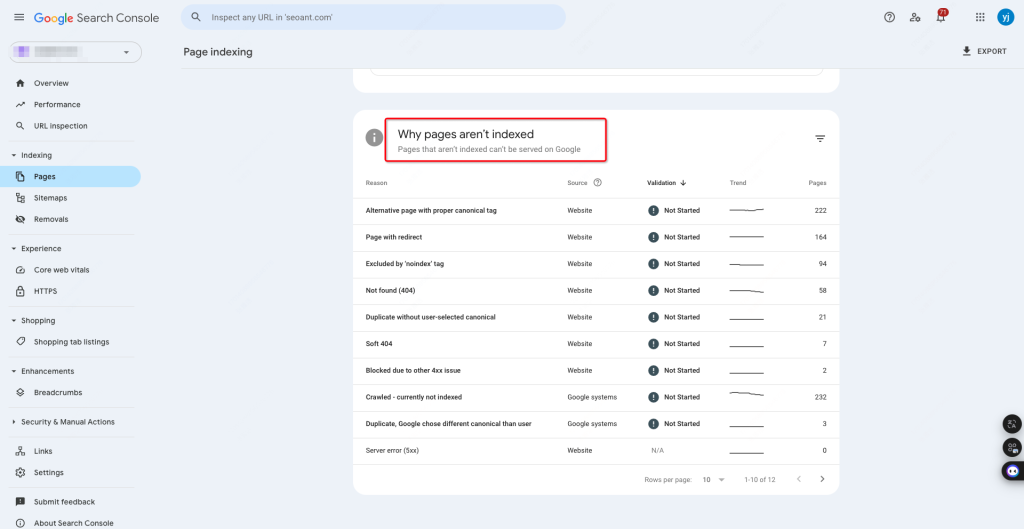
This will help improve your site’s performance on Google Search.
GSC is a free tool provided by Google to help website owners monitor and maintain their website’s performance in Google search results.
4. Website optimization
We will help you identify at least 8 pages worth optimizing every month, and recommend you more than 15 keywords. By generating the website content of these keywords, you can get a higher ranking
5. Website Analysis
We will analyze the traffic data and index status of your website, and give your website optimization suggestions
This will help you better understand the current operation of the site, to provide a basis for subsequent optimization work.
Through this comprehensive SEO optimization package, we will help your business website increase online visibility and achieve sustained growth.

Structured Data
Structured Data
In this document the following questions will be answered:
- How to set up JSON-LD?
- How to set up Html-sitemap?
- How to format your website content using the Structured Data tool?
How to set up JSON-LD?

Click Structured Data > JSON-LD

You can choose which page categories you wish to add your JSON-LD to by simply Clicking the Enable/Disable.
The SEO Ant system will automatically add JSON-LD to your URLs’ for the search engines to better understand your website’s content.
How to set up Html-sitemap?
Click Structured Data > HTML Site-map > Enable
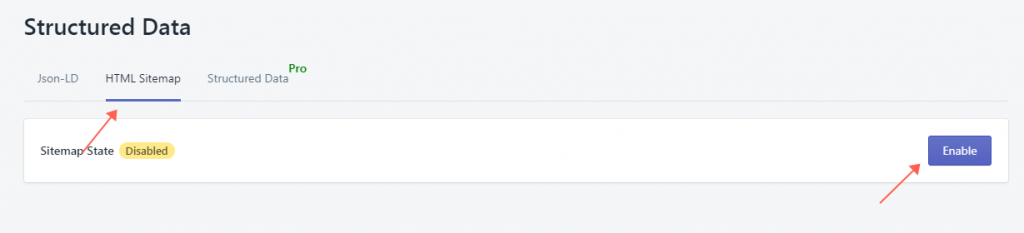

1. Click the check box if you wish this part of your website to be shown on the HTML site-map.
2. Click on the Column to enter the number of links to be shown on the HTML site-map.
3.Click on Add links if you wish to add more links to your HTML site-map.
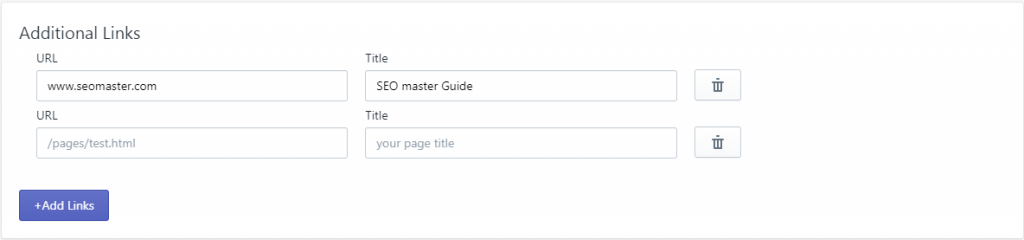
4. Click on Save when you are done with the HTML site-map process.
How to format your website content using the Structured Data tool?

Click Structured Data > Structured Data Tool
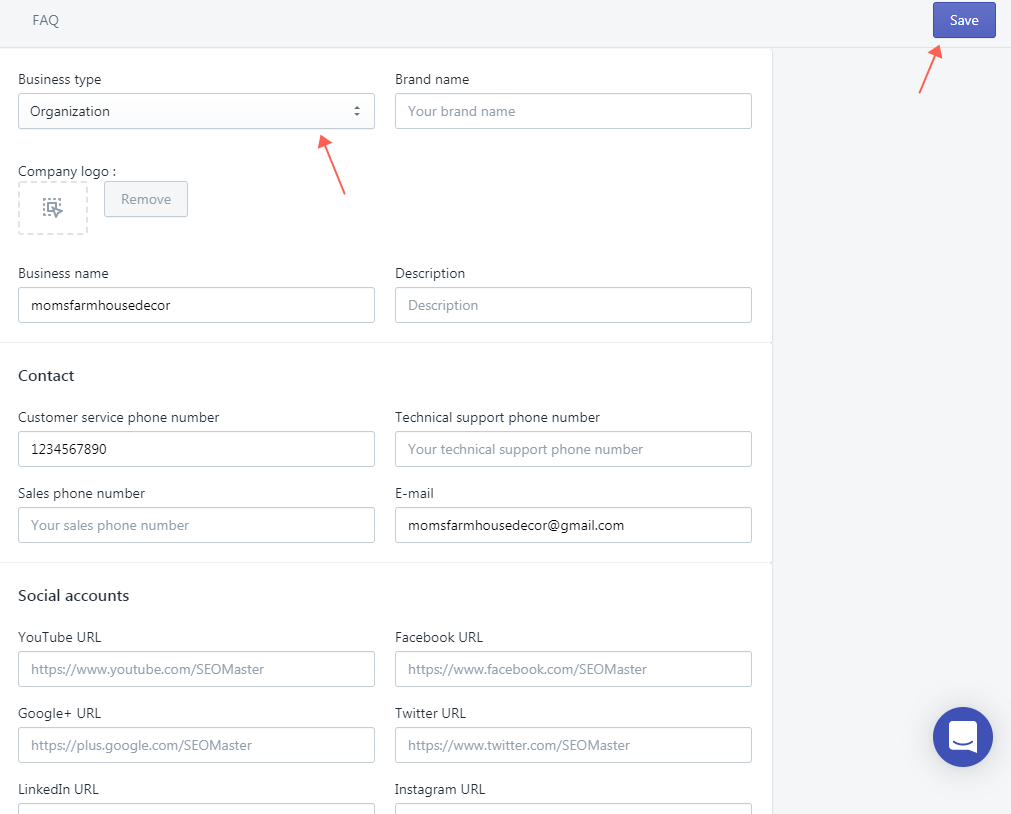
1. Click on Business Type to choose between Organization or Local Business.
2. Follow the Description above the column to enter your information.
3. Click on Save to finish.