



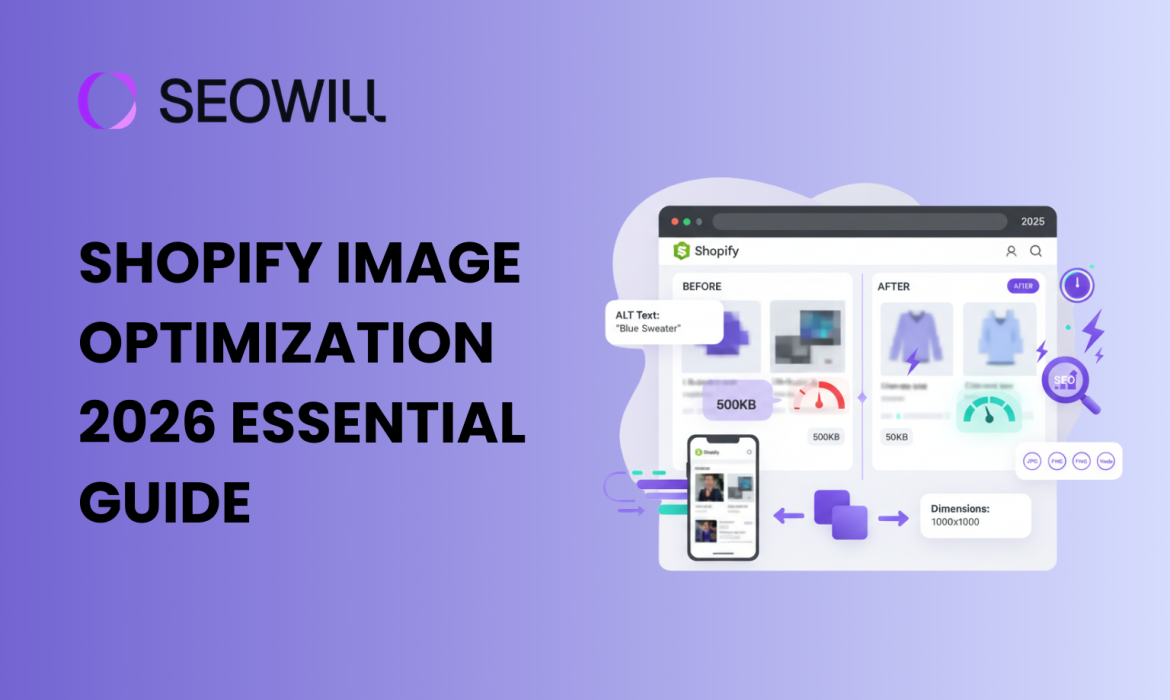
Shopify Image Optimization: 2026 Essential Guide
Why Shopify Image Optimization Can Make or Break Your Store
Have you ever clicked away from an online store because it took forever to load? You’re not alone. Studies show that 53% of mobile users abandon sites that take longer than 3 seconds to load – and images are typically the biggest culprits behind slow page speeds.
In 2025, image optimization isn’t just a technical nicety – it’s a fundamental requirement for e-commerce success. Your product images need to look stunning while loading lightning-fast. The good news? With the right techniques, you can have both.
This beginner-friendly guide will walk you through everything you need to know about optimizing images for your Shopify store. Whether you’re launching your first store or looking to improve your existing site’s performance, you’ll discover actionable strategies that deliver real results.
What You’ll Learn:
- The best image formats for Shopify in 2026
- Optimal image sizes and dimensions
- Compression techniques that preserve quality
- ALT text and file naming for better SEO
- Shopify’s built-in optimization tools
- Common mistakes and how to avoid them
Let’s transform your store’s images from performance killers into conversion boosters.
Understanding Why Image Optimization Matters
The Impact on Page Speed

Images typically account for 50-80% of a webpage’s total size. An unoptimized product page might load 15MB of images when it could load 2MB with proper optimization. That difference translates directly to:
- Faster page loads: Optimized images load 3-5x faster
- Better mobile experience: Critical when 70%+ of e-commerce traffic comes from mobile
- Lower bounce rates: Every second of delay increases abandonment by 7%
- Improved server performance: Less bandwidth means lower hosting costs
The SEO Connection
Google has made page speed a ranking factor, and images play a major role. Well-optimized images also contribute to SEO through:
- Descriptive ALT text that helps Google understand image content
- Optimized file names that signal relevance to search engines
- Faster Core Web Vitals scores that boost search rankings
- Image search traffic from Google Images
The Conversion Factor
High-quality product images directly influence buying decisions:
- Products with quality images have 94% higher conversion rates
- Shoppers examine an average of 6 images before making a purchase
- Zoom functionality and multiple angles increase trust and reduce returns
The challenge is delivering this visual excellence without sacrificing performance. That’s where optimization comes in.
Choosing the Right Image Formats
WebP: The Modern Standard
WebP has emerged as the gold standard for e-commerce images in 2026. This format delivers:
- 25-35% smaller file sizes than JPEG at equivalent quality
- Transparency support like PNG
- Animation support like GIF
- Universal browser support (all major browsers now support WebP)
Best for: Product images, hero banners, category images, lifestyle photography
Pro Tip: Shopify’s CDN automatically serves WebP versions to supported browsers, but uploading optimized WebP files gives you even better results.
JPEG: The Reliable Workhorse
JPEG remains excellent for:
- Complex photographs with many colors
- Images where file size isn’t critical
- Maximum compatibility with older systems
Best for: Detailed product photography, lifestyle images, backgrounds
PNG: When You Need Transparency
PNG is your go-to format for:
- Logos with transparent backgrounds
- Icons and graphics with sharp edges
- Product images that need to overlay different backgrounds
Important: PNG files are significantly larger than WebP or JPEG. Use only when transparency is essential.
Format Selection Cheat Sheet
| Image Type | Recommended Format | Fallback |
| Product Photos | WebP | JPEG |
| Hero Banners | WebP | JPEG |
| Logos | WebP (with transparency) | PNG |
| Icons | SVG | PNG |
| Thumbnails | WebP | JPEG |
Optimal Image Sizes and Dimensions
Shopify’s Recommended Dimensions
Getting your image dimensions right before uploading prevents Shopify from doing unnecessary processing and ensures sharp display across devices:
Product Images:
- Square format: 2048 x 2048 pixels (recommended)
- Minimum: 1024 x 1024 pixels
- Aspect ratio: Consistent across all products (1:1 works best)
Collection/Category Images:
- Featured: 1200 x 600 pixels
- Standard: 800 x 600 pixels
Hero/Slideshow Banners:
- Full-width: 1920 x 600 to 1920 x 800 pixels
- Mobile-optimized: Consider 750 x 600 pixels for mobile-first design
Logo:
- Header: 250 x 100 pixels (or proportional)
- Favicon: 32 x 32 pixels
File Size Targets
Even with correct dimensions, file sizes matter:
| Image Type | Target File Size |
| Product Images | 200-300 KB |
| Hero Banners | Under 500 KB |
| Thumbnails | Under 100 KB |
| Icons/Logos | Under 50 KB |
Compression Techniques That Preserve Quality
Understanding Lossy vs. Lossless Compression

Lossy compression removes some image data permanently to achieve smaller files. At 80-85% quality, the difference is virtually invisible to human eyes.
Lossless compression reduces file size without removing any image data. Results in larger files but perfect quality preservation.
Recommendation: Use lossy compression at 80-85% quality for product images. The size savings far outweigh the minimal quality reduction.
Free Compression Tools
TinyPNG
- Browser-based, no installation needed
- Handles PNG, JPEG, and WebP
- Free for files under 5MB
SEOAnt
- Advanced mage compression tool
- Real-time quality preview
- Format conversion
ImageOptim (Mac only)
- Desktop application
- Batch processing capability
- Lossless and lossy options
Shopify’s Built-In Compression
Shopify automatically compresses images uploaded to your store through their CDN (Content Delivery Network). However, uploading pre-optimized images gives better results:
- You control the quality/size balance
- Faster upload times
- Consistent optimization across your catalog
ALT Text and File Naming for SEO
Crafting Effective ALT Text
ALT text (alternative text) serves two crucial purposes: accessibility for visually impaired users and SEO signals for search engines.
ALT Text Best Practices:
✅ Be descriptive and specific:
- Good: “Blue leather bifold wallet with RFID blocking technology”
- Bad: “wallet” or “product image”
✅ Include relevant keywords naturally:
- Good: “Women’s running shoes in coral pink, side view”
- Bad: “running shoes women shoes athletic shoes sneakers”
✅ Keep it concise:
- Aim for 125 characters or less
- Describe what’s actually in the image
✅ Avoid keyword stuffing:
- Google penalizes obvious manipulation
- Write for humans first, search engines second
Optimizing File Names
Rename your image files before uploading—”IMG_4521.jpg” tells search engines nothing.
File Naming Best Practices:
✅ Use descriptive, hyphenated names:
- Good:
mens-oxford-shirt-navy-blue.jpg - Bad:
IMG_4521.jpgorshirt1.jpg
✅ Include primary keywords:
- Good:
organic-cotton-yoga-mat-purple.webp - Bad:
yoga-mat-final-v2-edited.webp
✅ Keep it lowercase:
- URLs are case-sensitive on some servers
- Consistency prevents errors
✅ Use hyphens, not underscores:
- Google reads hyphens as word separators
blue-dress.jpgnotblue_dress.jpg
Implementing Responsive Images and Lazy Loading
Responsive Images
Your images should adapt to different screen sizes without loading unnecessarily large files on mobile devices.
Good news: Shopify themes automatically generate multiple image sizes and serve appropriate versions based on device. However, you can help by:
- Uploading high-resolution source images (Shopify will create smaller versions)
- Using themes with proper responsive image implementation
- Testing your site on multiple devices
Lazy Loading
Lazy loading delays loading images until they’re about to enter the viewport. This dramatically improves initial page load times.
Implementation: Most modern Shopify themes include lazy loading by default. To verify:
- Open your store in Chrome
- Right-click an image below the fold
- Select “Inspect”
- Look for
loading="lazy"attribute
If your theme doesn’t support lazy loading, consider upgrading or installing a performance optimization app.
Your Image Optimization Checklist
Use this checklist for every image you upload:
Format: WebP for products, PNG only for transparency
Dimensions: 2048 x 2048 pixels for products
File size: Under 300KB for products, under 500KB for banners
File name: Descriptive, hyphenated, lowercase
ALT text: Specific, natural, under 125 characters
Compression: 80-85% quality for optimal balance
Consistency: Same dimensions across product category
Mobile test: Verify appearance on mobile devices
Conclusion: Start Optimizing Today
Image optimization isn’t glamorous, but it’s one of the highest-impact improvements you can make to your Shopify store. Faster loading times, better SEO rankings, and improved conversion rates—all from images that look just as good (or better) than before.
Shopify Product Title: How to Opitmize and Boost SEO in 2026
Why Shopify Product Title Is Your SEO Weapon?
No one ever purchases online without first reading a product’s title, right? Shopify stores are typically where shoppers first see and interact with a store owner’s product before they are able to do so via Google searches. Therefore, a Shopify Product Title acts as an introduction to the product. Unfortunately, many store owners do not see the importance of having the SEO for these titles properly optimized and as such are missing out on tremendous search engine optimization (SEO) opportunities.
With increasing competition in the Ecommerce industry in 2026, properly optimizing Shopify product titles is now mandatory. Google is executing more than 8.5 billion searches each and every day, and when combined with the massive amount of results being generated from same, properly optimized product titles can determine the difference between a store being found on page one as opposed to being discovered on page ten.
The purpose of this tutorial is to provide you with the information required to create SEO optimized Shopify product titles that drive traffic to your website and increase click-through ratios; both of which will ultimately result in a considerable increase in your profits.
The Importance of Shopify Product Title Optimization
Why Shopify Product Titles Matter for SEO
Your Shopify product titles serve multiple critical functions:
| Factor | Description | Why It Matters |
| 1. Search Engine Rankings | Google uses Shopify product title as a major ranking signal. Optimized titles help match user search intent such as “organic cotton yoga pants.” | Increases visibility and helps products rank for valuable keywords. |
| 2. Click-Through Rate (CTR) Impact | Compelling product titles can boost CTR by up to 40% because the title appears as the main clickable link in search results. | Higher CTR signals relevance to Google and drives more traffic compared to competitors. |
| 3. User Experience & Clarity | Clear, descriptive titles help shoppers instantly understand what the product is. | Reduces bounce rate, increases time-on-page, and supports better overall SEO performance. |
| 4. Social Media & Marketing Performance | Product titles often appear automatically when products are shared on social platforms or used in ads. | Well-optimized titles improve engagement and campaign effectiveness across all marketing channels. |
The Anatomy of a Perfect Shopify Product Title

Essential Components
A high-performing Shopify product title in 2026 includes these key elements in order of priority:
1. Primary Keyword (Most Important) Place your main search term at the beginning of the title. This is typically what customers type into Google when looking for your product.
Example: “Running Shoes” rather than “Shoes for Running”
2. Key Product Attributes Include 2-3 crucial details that differentiate your product:
- Brand name (if well-known)
- Model or style
- Material or composition
- Size, color, or variant
- Key benefit or feature
3. Unique Selling Proposition (When Space Allows) Add what makes your product special:
- “Waterproof”
- “Eco-Friendly”
- “Limited Edition”
- “Handmade”
The Winning Formula
Here’s a proven formula for structuring product titles:
[Primary Keyword] – [Key Attribute 1] – [Key Attribute 2] – [Brand/Benefit]
Examples:
❌ Bad: “Amazing Blue Shirt”
✅ Good: “Men’s Oxford Shirt – Long Sleeve – 100% Cotton – Classic Fit”
❌ Bad: “SuperSoft Pillow for Sleeping”
✅ Good: “Memory Foam Pillow – Cooling Gel – Cervical Support – Queen Size”
❌ Bad: “Best Yoga Mat Ever”
✅ Good: “Yoga Mat – Extra Thick 6mm – Non-Slip TPE – Eco-Friendly”
Character Limits and Display Considerations
Google Search Results:
- Desktop: 60-70 characters display (approximately 600 pixels)
- Mobile: 55-60 characters display
- Maximum before truncation: ~580 pixels
Shopify Platform:
- Technical limit: 255 characters
- Recommended: 50-70 characters for optimal SEO
- Collection pages: 40-50 characters display best
Best Practice: Front-load the most important information within the first 50-60 characters to ensure visibility across all platforms.
Step-by-Step Guide to Keyword Research for Shopify Product Title
Finding the Right Keywords
Effective product title optimization starts with thorough keyword research. Here’s how to identify the best keywords for your products:
Step 1: Identify Seed Keywords
Start with the basic terms that describe your product:
- Product category (e.g., “running shoes,” “coffee maker,” “yoga mat”)
- Brand name (if applicable)
- Product type or model
Step 2: Use Free Keyword Research Tools
Google Autocomplete Start typing your seed keyword in Google and note the suggestions. These represent real searches people are making.
Example: Type “organic cotton t-shirt” and you might see:
- “organic cotton t-shirt women”
- “organic cotton t-shirt men”
- “organic cotton t-shirt bulk”
- “organic cotton t-shirt brands”
Google Related Searches Scroll to the bottom of any Google search results page to find related search terms.
Google Shopping Insights Search for your product type in Google Shopping and analyze how top-ranking competitors structure their titles.
Step 3: Leverage Advanced Tools
Free Tools:
- Google Keyword Planner: Search volume and competition data
- Ubersuggest: Keyword ideas and SEO difficulty
- Answer The Public: Question-based searches
- Google Trends: Seasonal and trending keywords
Premium Tools (Recommended):
- Ahrefs: Comprehensive keyword data and competitor analysis
- SEMrush: Product-specific keyword research
- Helium 10 (for Amazon sellers who also use Shopify): Cross-platform keyword insights
Step 4: Analyze Search Intent
Not all keywords are created equal. Understand the searcher’s intent:
- Informational: “how to choose running shoes” (blog content)
- Navigational: “Nike Air Max 90” (specific product search)
- Commercial: “best wireless headphones 2026” (comparison stage)
- Transactional: “buy wireless headphones online” (ready to purchase)
Focus on transactional and navigational keywords for product titles, as these indicate purchase intent.
Keyword Research Example: Running Shoes
Let’s walk through a real example:
Product: Women’s trail running shoes
Research Process:
- Seed keyword: “women’s running shoes”
- Google Autocomplete suggests: “women’s trail running shoes waterproof”
- Related searches show: “women’s trail running shoes wide width”
- Keyword Planner data:
- “women’s trail running shoes” – 5,400 searches/month
- “waterproof trail running shoes women” – 1,900 searches/month
- “wide width trail running shoes women” – 880 searches/month
Optimized Title: “Women’s Trail Running Shoes – Waterproof – Wide Width – Lightweight Hiking Sneakers”
This title targets the primary keyword while incorporating high-value modifiers that capture additional search traffic.
Shopify Product Title Best Practices for 2026
1. Front-Load Your Most Important Keywords
Search engines and shoppers both scan titles from left to right. Place your most critical keywords at the beginning.
Example:
- ❌ “Premium Quality Men’s Leather Wallet”
- ✅ “Men’s Leather Wallet – RFID Blocking – Slim Bifold – Genuine Cowhide”
2. Use Natural Language (Voice Search Optimization)
With the rise of voice search, product titles should sound natural when spoken aloud.
Voice Search Friendly:
- “Women’s Black Leather Handbag with Gold Hardware”
- “Wireless Bluetooth Earbuds with Noise Cancelling”
Not Voice Friendly:
- “Handbag Leather Women Black Gold Hardware Luxury”
- “Earbuds Bluetooth Wireless Noise Cancelling TWS”
3. Include Specific Attributes Over Generic Descriptions
Specific details improve rankings and conversion rates.
Specific:
- “Sterling Silver Cross Necklace – 18 Inch Chain”
- “Stainless Steel Water Bottle – 32 oz – Insulated”
Generic:
- “Beautiful Silver Necklace”
- “Great Water Bottle”
4. Capitalize Properly
Use title case (capitalize major words) for professionalism and readability.
Correct: “Organic Green Tea – 100 Bags – Premium Loose Leaf” Incorrect: “organic green tea – 100 bags – premium loose leaf”
5. Avoid Keyword Stuffing
Google’s algorithm penalizes excessive keyword repetition. Make titles read naturally.
Keyword Stuffing (❌): “Running Shoes Women Running Shoes Running Sneakers Women’s Running Shoes Athletic Running”
Natural Optimization (✅): “Women’s Running Shoes – Lightweight Athletic Sneakers – Breathable Mesh”
6. Don’t Use All Caps
Avoid using all capital letters, as it appears spammy and can hurt click-through rates.
Better: “Premium Coffee Beans – Organic Dark Roast – Whole Bean” Worse: “PREMIUM COFFEE BEANS – ORGANIC DARK ROAST – WHOLE BEAN”
7. Exclude Promotional Language
Save promotional messages for product descriptions and meta descriptions. Keep titles factual.
Avoid:
- “BEST DEAL EVER!!!”
- “Limited Time Offer”
- “50% OFF TODAY ONLY”
Instead Focus On:
- Product features
- Specifications
- Benefits
- Variants
8. Consider Seasonal Keywords
For seasonal products, include year or season in the title during peak periods.
Examples:
- “Women’s Summer Dress – Floral Print – 2026 Collection”
- “Christmas Tree Ornaments – Set of 24 – Holiday Decorations”
9. Test and Optimize Regularly
Monitor your product title performance monthly:
- Track rankings for target keywords
- Analyze click-through rates in Google Search Console
- Review conversion rates by product
- A/B test title variations for top sellers
Tools and Resources for Product Title Optimization
Free Tools
- Google Search Console
- Monitor which keywords drive traffic to your products
- Identify ranking opportunities
- Track click-through rates
- Google Keyword Planner
- Research search volumes
- Discover keyword ideas
- Analyze competition levels
- Shopify’s Built-In SEO Features
- Edit meta titles and descriptions
- Customize URL slugs
- Preview how products appear in search
- Answer The Public
- Find question-based keywords
- Understand customer pain points
- Identify content opportunities
Premium Tools
- Ahrefs ($99-$999/month)
- Comprehensive keyword research
- Competitor analysis
- Rank tracking
- Content gap analysis
- SEMrush ($119.95-$449.95/month)
- Product SEO toolkit
- Keyword magic tool
- Position tracking
- Site audit features
- Merchant Words ($30/month)
- E-commerce-specific keyword data
- Search volume trends
- Cross-platform insights
- Jungle Scout (for multi-channel sellers, $49-$129/month)
- Product research
- Keyword scout
- Rank tracker
Shopify Apps for SEO
- SEOAnt by Channelwill
- Automated SEO checks
- Title optimization suggestions
- Fix common errors
- Smart SEO
- Auto-generate meta tags
- Bulk editing capabilities
- Image optimization
- Tiny IMG
- Image optimization
- Alt text automation
- Speed improvements
FAQ: Shopify Product Title Optimization
Q: How long should my Shopify product titles be?
A: Aim for 50-70 characters to ensure full display in Google search results. Front-load the most important keywords within the first 50-60 characters for optimal visibility on mobile devices.
Q: Should I include my brand name in every product title?
A: Include your brand name if it’s well-known and adds value. For lesser-known brands, prioritize product attributes and keywords. Place brand names at the end of titles unless brand recognition is a major selling point.
Q: How often should I update my product titles?
A: Review and optimize titles quarterly for seasonal changes and trend shifts. Update immediately if you notice poor performance or discover better keyword opportunities. Avoid frequent changes to well-performing titles.
Q: Can I use the same title for different product variants?
A: No. Each variant (color, size, style) should have a unique title to avoid duplicate content issues. Include the specific variant attribute in each title: “Men’s T-Shirt – Navy Blue – Large” vs. “Men’s T-Shirt – Black – Large.”
Q: What’s the difference between the product title and meta title?
A: The product title displays on your product page and collections. The meta title (SEO title) appears in search engine results. Shopify allows you to set these separately—use this to optimize differently for on-site experience vs. search visibility.
Q: Should I include prices or promotional text in titles?
A: No. Avoid including prices, discounts, or promotional language in titles. These change frequently and can make your titles appear spammy. Save promotional messaging for meta descriptions and product descriptions.
Q: How do I optimize titles for voice search?
A: Use natural, conversational language that sounds good when spoken aloud. Include question-based keywords and complete phrases: “Waterproof Hiking Boots for Women” rather than “Boots Waterproof Women Hiking.”
Q: What if my product name is very long or technical?
A: Abbreviate or simplify where possible while maintaining clarity. Use commonly searched terms rather than technical jargon. Test what customers actually search for using keyword research tools.
Conclusion
Optimizing your Shopify product title for SEO isn’t a one-time task – it’s an ongoing process that can dramatically impact your store’s visibility and revenue. The difference between a generic title and an optimized one can mean the difference between obscurity and front-page Google rankings.
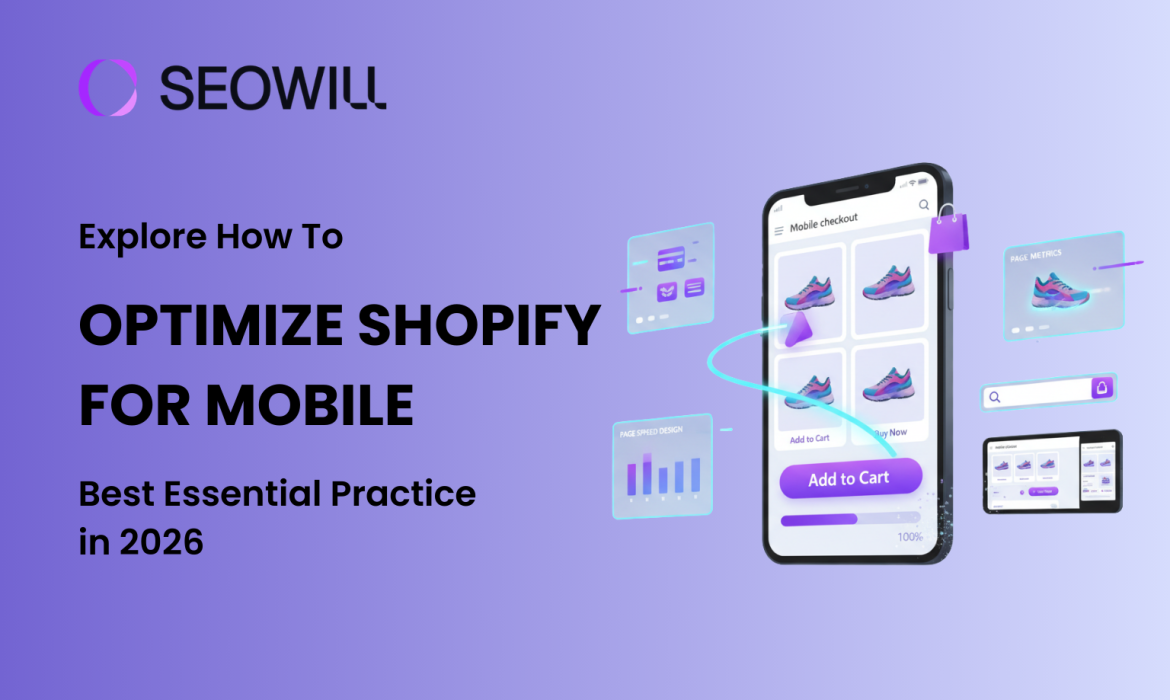
Optimize Shopify For Mobile: Best Essential Practice in 2026
Mobile shopping is not just a fad – it’s the primary way people shop online in 2026. Currently, over 70% of all e-commerce traffic is mobile, but the average mobile conversion rate is only 1.8%, versus 3.9% on the desktop. The difference represents a huge opportunity for Shopify merchants who can master mobile optimization.
In this thorough guide, you will learn how to optimize Shopify for mobile using consumer-tested mobile optimizing best practices that will work in 2026. Whether you are a complete beginner or someone who has some experience, you will follow actionable best practices to help improve your mobile page speed performance, refine the user experience, and, ultimately, convert mobile visitors into paying customers.
Why Optimizing Shopify for Mobile Critical for Your Store in 2026
Mobile optimization isn’t optional anymore—it’s essential for survival in the competitive e-commerce landscape. Here’s why:
Mobile Commerce Dominates E-Commerce
The numbers tell a compelling story:
- 74% of e-commerce traffic now originates from mobile devices
- Mobile commerce is projected to reach $564 billion in the US alone in 2026
- Mobile shoppers are increasingly comfortable making purchases on their phones
However, there’s a conversion gap you need to close. While mobile traffic dominates, mobile conversion rates (1.8%) still lag behind desktop (3.9%). This means optimizing your mobile experience could potentially double your mobile revenue.
Google’s Mobile-First Indexing Changes Everything
Since 2019, Google has used mobile-first indexing for 100% of websites. This means:
● Google mainly relies on your mobile site to determine rankings
● If your mobile site loads slowly or is not well optimized, your rankings will suffer
● Core Web Vitals(mobile speed ranking signals) are direct ranking signals
● Mobile usability problems can prevent your site from being included in search results
Your desktop site could be perfect, but your poor mobile experience means you will rank lower on Google.
The 3-Second Rule
Mobile users are impatient – and rightfully so. Research shows:
● 53% of mobile visitors leave sites that take longer than 3 seconds to load
● For every 1-second delay in page load time, conversions fall 7%
● 85% of mobile buyers expect sites to load as fast or faster than desktop
Ultimately, a non-optimized Shopify site will cost you potential revenue every day. And the upside is huge – stores that have their mobile-optimized first can see an improvement of 30-50% more or greater in their conversion rate.
5 Quick Wins to Optimize Shopify for Mobile Performance (No Coding Required)
Let’s start with easy improvements you can implement right now to see immediate results.
Quick Win #1: Choose a Mobile-Optimized Theme
Your Shopify theme is the foundation of your mobile experience. Not all themes are created equal when it comes to mobile performance.
Action Steps:
- Go to your Shopify admin → Online Store → Themes
- Click Theme settings and preview your store on mobile
- Check for these mobile optimization features:
- Responsive design that adapts to any screen size
- Fast loading times (test with Google PageSpeed Insights)
- Touch-friendly buttons and navigation
- Readable text without zooming
Top Mobile-Optimized Shopify Themes for 2026:
- Dawn (Free) – Shopify’s fastest theme, built for Online Store 2.0
- Impulse (Premium) – Excellent mobile navigation and speed
- Debut (Free) – Simple, fast, mobile-friendly
- Turbo (Premium) – Lives up to its name with speed focus
If your current theme consistently scores below 50 on mobile PageSpeed tests, consider switching to a lighter, more mobile-optimized theme.
Quick Win #2: Enable Mobile-Friendly Navigation
Complex navigation kills mobile conversions. Mobile screens are small, and users make decisions quickly.
Best Practices:
- Limit menu items to 3-5 main categories (use sub-menus for more)
- Use a hamburger menu (three horizontal lines) that’s easy to tap
- Make your search bar prominent and easy to access
- Include a sticky header so navigation is always accessible
Action Steps:
- Go to Online Store → Navigation
- Review your main menu and remove unnecessary items
- Group related categories under dropdown menus
- Test the navigation on your phone – can you find products in 2-3 taps?
Remember: Every additional tap increases the chance of abandonment.
Quick Win #3: Optimize Your Homepage for Mobile
Your mobile homepage needs to communicate value instantly – users won’t scroll through unnecessary content.
Mobile Homepage Essentials:
- Clear value proposition above the fold (visible without scrolling)
- Large, tappable call-to-action buttons (minimum 44×44 pixels)
- Optimized hero images that load fast (under 150KB)
- Limited content – show only your best products or offers
- Social proof – display trust badges, reviews, or customer counts
Action Steps:
- Open your store on your phone
- Ask yourself: “Within 3 seconds, do I know what this store sells and why I should buy?”
- Remove any clutter, excessive text, or distracting elements
- Make your primary CTA button impossible to miss
Quick Win #4: Implement Tap-to-Call & Tap-to-Email
Mobile shoppers often want to contact you directly from their phone. Make it effortless.
Action Steps:
- Go to Online Store → Themes → Customize
- Add your phone number and email in the header or footer
- Format phone numbers with the
tel:link:<a href="tel:1-555-123-4567">1-555-123-4567</a> - Format emails with
mailto::<a href="mailto:[email protected]">[email protected]</a>
When properly formatted, these create clickable buttons that open the phone dialer or email app with one tap – dramatically reducing friction for mobile customers who have questions.
Quick Win #5: Remove Intrusive Pop-ups
Google penalizes sites with intrusive mobile interstitials (pop-ups that cover the main content).
What to Avoid:
- Pop-ups that appear immediately after a page has loaded
- Full-page overlays that cover up content
- Difficult-to-close mobile pop-ups
Mobile-Friendly Alternatives:
- Pop-ups that are triggered once a visitor attempts to leave the site (exit intent)
- Sticky bars (appears on top or bottom), which are not as disruptive as other pop-up types
- Slide-in animations from the lower corner, which create less disturbance for users
- Timed delay (30-60 seconds) before displaying pop-ups
Action Steps:
- Visit your store on mobile
- Test if any pop-ups appear too quickly or block content
- Adjust timing or switch to less intrusive formats
- Ensure close buttons are large and easy to tap (min 44x44px)
These five quick wins can be implemented today and will immediately improve your mobile user experience, often resulting in measurable bounce rate and conversion improvements within days.
How to Optimize Shopify for Mobile Page Speed
Page speed is the #1 factor in mobile optimization. A slow site drives customers away before they even see your products.
Understanding Core Web Vitals
Google uses three key metrics to measure mobile performance:
- Largest Contentful Paint (LCP) – How long until the main content loads
- Target: Under 2.5 seconds
- Measures perceived loading speed
- Interaction to Next Paint (INP) – How quickly your site responds to interactions
- Target: Under 200 milliseconds
- Replaced FID (First Input Delay) in 2024
- Cumulative Layout Shift (CLS) – Visual stability (elements not jumping around)
- Target: Under 0.1
- Measures how much content shifts as page loads
Now let’s optimize each one.
Step 1: Image Optimization (Biggest Impact)
Images typically account for 50-70% of a page’s file size. Optimizing them delivers the biggest speed improvement.
Action Steps:
- Compress all images before uploading
- Use SEOAnt to compress images
- Target: Under 150KB for hero images, under 100KB for product images
- Aim for 70-80% quality (perfect balance of quality/speed)
- Use WebP format with JPEG fallback
- WebP images are 25-35% smaller than JPEG
- Modern browsers support WebP; Shopify handles fallbacks automatically
- Apps like TinyIMG automate WebP conversion
- Implement lazy loading
- Images load only when user scrolls to them
- Shopify themes built after 2021 include lazy loading by default
- For older themes, use apps like Lazy Load by Booster Apps
- Use appropriate image dimensions
- Don’t upload 3000px images for 500px display sizes
- Recommended sizes:
- Product images: 1200x1200px
- Hero images: 1600x900px
- Thumbnail images: 400x400px
- Add descriptive alt text
- Helps SEO and accessibility
- Format: “[Product name] – [key feature or color]”
- Example: “Leather backpack – brown vintage style”
Step 2: Minimize JavaScript and CSS
JavaScript and CSS files can significantly slow down mobile loading times.
Action Steps:
- Audit and remove unnecessary apps
- Go to Apps in Shopify admin
- Ask: “Do I really need this app?”
- Each app adds code that slows your site
- Keep only essential apps (aim for 3-5 maximum)
- Check for unused code in your theme
- Go to Online Store → Themes → Actions → Edit code
- Look for old apps’ code that wasn’t fully removed
- Search for comments like
<!-- Start of App Name -->and remove if app is deleted
- Use Shopify’s built-in speed report
- Go to Online Store → Themes → Click … → View speed report
- Identify apps slowing your store
- Consider alternatives or removal
- Defer non-critical JavaScript
- Most modern Shopify themes do this automatically
- If using older themes, consider updating to Online Store 2.0
Result: Reducing JavaScript can improve INP scores by 20-40% and decrease time to interactive.
Step 3: Leverage Browser Caching and CDN
Caching stores copies of your site’s files so repeat visitors load pages faster.
Good News: Shopify automatically handles this for you:
- Built-in Content Delivery Network (CDN) distributes your site globally
- Browser caching is pre-configured
- All assets are served from fast, distributed servers
Action Steps:
- Verify your images are hosted on Shopify’s CDN (URLs should contain
cdn.shopify.com) - Avoid hotlinking images from external sites when possible
- If using custom fonts, host them on Shopify or use a fast CDN like Google Fonts with preconnect
Result: Shopify’s CDN typically reduces loading time by 30-50% for international visitors.
Step 4: Reduce HTTP Requests
Every file (image, script, stylesheet) requires a separate HTTP request, slowing load time.
Action Steps:
- Combine similar files where possible
- Modern Shopify themes bundle CSS and JavaScript automatically
- Verify in theme code that you don’t have multiple CSS files loading separately
- Evaluate third-party scripts
- Analytics, chat widgets, and tracking pixels add requests
- Essential: Google Analytics, Facebook Pixel
- Evaluate: Heatmaps, A/B testing tools, social feeds
- Load non-essential scripts asynchronously
- Remove social media feed widgets
- Instagram/Twitter feeds require multiple requests
- Consider static screenshots linked to profiles instead
Result: Reducing HTTP requests from 100+ to 50-60 can improve load time by 20-30%.
Step 5: Test with Google PageSpeed Insights
Regular testing helps you track progress and identify new issues.
Action Steps:
- Run a mobile speed test
- Go to PageSpeed Insights
- Enter your store URL
- Click “Analyze”
- Interpret your scores
- 90-100 (Green): Excellent
- 50-89 (Orange): Needs improvement
- 0-49 (Red): Poor (urgent attention needed)
- Focus on Field Data (real user metrics)
- This shows actual customer experience
- More important than Lab Data (simulated test)
- Prioritize recommendations
- Fix red items first
- Focus on suggestions that save the most time
- Ignore “Opportunity” items saving less than 0.5 seconds
- Re-test after changes
- Document your baseline scores
- Implement optimizations
- Test again after 48 hours (allows caching to stabilize)
- Aim for 10-20 point improvements with each round
Alternative Testing Tools:
- GTmetrix – Detailed waterfall analysis
- WebPageTest – Advanced testing with video recording
- Shopify Online Store Speed Report – Built-in Shopify dashboard
Target Scores for Mobile:
- Overall Performance: 70+ (good), 90+ (excellent)
- LCP: Under 2.5 seconds
- INP: Under 200ms
- CLS: Under 0.1
Achieving these targets typically results in 30-50% improvement in mobile conversion rates.
Frequently Asked Questions About Shopify Mobile Optimization
Q1: How long does it take to see results from mobile optimization?
When you make quick changes, such as eliminating pop-ups or activating shop pay, you will notice significant changes in your mobile site’s bounce rate and conversion rate within days. You will also see an increase in the percentage of users who complete their checkout process.
Optimizing the speed, usability, and checkout process for your mobile site usually produces a considerable amount of traffic and ranking increases two to four weeks after the optimization has been completed. Google will take a period of time to re-crawl and re-index your mobile website after you have completed the optimizations mentioned above.
Long-term benefits increase exponentially as you continue to improve your mobile site. A retailer that continues to optimize its mobile site will continue to see improvements in conversion rates, average order values, and customer satisfaction over time frames ranging from “months” to “years.”
Q2: Do I need coding skills to optimize Shopify for mobile?
No. 80-90% of effective mobile optimization requires zero coding:
- Theme selection
- Image optimization (use free tools like TinyPNG)
- Navigation simplification
- Checkout settings
- App installation and configuration
- Payment method setup
Q3: What’s the ideal mobile page load time?
Targets:
- Good: Under 3 seconds
- Great: Under 2.5 seconds
- Excellent: Under 2 seconds
Q4: How often should I test mobile performance?
Minimum schedule:
- After any changes: Test immediately
- Monthly: Comprehensive mobile audit
- Quarterly: User testing and heatmap review
Recommended schedule:
- Weekly: Quick PageSpeed Insights check
- After installing/removing apps: Always test impact
- After theme changes: Test extensively
- Bi-weekly: Review mobile conversion metrics
- Monthly: Full device testing (iPhone, Android, different networks)
- Quarterly: Comprehensive UX review and user testing
Set reminders: Add mobile performance checks to your calendar. It’s easy to forget, but regular monitoring prevents gradual performance degradation.
Q5: What’s the best free way to test mobile optimization?
Top free tools:
- Google PageSpeed Insights (pagespeed.web.dev)
- Google Mobile-Friendly Test (search.google.com/test/mobile-friendly)
- Shopify Online Store Speed Report
- Your own phone
Free app: Hotjar (limited free plan) for session recordings and heatmaps.
Q6: Can mobile optimization help my SEO rankings?
Absolutely yes. Mobile optimization is one of the strongest ranking factors in 2026.
How mobile optimization improves SEO:
- Mobile-first indexing: Google primarily uses your mobile site for ranking
- Core Web Vitals: Direct ranking factor
- Reduced bounce rate: Lower bounce rates signal quality to Google
- Better user engagement: More time on site, more pages visited
- Backlink potential: Better sites earn more natural links
- Local SEO: Especially important for mobile searches
Related Resources:
Shopify Site Speed Optimization: Top Proven Techniques in 2026
It may be surprising to learn, but a site load time of one second can cost you 7% of conversions. This certainly holds true for Shopify store owners since every millisecond matters. If your store takes longer than three seconds to load, you are losing more than half the visitors before they ever set eyes on your merchandise. Shopify site speed is not just about user experience; it is attached to your revenue, attraction on search engine results and competition too. Page speed is an established component of Google’s Core Web Vitals, which is now estimated to positively influence a Shopify store’s ranking. Now is a more important time than ever for Shopify store owners to optimize their store’s speed.
Why Shopify Site Speed Matters for Your Store
Before diving into optimization techniques, let’s understand why site speed deserves your immediate attention.
The Real Cost of a Slow Shopify Store
In addition to immediate sales effects, slower page speed affects:
- Bounce rates: Slower sites can see bounce rates increase as much as 32% when page load time increases from 1 to 3 seconds
- Customer satisfaction: majority of consumers are less likely to return to a site after experiencing performance issues
- SEO rankings: Google considers page speed as a ranking factor, meaning slower sites rank lower for search
- Mobile e-commerce: Mobile accounts for over 60% of e-commerce traffic, so fast mobile page speed is essential.
Understanding Core Web Vitals
Google’s Core Web Vitals are three distinct metrics for assessing real-world user experience:
- Largest Contentful Paint (LCP): How fast the page loads. A good LCP is 2.5 seconds or less.
- First Input Delay (FID): How quickly the page reacts to user input. A good FID is less than 200 milliseconds.
- Cumulative Layout Shift (CLS): How stable the visual elements of the page are. A good CLS would be less than 0.1.
Most Shopify stores score reasonably well on desktop but struggle with mobile performance. The good news? Shopify’s infrastructure handles many technical optimizations automatically, allowing you to focus on controllable factors that deliver the biggest impact.
How to Test Your Shopify Site Speed
Before optimizing anything, you need to establish a baseline. Testing your current speed helps you identify problem areas and measure improvement over time.
Free Speed Testing Tools
Tool 1: Google PageSpeed Insights
Google PageSpeed Insights is the gold standard for speed testing. Here’s how to use it:
- Visit pagespeed.web.dev
- Enter your Shopify store URL
- Click “Analyze”
- Review both mobile and desktop scores
Focus on the Core Web Vitals section and the “Opportunities” recommendations. Each opportunity includes an estimated time savings, helping you prioritize improvements.
Tool 2: GTmetrix
GTmetrix provides detailed technical analysis with visual waterfall charts:
- Go to gtmetrix.com
- Enter your store URL
- Select a test location close to your target audience
- Review the waterfall chart to identify slow-loading resources
The waterfall chart is particularly valuable—it shows exactly which files, scripts, and images are slowing down your site.
Tool 3: Shopify Online Store Speed Report
Shopify’s built-in speed report compares your performance to similar stores:
- Log into your Shopify admin
- Navigate to Online Store → Themes
- Click “View store speed report”
- Review your speed score and comparison metrics
This tool is excellent for tracking improvements over time and seeing how you stack up against competitors.
What Scores to Aim For
Realistic benchmarks for Shopify stores:
- Desktop: 90+ is excellent, 80-89 is good, 70-79 needs improvement
- Mobile: 70+ is excellent, 60-69 is good, 50-59 needs improvement
- Load Time: Under 2 seconds is ideal, under 3 seconds is acceptable
- LCP: Under 2.5 seconds
- FID: Under 200 milliseconds
- CLS: Under 0.1
Don’t be discouraged if you’re starting with lower scores. Even modest improvements translate to better user experience and higher conversions.
Top Proven Shopify Site Speed Optimization Techniques
Now let’s dive into the actionable strategies that will transform your store’s performance.
Technique 1: Choose a Speed-Optimized Shopify Theme
Your theme is the foundation of your store’s speed. A bloated theme can handicap performance no matter what else you optimize.
Characteristics of fast themes:
- Clean, minimal code
- Limited use of heavy animations
- Optimized for Core Web Vitals
- Regular updates from developers
Fast free Shopify themes:
- Dawn: Shopify’s flagship free theme, built for speed
- Sense: Lightweight with excellent performance
- Craft: Minimal design with fast load times
Before installing a theme, test it on a demo store using Google PageSpeed Insights. Look for scores above 80 on mobile. If you’re already using a slow theme, switching themes might be your single most impactful optimization.
Pro Tip: Dawn, Shopify’s default theme released in 2021, is specifically engineered for speed and Core Web Vitals performance. If you’re unsure which theme to choose, Dawn is your safest bet.
Technique 2: Optimize and Compress Your Images
Images typically account for 50-70% of a page’s total size. Optimizing them delivers immediate, dramatic improvements.
Image optimization best practices:
- Choose the right format: Use WebP for modern browsers (90%+ smaller than PNG), with JPEG as fallback
- Compress before uploading: Use TinyPNG or Squoosh to reduce file size by 60-80% without visible quality loss
- Use appropriate dimensions: Product images should be 2048×2048 pixels maximum (Shopify’s recommended size)
- Shopify’s built-in compression: Shopify automatically compresses images, but pre-compressed images still load faster
Step-by-step image optimization:
- Batch compress all product images using TinyPNG or Squoosh
- Re-upload compressed images to replace originals
- For ongoing optimization, install an image optimizer app like SEOAnt, TinyIMG
- Set the app to automatically compress new uploads
Image optimization alone can reduce page load time by 1-2 seconds – often the single biggest quick win available.
Technique 3: Enable Lazy Loading
Lazy loading delays loading images until users scroll near them, reducing initial page load dramatically.
The good news: Most modern Shopify themes (including Dawn and themes built after 2021) have lazy loading enabled by default. Here’s how to verify:
- Open your store in Chrome
- Right-click on an image below the fold
- Click “Inspect”
- Look for “
loading="lazy"in the image tag
If your theme doesn’t support lazy loading, consider:
- Updating to the latest theme version
- Switching to a modern theme like Dawn
- Hiring a developer to add native lazy loading (simple modification)
When not to lazy load: Never lazy load images in the first viewport (above the fold), as this can hurt LCP scores.
Technique 4: Minimize and Remove Unused Apps
Every Shopify app adds code to your store – CSS, JavaScript, and sometimes external scripts. Apps can easily double your page load time.
Conducting an app audit:
- List all installed apps
- For each app, ask: “Have I used this in the past 30 days?”
- Check if native Shopify features can replace the app
- Test page speed after removing each unnecessary app
Common unnecessary apps:
- Multiple pop-up apps (choose one or use Shopify’s email capture)
- Countdown timer apps (many themes have this built-in)
- Social proof apps showing fake notifications
- Abandoned apps you installed but never configured
Removal process:
- Back up your theme before removing apps
- Uninstall through Apps section in Shopify admin
- Verify the app’s code is fully removed from theme (check with theme developer if unsure)
- Test site functionality after removal
Pro Tip: Limit yourself to 10 apps maximum. The most successful Shopify stores often run with just 5-7 essential apps.
Technique 5: Optimize Your Shopify Theme Code
Code optimization for a theme includes removing unused elements and minifying CSS/JS.
Three do-it-yourself (DIY) optimizations (beginner) are:
1. Remove unused sections – If you are not using one section of your theme (e.g., a slideshow, featured collections) remove it
2. Limit the number of sections on your home page – Each section adds code, so keep the number of home page sections under 6 to 7
3. Use Shopify’s theme asset analyzer – Located in the theme editor, the theme asset analyzer will identify code that can be optimized.
When to hire a developer:
- Minifying CSS and JS files
- Removing unused style libraries from any third-party apps
- Using critical CSS
- Cleaning remaining code
Cost: A developer will usually charge $200-500 to optimize a theme, but it can be done, which will assist with the load time by 1-2 seconds.
Technique 6: Reduce HTTP Requests
Every file your page loads – images, scripts, stylesheets, fonts – requires an HTTP request. More requests = slower page.
Understanding HTTP requests (simple analogy): Think of your website as a restaurant order. Each item (image, script, font) requires a separate trip to the kitchen. Fewer items = faster service.
How to reduce requests:
- Audit current requests: Use GTmetrix’s waterfall chart to see all requests
- Limit font variations: Use 2-3 font weights maximum instead of 6-8
- Combine similar scripts: Have a developer merge multiple custom scripts
- Remove unused design elements: Each icon, decoration, or graphic adds requests
- Use CSS instead of images: When possible, create buttons and shapes with CSS
Most high-performing Shopify stores aim for fewer than 75 HTTP requests on their homepage.
Technique 7: Leverage Browser Caching
Browser caching stores files locally on visitors’ devices so returning visitors load pages instantly.
The great news: Shopify automatically handles browser caching for all your store files. The platform sets optimal cache durations for:
- Images (1 year cache)
- CSS/JavaScript (1 year cache)
- Theme files (optimized durations)
What you should check:
- Third-party scripts and apps may not cache properly
- External content (embedded videos, external CSS) needs separate caching
- After major updates, you may need to clear Shopify’s cache (automatic for customers)
Testing cache effectiveness:
- Run GTmetrix test
- Check “Leverage browser caching” in recommendations
- If warnings appear, they’re usually for third-party content (Facebook, Google Analytics)
Technique 8: Use a Content Delivery Network (CDN)
A CDN stores copies of your site on servers around the world, delivering content from the location nearest to each visitor.
More great news: Shopify includes a world-class CDN (Fastly) free with every plan. Your store automatically benefits from:
- Global server network (200+ locations)
- Automatic content distribution
- DDoS protection
- SSL/HTTPS optimization
Additional considerations:
- Apps loading external content might not use Shopify’s CDN
- Custom domains are automatically CDN-enabled
- No additional configuration needed—it just works
Geographic performance: The CDN ensures a customer in Australia loads your store as fast as someone in the United States, even if you’re based in Canada.
Technique 9: Optimize Your Font Loading
Fonts are often overlooked speed culprits. Custom fonts can add 300-500ms to load time.
Font optimization strategies:
- Use system fonts: Fonts already on users’ devices load instantly
- Good options: -apple-system, Arial, Helvetica, Georgia
- Limit font weights and styles: Each weight is a separate file
- Use 2-3 weights maximum (e.g., Regular 400, Bold 700)
- Avoid italic variations if possible
- Optimize Google Fonts:
- Use
font-display: swapto show text immediately - Load only weights you actually use
- Host fonts locally when possible
- Use
- Preload critical fonts: Have your developer add preload tags for above-the-fold text fonts
Font audit: Check your theme’s font settings and remove any weights you’re not actively using. Each removed weight saves 20-50kb and one HTTP request.
Technique 10: Limit Third-Party Scripts
Third-party scripts – analytics, chat widgets, Facebook Pixel – often cause the biggest speed problems.
Common culprits and solutions:
Facebook Pixel:
- Use Facebook’s Advanced Matching instead of custom events when possible
- Implement via Google Tag Manager for async loading
- Consider server-side tracking for better performance
Google Analytics:
- Upgrade to Google Analytics 4 (GA4) – it’s faster than Universal Analytics
- Use Google Tag Manager for better script control
Chat widgets (Tidio, Drift, Intercom):
- These can add 500-1000ms to load time
- Consider using Shopify Inbox (native, faster)
- Load chat widgets on delay (5 seconds after page load)
Async loading implementation: Have your developer add async or defer attributes to third-party scripts, allowing the page to load without waiting for these scripts.
Essential vs nice-to-have audit: List all third-party scripts and categorize as “critical” or “optional.” Remove or delay optional scripts.
Technique 11: Optimize Your Homepage and Product Pages
Different pages require different optimization strategies.
Homepage optimization:
- Limit to 5-7 sections maximum
- Feature 6-12 products instead of 20+
- Use a hero image under 200kb
- Avoid video backgrounds (or use optimized MP4 instead of GIF)
- Implement above-the-fold optimization (load critical content first)
Product page optimization:
- Limit product images to 5-7 (customers rarely view more)
- Use variant images only for significantly different products
- Implement image gallery lazy loading
- Keep product descriptions concise with expandable sections
- Limit related products to 4-6 items
Collection page considerations:
- Show 12-24 products per page (not 48+)
- Use infinite scroll or pagination (infinite scroll is slightly faster)
- Optimize collection images to consistent dimensions
Balancing aesthetics with speed: You don’t need to sacrifice design for speed. Focus on optimized, purposeful design elements rather than excessive decoration.
Technique 12: Regular Speed Maintenance
Speed optimization isn’t a one-time task – it requires ongoing attention.
Monthly speed check routine:
- Run PageSpeed Insights test (first Monday of each month)
- Record scores in a spreadsheet
- Check if scores decreased—identify what changed
- Review newly installed apps for speed impact
- Compress any new images uploaded
Monitoring after new app installations:
- Test speed before and after installing any app
- If an app reduces score by 10+ points, consider alternatives
- Many apps have performance impacts not immediately obvious
Seasonal optimization:
- Before Black Friday/Cyber Monday, do comprehensive speed audit
- Remove non-essential apps during high-traffic periods
- Test site under load (use services like Loader.io)
Keep themes and apps updated:
- Developers often release performance improvements
- Update apps monthly
- Update themes quarterly (test on duplicate theme first)
Performance tracking system: Create a simple spreadsheet tracking:
- Date
- PageSpeed Insights score (mobile/desktop)
- GTmetrix load time
- Apps installed/removed
- Theme changes
This historical data helps you understand what impacts performance and proves ROI from optimization efforts.
Shopify Site Speed Optimization for Mobile
With mobile commerce accounting for 60-70% of e-commerce traffic, mobile speed deserves special attention.
Why Mobile Speed Needs Special Attention
Mobile users face unique challenges:
- Slower network connections (4G/5G varies by location)
- Less processing power than desktop computers
- Smaller screens making poor UX more frustrating
- Higher likelihood of abandonment due to impatience
Google now uses mobile-first indexing, meaning your mobile site performance directly impacts search rankings—even for desktop searches.
Mobile-Specific Optimization Tips
Responsive image serving: Shopify automatically serves appropriately sized images to mobile devices, but you can enhance this:
- Use Shopify’s image size parameters in theme code
- Ensure images are optimized for mobile dimensions
- Test mobile load time specifically
Touch-friendly design: While not directly related to speed, touch optimization improves perceived performance:
- Larger tap targets (48x48px minimum)
- Adequate spacing between clickable elements
- Swipe-enabled image galleries
Simplified mobile navigation: Complex mega-menus slow mobile rendering:
- Use collapsible navigation
- Limit menu items to 5-7 main categories
- Avoid heavy dropdown animations
Mobile speed testing: Always test on real devices:
- Chrome DevTools mobile simulation
- BrowserStack for multiple device testing
- Test on 4G throttled connection
AMP considerations: Accelerated Mobile Pages (AMP) can deliver near-instant mobile load times, but Shopify’s native mobile optimization is usually sufficient. Consider AMP only if targeting ultra-competitive niches where every millisecond matters.
Frequently Asked Questions
What is a good page load time for a Shopify store?
To ensure your Shopify store has good loading speed, you want your store to load under 3 seconds for mobile and under 2 seconds for the desktop. However, if you’re looking for ideal conversion rates, load your Shopify store under 2 seconds for mobile. For stores performing at an elite level, they are experiencing load speed between 1-2 seconds for their store. Regardless of your store load time, any improvement will be a huge conversion benefit – reducing your loading time from 5 seconds to 3 seconds is significant!
How often should I test my Shopify site speed?
Check your store speed for your baseline test once a month and immediately after significant changes (new theme, apps, major content changes). Then during peak seasons, check once a week. You can set a repeating calendar reminder on the first Monday of each month to test PageSpeed Insights and GTmetrix. Keep track of all the results in a spreadsheet so you can see how your store performs over time.
Will removing apps really speed up my store?
Yes, certainly. Each application contributes its own additional CSS, JavaScript, and often adds in third-party requests to your store. Testing has demonstrated that removing just 3-5 apps that are not necessary, can improve load time by anywhere from 500-1000 milliseconds. Some apps (especially page builders and complex widgets) can add 1-2 additional seconds of wait time by themselves. Always test before and after you install apps.
Do I need to hire a developer for speed optimization?
Not really. This guide has all techniques that are beginner-friendly (image optimization, uninstalling apps, theme selections, etc.) that account for most of (70-80%) the improvements you could make. However, the advanced optimizations (minifying code, critical CSS, custom lazy loading) will benefit from outside developer expertise. If you find your Do it Yourself (DIY) optimization has plateaued and you are looking for that additional performance boost, you should consider budgeting 200-500 dollars for a professional optimization.
How does Shopify compare to other platforms for speed?
Shopify’s core speed features (CDN, automatic caching, optimized infrastructure) provide it a considerable advantage over self-hosted platforms like WooCommerce. A default Shopify store is faster than most alternatives. Nevertheless, despite this advantage, Shopify’s extensive apps and complicated themes can unintentionally erase a chunk of this advantage if not monitored closely. Well-optimized, Shopify can match or even surpass the speed of any e-commerce platform.
Conclusion
Shopify site speed optimization might seem technical, but as you’ve learned, most impactful improvements are straightforward and achievable without coding expertise. The techniques in this guide can reduce your Shopify store’s load time by 2-4 seconds, directly translating to higher conversion rates, lower bounce rates, and improved search rankings.
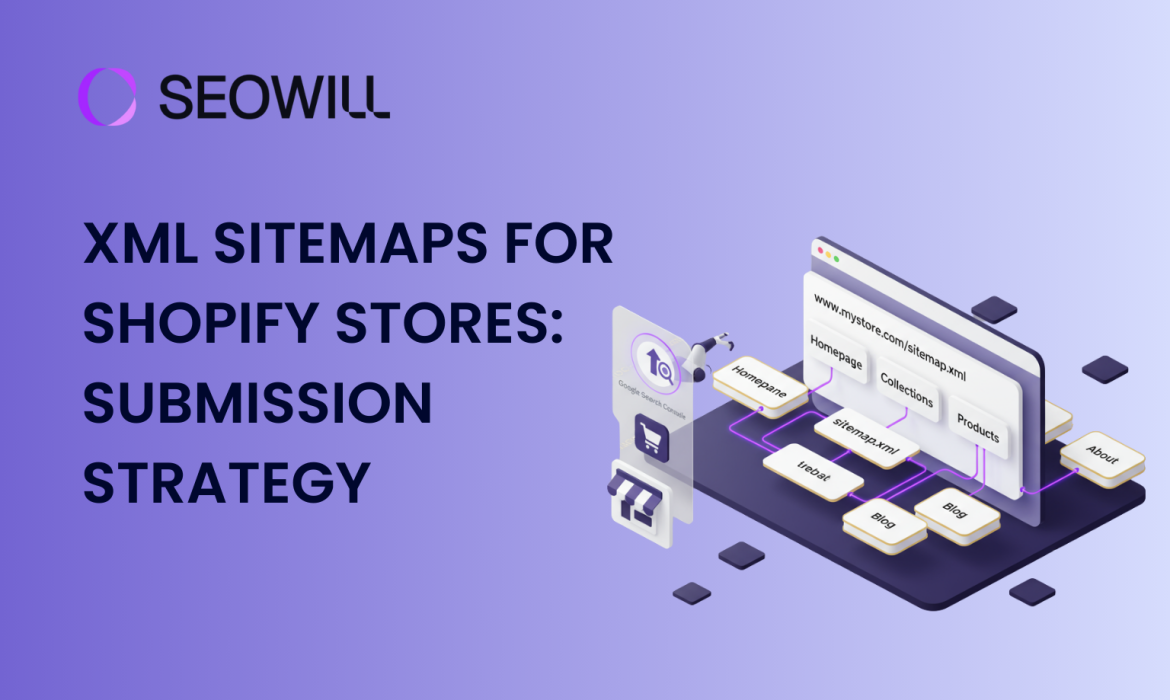
XML Sitemaps for Shopify Stores: How to Find and Submit
You’ve spent weeks perfecting your Shopify store—selecting products, crafting descriptions, designing the perfect layout. You hit publish, wait a few days, and then search for your store on Google. Nothing. It’s like your store doesn’t exist.
Here’s the frustrating truth: Google can’t rank what it can’t find. This is where XML sitemaps become your secret weapon.
In this comprehensive guide, you’ll learn exactly what XML sitemaps are, how Shopify handles them automatically, and most importantly, how to submit your sitemap to Google in less than 10 minutes.
What are XML Sitemaps for Shopify?
Think of an XML sitemap as a detailed roadmap of your entire online store that you hand directly to search engines like Google.
The Technical Definition of SML Sitemaps
An XML sitemap is a file – specifically a .xml file – that lists all the important pages on your website in a structured format that search engines can easily read. For your Shopify store, this includes:
- Product pages (every item you sell)
- Collection pages (your product categories)
- Blog posts (if you’re running a blog)
- Static pages (About Us, Contact, etc.)
- Images (yes, there’s a separate image sitemap too!)
The XML format is a language that search engines understand perfectly. While it looks like gibberish to humans (lots of angle brackets and tags), it’s crystal clear to Google’s crawling robots.
What Makes It Different from Your Navigation Menu?
Your website’s navigation menu is built for people – it’s visual, it has the most intuitive information, and it’s pretty easy to use. An XML sitemap, however, is built for search engine bots. It has technical info about your website that allows the bots to intelligently make decisions about how to crawl and index your content:
- Priority levels (which pages are most important)
- Update frequency (how often pages change)
- Last modification dates (when content was updated)
- URL structure (the complete path to every page)
Why XML Sitemaps Matter for Your Shopify Store
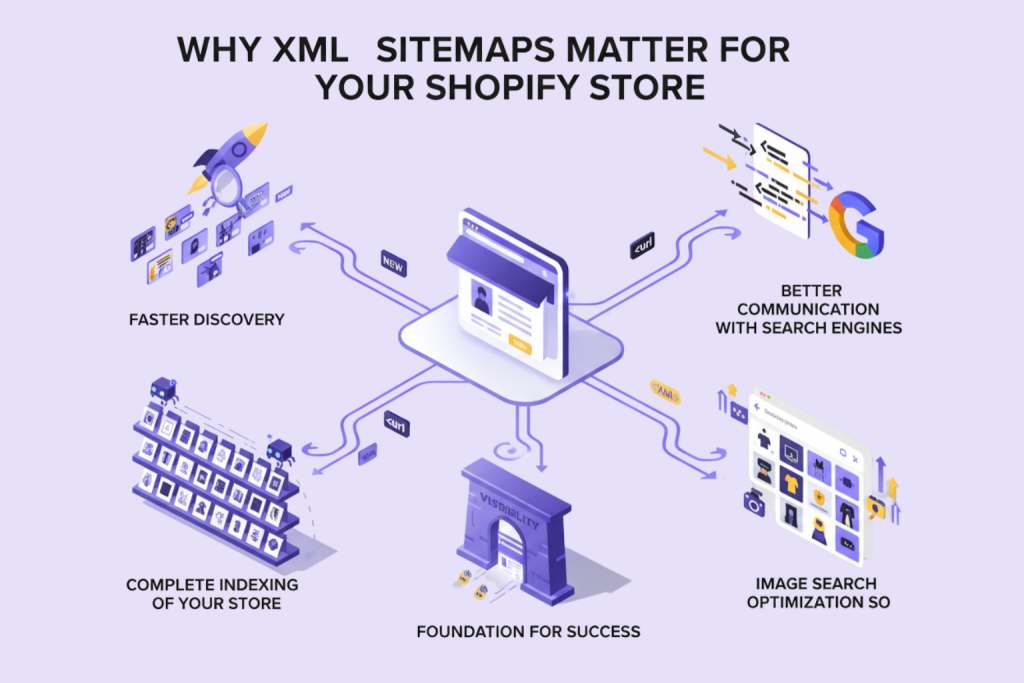
You might be thinking, “Can’t Google just find my pages by clicking through my site like a regular visitor?” Technically, yes – but there are several compelling reasons why that’s not enough.
1. Faster Product Discovery
With a properly submitted sitemap, Google knows exactly where to find your new products immediately. Your sitemap essentially sends Google a notification: “Hey, I just added 15 new products – here are the URLs!”
2. Complete Indexing of Your Store
Large Shopify stores with hundreds or thousands of products face a particular challenge: crawl budget limitations. Google doesn’t have unlimited time to crawl every single page on every website. A well-structured sitemap helps Google prioritize which pages to crawl first and ensures that important pages don’t get overlooked.
3. Better Communication with Search Engines
Your XML sitemap tells Google which pages you consider important and which ones change frequently. For example:
- Your homepage might be marked as “high priority” and updated daily
- Individual product pages might be marked as “medium priority” and updated weekly
- Your About Us page might be “low priority” and rarely updated
This metadata helps Google make intelligent decisions about when and how often to recrawl your pages.
4. Image Search Optimization
Shopify creates an image sitemap automatically in addition to your main sitemap. This is important for having your images associated with your products to show up in Google Image Search, and it can send a lot of customers to your store! A lot of shoppers start their product research by searching images, so it’s a great potential source of customers!
5. Foundation for SEO Success
While submitting a sitemap won’t magically skyrocket your rankings overnight, it’s an essential foundation for all your other SEO efforts. Think of it as making sure your store’s front door is unlocked and clearly marked before you start advertising your business.
Shopify’s Automatic Sitemap Generation
Here’s where Shopify makes your life significantly easier: You don’t need to create or maintain a sitemap manually. Unlike many other e-commerce platforms where you need plugins or technical knowledge, Shopify handles everything automatically.
How Shopify Creates Your Sitemap
The moment you launch your Shopify store, the platform immediately begins generating and maintaining your XML sitemaps. Here’s what happens behind the scenes:
- Automatic Creation: Shopify scans your entire store and compiles a list of all important URLs
- Continuous Updates: Every time you publish a new product, create a blog post, or add a page, Shopify updates your sitemap within minutes
- Structured Organization: Shopify organizes your sitemap into logical sections (products, collections, pages, blog posts)
- Technical Optimization: Shopify ensures proper XML formatting and includes all the necessary metadata
Where to Find Your Shopify Sitemap
Your Shopify sitemap lives at a predictable, standard location. No matter what your store name is, you can always access it using this format:
yourstore.com/sitemap.xml
For example:
- If your store is
amazingshoes.myshopify.com, your sitemap is atamazingshoes.myshopify.com/sitemap.xml
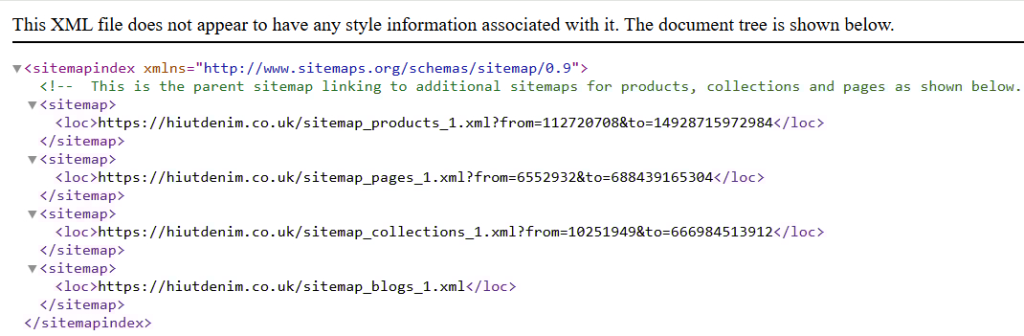
Try it right now: Open a new browser tab and type in your store URL followed by /sitemap.xml. You should see something that looks like a structured list of XML files.
Understanding Shopify’s Sitemap Structure
When you visit your sitemap URL, you’ll notice it’s actually a “sitemap index”—a master sitemap that links to several smaller, specialized sitemaps. This is Shopify’s smart way of organizing large stores.
You’ll typically see these individual sitemaps:
sitemap_products_1.xml– All your product pagessitemap_collections_1.xml– Your collection/category pagessitemap_pages_1.xml– Static pages like About, Contact, etc.sitemap_blogs_1.xml– Your blog posts (if you have a blog)sitemap_images_1.xml– All product and page images
For large stores, Shopify might create multiple numbered files (products_1, products_2, etc.) to keep things organized, as each sitemap file has a 50,000 URL limit (though you’re unlikely to hit this unless you have an enormous catalog).
Checking Your SEO Visibility Settings
Sometimes store owners can’t figure out why certain pages aren’t appearing in their sitemap. The most common culprit? SEO visibility settings.
Here’s how to check:
- From your Shopify admin, go to Online Store → Preferences
- Scroll down to the Search engine optimization section
- Make sure the checkbox for “Discourage search engines from indexing this store” is UNCHECKED
This setting is sometimes enabled by default when you’re building your store, and forgetting to disable it is one of the most common reasons why new stores don’t appear in search results.
For individual pages, you can also control visibility:
- When editing a product, collection, or page
- Scroll to the Search engine listing preview section
- Ensure the page isn’t set to “hidden from search engines”
Step-by-Step: Submitting Your Shopify Sitemap to Google
Now for the crucial part: telling Google about your sitemap. This is where many Shopify store owners get stuck, but we’re going to walk through it together step by step.
Prerequisites Check
Before we begin, let’s make sure you have everything ready:
✅ A Google account (Gmail works perfectly)
✅ Your store is published and accessible (not password-protected)
✅ “Discourage search engines” is turned OFF in Shopify settings
✅ Your store has at least a few products/pages published
Got all that? Great! Let’s dive in.
Part 1: Setting Up Google Search Console
Google Search Console (GSC) is a free tool from Google that lets you monitor how your site appears in Google search results. It’s where you’ll submit your sitemap and track your indexing progress.
Step 1: Access Google Search Console
- Open your browser and go to “search.google.com/search-console“
- Sign in with your Google account
- If you’ve never used GSC before, you’ll see a welcome screen. Click “Start now” or “Add property”
Step 2: Add Your Shopify Store as a Property
You’ll see two options for adding your property:
Option A: Domain Property (Verifies all versions of your URL)
Option B: URL Prefix (Verifies specific URL version)
For most Shopify stores, we recommend URL Prefix because it’s easier to verify. Here’s what to do:
- Select “URL prefix”
- Enter your exact store URL including
- Example:
https://amazingshoes.com/ - If you’re still using your myshopify.com domain:
https://amazingshoes.myshopify.com/
- Example:
- Click “Continue”
Important: Make sure you include https:// and use the exact URL customers see when visiting your store.
Part 2: Verifying Store Ownership
Google needs to confirm that you actually own this Shopify store before letting you submit a sitemap. There are several verification methods, but we’ll focus on the easiest one for Shopify users.
Recommended Method: HTML Tag Verification
This is the most straightforward method for Shopify stores and doesn’t require accessing your domain provider.
Step 1: Get Your Verification Code
After clicking “Continue” in the previous step, Google will show you several verification options. Look for “HTML tag” and click it.
You’ll see something like this:
<meta name="google-site-verification" content="1234567890abcdefghijklmnop" />
Step 2: Copy This Entire Tag
Click the “Copy” button next to the code. We’re going to add this to your Shopify theme.
Step 3: Add the Tag to Your Shopify Theme
- Open a new browser tab and go to your Shopify admin
- Click Online Store → Themes
- Find your current (active) theme
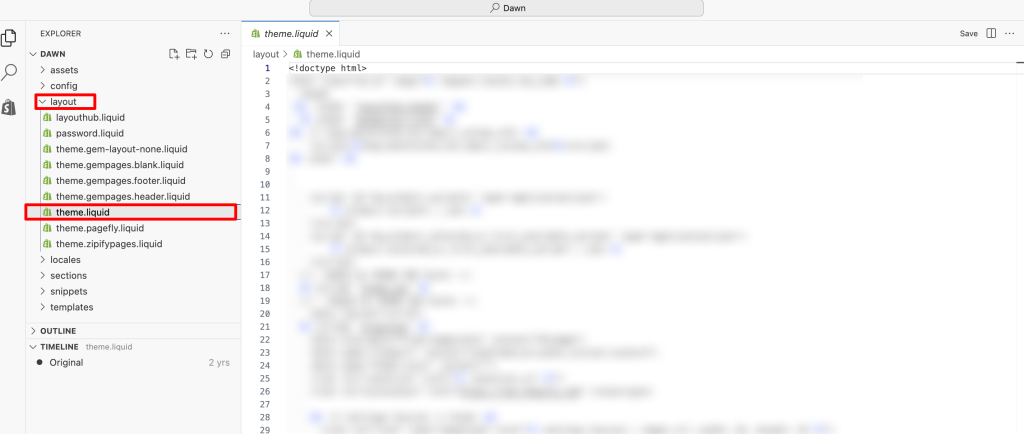
- Click the “Actions” button → “Edit code”
- In the left sidebar under “Layout”, click on
theme.liquid - Use Ctrl+F (or Cmd+F on Mac) to search for
</head> - Paste your verification code just before the
</head>tag - Click “Save” in the top right

What it should look like:
  <meta name="google-site-verification" content="your-code-here" />
</head>
Step 4: Verify in Google Search Console
- Go back to the Google Search Console tab
- Click the “Verify” button
- If successful, you’ll see a green checkmark and “Ownership verified” message
Troubleshooting: If verification fails:
- Wait 1-2 minutes and try again (sometimes there’s a delay)
- Double-check that you pasted the code exactly as provided
- Make sure you saved the theme.liquid file
- Clear your browser cache and try verifying again
Alternative Method: Google Analytics
If you already have Google Analytics installed on your Shopify store, verification is even easier:
- Choose the “Google Analytics” verification method
- Make sure you’re signed into the same Google account that has access to your Analytics property
- Click “Verify”
That’s it! This method works instantly if your Analytics is properly configured.
Part 3: Submitting Your Sitemap
Now for the moment we’ve been building toward—submitting your Shopify sitemap to Google!
Step 1: Navigate to the XML Sitemaps Section
- In Google Search Console, look at the left sidebar
- Click on “Sitemaps”
- You’ll see a simple interface with a field that says “Add a new sitemap”
Step 2: Enter Your Sitemap URL
Here’s the key: You only need to enter the sitemap filename, not the full URL.
In the text field, simply type:
sitemap.xml
That’s it! Don’t include https://\ or your domain name—GSC already knows your store URL from when you added the property.
Step 3: Click Submit
Click the “Submit” button. Within seconds, you should see your sitemap appear in the list below with a status of “Success” or “Fetching”.
Understanding the Submission Results
Google will show you some important information about your sitemap:
- Discovered URLs: How many pages Google found in your sitemap
- Status: Whether the sitemap was successfully read
- Last read: When Google last checked your sitemap
Normal Results:
- Status: Success
- Discovered: Should roughly match your product count + collections + pages + blog posts
- Type: Sitemap index (because Shopify uses multiple sitemaps)
Optional: Submit Individual Sitemaps
For more detailed tracking, you can also submit Shopify’s individual sitemaps:
sitemap_products_1.xml
sitemap_collections_1.xml
sitemap_pages_1.xml
sitemap_blogs_1.xml
This gives you more granular data about how each section of your store is being indexed, but submitting the main sitemap.xml is usually sufficient.
What Happens Next?
After submission, here’s the typical timeline:
Immediately: Google adds your sitemap to its crawl queue Within 24-48 hours: Google begins crawling pages from your sitemap Within 1-2 weeks: You’ll start seeing pages appear in Google’s index Within 2-4 weeks: Most or all of your pages should be indexed (depends on store size)
Important: Submitting a sitemap doesn’t guarantee immediate indexing or high rankings. It simply helps Google discover your pages faster. The actual ranking depends on content quality, backlinks, and hundreds of other factors.
Frequently Asked Questions
Q: Do I need to create a sitemap for my Shopify store?
A: No! This is the best part about Shopify—your sitemap is created automatically the moment your store goes live. You don’t need any coding skills, plugins, or third-party apps. Your job is simply to submit it to Google Search Console, which takes less than 10 minutes.
Q: How often does Shopify update my sitemap?
A: Shopify updates your sitemap automatically and immediately whenever you:
- Publish a new product
- Update an existing product
- Create or modify a collection
- Publish a blog post
- Add or change a static page
The updates happen within minutes. You never need to manually regenerate or resubmit your sitemap.
Q: Can I customize my Shopify sitemap?
A: Shopify provides limited customization options, and for most store owners, customization isn’t necessary or recommended. The automatic sitemap is optimized for e-commerce and includes all the right pages with proper priority settings.
Advanced users with specific needs can control which pages appear by adjusting the SEO visibility settings for individual products, collections, or pages, but this should be done carefully.
Q: How long does it take for Google to index my Shopify store?
A: Typical timelines vary based on several factors:
- First pages indexed: 2-7 days after sitemap submission
- Significant indexing progress: 2-4 weeks
- Complete indexing: 4-8 weeks for stores with 100-500 products
- Large stores (1,000+ products): 2-3 months for complete indexing
Brand new domains with no authority take longer. Established domains or stores with quality backlinks index faster.
Q: My sitemap shows errors in Google Search Console. What should I do?
A: Don’t panic! First, identify the specific error:
- “Couldn’t fetch”: Check that your store isn’t password-protected and “discourage search engines” is disabled
- “Submitted URL not found (404)“: Usually old URLs; set up 301 redirects in Shopify
- “Discovered – currently not indexed”: Improve content quality and be patient
- “Duplicate content”: Write unique product descriptions
Most errors resolve with patience and content improvements. Focus on the errors affecting the most pages first.
Q: Should I submit my sitemap to Bing too?
A: Yes! While Google dominates search, Bing powers about 10-15% of searches in the US and UK, including Microsoft Edge, Siri, and Alexa results.
To submit to Bing:
- Visit Bing Webmaster Tools
- Follow the same process: add your site, verify ownership, submit
sitemap.xml - Bonus: You can import your GSC verification automatically
Q: Will submitting a sitemap immediately improve my rankings?
A: No, sitemaps don’t directly affect rankings. They help with discovery and indexing, which is the prerequisite for ranking.
Think of it this way:
- Without a sitemap: Your pages might never be found (can’t rank)
- With a sitemap: Your pages get indexed faster (can potentially rank based on content quality and other factors)
Sitemaps are a foundation for SEO success, not a shortcut to high rankings.
Q: How many URLs should my Shopify sitemap contain?
A: This depends entirely on your store size. A typical calculation:
Number of products + Number of collections + Number of blog posts + Static pages = Total URLs
Example store:
- 250 products
- 25 collections
- 40 blog posts
- 5 static pages (About, Contact, FAQ, etc.)
- Total: ~320 URLs
Don’t worry if your sitemap seems large—Shopify and Google can handle sitemaps with thousands of URLs efficiently.
Q: What if I have multiple Shopify stores?
A: You need to set up Google Search Console separately for each store:
- Add each store as a separate property in GSC
- Verify ownership for each one
- Submit the sitemap for each store individually
Each store has its own unique sitemap at its respective domain, so they’re tracked completely separately.
Conclusion: Your Store is Now Discoverable
Congratulations! You’ve just completed one of the most important foundational steps for your Shopify store’s SEO success.
Let’s recap what you’ve accomplished:
✅ Understood XML sitemaps and why they’re crucial for search visibility
✅ Located your automatic Shopify sitemap (yourstore.com/sitemap.xml)
✅ Set up Google Search Console and verified your ownership
✅ Successfully submitted your sitemap to Google
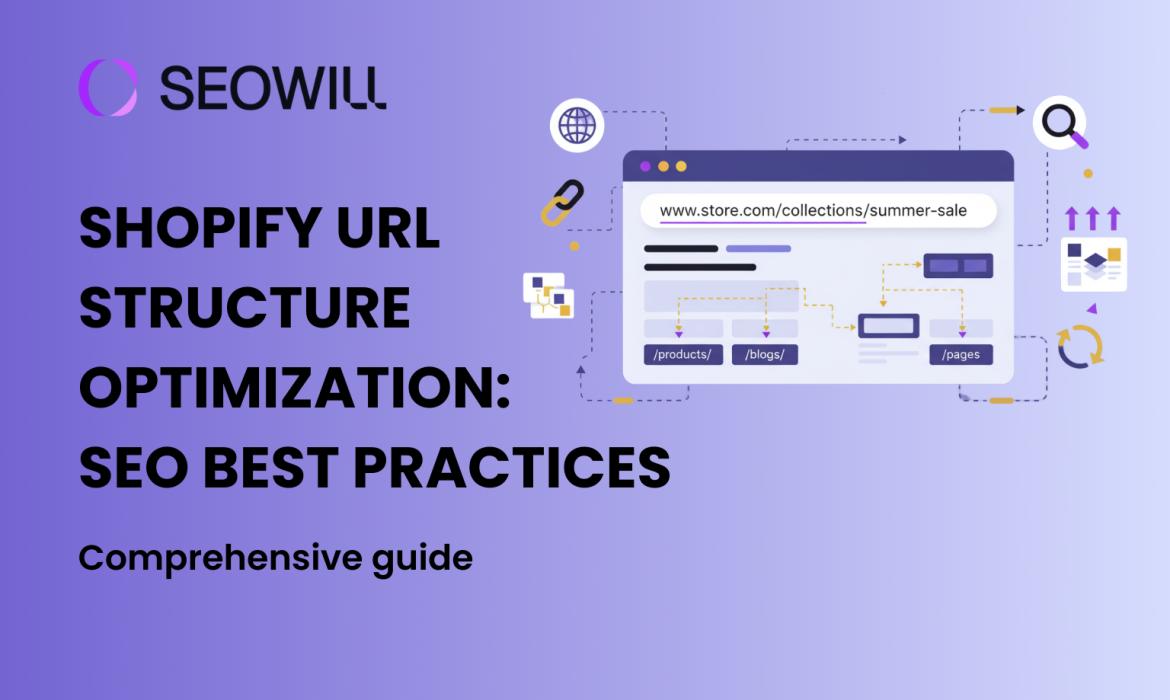
Shopify URL Structure Optimization: SEO Best Practices
What if I told you that one of the most neglected aspects of your Shopify store might be quietly sabotaging your search rankings? While the vast majority of store owners obsess over their product descriptions, images, and backlinks, they have completely ignored the primary factor of on-page SEO: Shopify URL structure.
Your URLs are not just web addresses – they are extremely powerful SEO tools that tell search engines what your pages are all about, help a user to understand your content before clicking your link, and they provide a logical hierarchy that both Google and shoppers can navigate through effortlessly. However, most of Shopify stores launch with non-optimized, automatically generated URLs, which misses so much SEO opportunity.
In this full-scale, free, and informative guide, you will understand exactly how to create SEO-friendly URLs that increase your search rankings, click-through rates, and overall user experience. Let’s turn your Shopify URLs from the most neglected part of your store into your next competitive advantage.
Understanding Shopify URL Structure
Before diving into optimization tactics, you need to understand the fundamentals of how URLs work and how Shopify specifically handles them. This foundation will help you make smarter decisions as you build and optimize your store.
What is a URL and Why It Matters
A URL (Uniform Resource Locator) is the web address that appears in your browser’s address bar. For example: https://yourstore.com/products/organic-cotton-t-shirt\.
Search engines like Google use URLs as one of many ranking signals. When crawlers scan your site, they read your URLs to understand your site structure, page topics, and content hierarchy. A well-structured URL provides context about the page content before the crawler even reads the page itself.
But URLs aren’t just for search engines – they’re for humans too. Users often glance at URLs in search results to determine if a page is relevant. A clear, descriptive URL like yourstore.com/collections/sustainable-fashion is far more trustworthy and clickable than yourstore.com/pages?id=12345&ref=xyz.
How Shopify URLs Work
Shopify has a specific system for generating URLs based on what it calls “handles.” When you create a product, collection, or page in Shopify, the platform automatically generates a Shopify handle – a URL-friendly version of your title.
For example, if you create a product titled “Organic Cotton T-Shirt,” Shopify automatically creates the handle organic-cotton-t-shirt, resulting in the full URL: yourstore.com/products/organic-cotton-t-shirt.
Here’s how Shopify’s default URL structure works:
- Products:
yourstore.com/products/product-handle - Collections:
yourstore.com/collections/collection-handle - Pages:
yourstore.com/pages/page-handle - Blog posts:
yourstore.com/blogs/blog-name/article-handle
The good news is that Shopify automatically creates clean, readable URLs without random numbers or parameters. The challenge is that the auto-generated handles often need refinement to be truly SEO-optimized.
Key Takeaway: Shopify URLs are based on handles, which you can customize in your admin panel to create perfectly optimized URLs that align with your SEO strategy.
Why URL Structure Matters for Shopify SEO
You might wonder: “If Shopify already creates clean URLs, why do I need to optimize them?” The answer lies in the significant SEO and business benefits that come from strategic URL optimization.
Search Engine Crawlability
Search engines, including Google, have a crawl budget with a limited amount of time and resources to crawl your site. A logical, hierarchical, and clear URL structure allows search engines to understand your site hierarchy quickly and efficiently.
When your URLs are consistent with a logical theme, crawlers can:
● Determine the relationships between pages (e.g., collections to products),
● Understand the importance of pages based on the depth of the URL, and
● Move through your site structure without being confused by inconsistent URLs.
All of this increases the crawlability of your site, which tends to increase indexation, or the number of pages appearing in search results.
User Experience and Click-Through Rates
URLs appear prominently in search results, directly below your page title. When users scan Google results, they subconsciously evaluate URLs as trust signals. Consider these two examples:
❌ Poor URL: yourstore.com/products/prod-12345-sku-abc?ref=collection.
✅ Good URL: yourstore.com/products/organic-skincare-serum
The second URL is instantly readable, describes the product, and looks professional. On mobile devices – where screen space is limited – clean URLs are even more critical. A concise, readable URL builds trust before users even visit your page.
Keyword Placement in URLs
While Google has stated that keywords in URLs are a relatively minor ranking factor, they’re still valuable for several reasons:
- Relevance signals: Keywords in URLs reinforce the topic of your page
- Anchor text default: When people link to your page without custom anchor text, the URL itself becomes the link text
- Social sharing: URLs containing keywords look more credible when shared on social media
The key is strategic, natural keyword inclusion – not keyword stuffing. Your primary target keyword should appear in the URL when it makes sense, but forcing multiple keywords creates awkward, spammy-looking URLs that hurt rather than help.
Anatomy of a Perfect Shopify URL
Now that you understand why URLs matter, let’s break down what makes a SEO-friendly URL in the Shopify context.
Essential URL Components
Every Shopify URL consists of several components:
- Protocol:
https://(always use secure HTTPS) - Domain:
yourstore.com(your primary domain) - URL path:
/products/(the Shopify section) - Handle:
organic-cotton-t-shirt(your customizable slug) - Parameters (optional):
?variant=12345(used for tracking or variants)
The first three components are largely standardized. Your optimization efforts focus primarily on the handle – the unique identifier for each page.
Characteristics of SEO-Friendly URLs
The perfect Shopify URL shares these essential characteristics:
✅ Short and descriptive (3-5 words ideal)
✅ Contains primary keyword (naturally, not forced)
✅ Readable by humans (clear what the page is about)
✅ Uses hyphens (not underscores or spaces)
✅ Lowercase letters only (consistency matters)
✅ No special characters (avoid &, %, $, #, etc.)
✅ Avoids stop words when possible (“and,” “or,” “the” add length without value)
Good Examples:
yourstore.com/products/wireless-bluetooth-headphonesyourstore.com/collections/summer-dresses-2025yourstore.com/pages/organic-certification
Bad Examples:
yourstore.com/products/wireless_bluetooth_headphones_with_noise_cancelling_and_charging(too long, underscores)yourstore.com/products/Product123(not descriptive)yourstore.com/products/HEADPHONES(all caps, not specific)
URL Length Recommendations for SEO
While Google can technically handle URLs of any length, shorter URLs perform better for several reasons:
- Easier to share (fit better in social media, emails, messaging apps)
- More mobile-friendly (display better on small screens)
- Appear more trustworthy (concise URLs look professional)
- Lower cognitive load (users can quickly understand what the page offers)
Best practice recommendation: Keep URLs under 60 characters when possible, with an absolute maximum of 100 characters. Google typically displays the first 50-60 characters in search results, so your most important keywords should appear early in the handle.
For Shopify specifically, remember that /products/, /collections/, and /pages/ are automatically added, consuming 10-13 characters before your handle even begins. Plan your handles accordingly.
Best Practices for Shopify Product URL Optimization
Product pages are the heart of your Shopify store, and their URLs deserve special attention. Let’s explore how to create perfectly optimized product URLs.
How to Create Clean Product URLs
When you add a product in Shopify, the platform auto-generates a handle from your product title. While convenient, these auto-generated handles often need refinement.
Step-by-step process for product URL optimization:
- Navigate to Products in your Shopify admin
- Select or create a product
- Scroll to the Search Engine Listing Preview section
- Click “Edit website SEO”
- View the current URL and handle
- Edit the handle to match your optimized format
- Save changes

Pro tip: Edit handles BEFORE your product goes live. Changing URLs after your product has been indexed and has accumulated rankings can hurt SEO if not done carefully with proper redirects.
For your product handle customization, follow this formula:
[primary-keyword]-[modifier-1]-[modifier-2]
Examples:
organic-cotton-t-shirt(primary keyword: organic cotton t-shirt)stainless-steel-water-bottle-32oz(includes size modifier)leather-laptop-bag-women(includes demographic modifier)
Product URL Naming Strategies
Beyond the basic structure, strategic naming can significantly improve your product URLs’ SEO performance.
Strategy 1: Include Primary Keyword Your URL should contain the exact keyword phrase you’re targeting for that product page. If you’re selling “organic baby clothes,” that phrase should appear in the URL: organic-baby-clothes-onesie.
Strategy 2: Add Descriptive Modifiers Include 1-2 modifiers that provide additional context:
- Size:
-32oz,-queen-size - Color:
-navy-blue,-rose-gold - Material:
-stainless-steel,-organic-cotton - Gender:
-men,-women,-unisex
Strategy 3: Avoid Duplicate Content If you sell similar products (e.g., the same t-shirt in different colors), ensure each URL is unique:
- ✅
cotton-t-shirt-navy - ✅
cotton-t-shirt-white - ❌
cotton-t-shirt(used for all colors with variants)
Shopify variants don’t create separate URLs by default, which is usually fine. Only create separate URLs if the products target different keywords or serve distinctly different purposes.
Strategy 4: Keep It Timeless Avoid dates or trends that will make URLs look outdated:
- ❌
summer-2025-dress(will look old next year) - ✅
floral-summer-dress(timeless)
Optimizing Shopify Collection URLs
While product pages generate sales, collection pages drive discovery. Optimized Shopify collection URLs help users and search engines understand your product catalog organization.
Collection URL Structure Best Practices
Shopify collection URLs follow the format: yourstore.com/collections/collection-handle
The same principles that apply to product URLs apply here, with a few collection-specific considerations:
Best practices for collection handles:
- Use category keywords: Collections often target broader, category-level keywords
- Example:
yourstore.com/collections/womens-running-shoes
- Example:
- Create a logical hierarchy: Your collection names should reflect how products are organized
- Main collection:
/collections/womens-shoes - Sub-collections: Can’t be nested in URLs, but names can suggest hierarchy
- Main collection:
- Avoid generic names: “Products,” “Shop,” “Store” add no SEO value
- ❌
collections/shop - ✅
collections/athletic-footwear
- ❌
- Consider seasonal collections carefully: Holiday or seasonal collections are powerful for timely traffic but require management
- ✅
collections/holiday-gift-sets(can be used annually) - ⚠️
collections/2025-holiday-sale(will look dated)
- ✅
Organizing Collections for SEO
Your collection hierarchy significantly impacts how search engines understand your site structure. While Shopify doesn’t support true nested collection URLs (like collections/women/shoes/running), you can still create logical organization.
Flat vs. hierarchical structure:
Flat structure (all collections at the same level):
/collections/mens-shoes/collections/womens-shoes/collections/kids-shoes/collections/athletic-shoes
Pseudo-hierarchical structure (using naming conventions):
/collections/womens-shoes/collections/womens-running-shoes/collections/womens-casual-shoes
The pseudo-hierarchical approach helps SEO by creating semantic relationships between collections, even though they’re technically at the same URL depth.
Internal linking strategy: Use breadcrumb navigation and contextual links to show the relationship between general and specific collections. This helps both users and search engines understand your site structure beyond what URLs alone communicate.
Example from a successful fashion store:
- Main:
/collections/sustainable-fashion - Subcategory pages:
/collections/sustainable-dresses,/collections/sustainable-tops - Product pages link to relevant collections with keyword-rich anchor text
This approach helped them rank for both broad terms (“sustainable fashion”) and long-tail variants (“sustainable summer dresses”) by creating clear topical clusters.
URL Management: Changes and Redirects
Even with the best planning, you’re going to have to change URLs eventually. Whether it be rebranding, reorganizing your product catalog, or correcting mistakes from earlier SEO campaigns, redirecting a URL is essential to maintain your SEO.
When and how should you change a URL? First, the golden rule: try not to change URLs unless you have a good reason to. Every time you change a URL, there’s some risk of losing rankings, traffic, and backlinks.
Some reasons why you may change a URL:
- The current URL has no keywords or is not very descriptive
- Major rebranding or product line reformulation
- Duplicate content issues
- Typos or inconsistency in formatting
- Similar products consolidation
If you decide to change the URL, you should do five preliminary things:
- Document current performance: note search rankings, the traffic and number of backlinks to the page
- Backlink analysis: using tools like Ahrefs or Moz to identify sites linking to the URL
- Plan your redirect: making sure that you’ll set up a proper 301 redirect
- Timing for low-traffic: make the changes during your slow times if you can
- Monitoring after changes: keep a close eye on Search Console and Analytics for issues after you attempt the changes.
Setting Up 301 Redirects in Shopify
A 301 redirect tells search engines that a page has permanently moved to a new location, transferring 90-99% of the original page’s SEO value to the new URL.
Step-by-step guide to create redirects in Shopify:
- Navigate to Online Store > Navigation in your Shopify admin
- Click “URL Redirects” in the navigation menu
- Click “Create URL redirect”
- Enter the old path (e.g.,
/products/old-product-name) - Enter the new URL (e.g.,
/products/new-optimized-name) - Click “Save redirect”
Important notes:
- Use relative paths (starting with
/), not full URLs - Shopify automatically handles www vs. non-www variations
- Redirects can point to any valid URL, including external sites
- You can import bulk redirects via CSV for large migrations
URL Redirect Best Practices
Beyond basic setup, follow these best practices to maximize the SEO preservation of redirects:
1. Use 301, not 302 redirects 301 is permanent and passes SEO value; 302 is temporary and doesn’t. Shopify defaults to 301, which is correct.
2. Redirect to the most relevant page If you discontinue a product, redirect to:
- A similar/replacement product (best option)
- The collection the product belonged to (second choice)
- The homepage (last resort—wastes SEO value)
3. Avoid redirect chains Don’t redirect A → B → C. Always redirect directly to the final destination: A → C.
4. Monitor for broken links Use tools like Google Search Console or Screaming Frog to identify 404 errors, then create appropriate redirects.
5. Keep redirects indefinitely Don’t remove redirects after a few months. External sites may link to old URLs for years, and those links still have SEO value.
Advanced Shopify URL Optimization Techniques
Once you’ve mastered the basics, these advanced techniques can further enhance your URL strategy.
URL Parameters and SEO Impact
URL parameters are additions to URLs that modify content or track information, appearing after a question mark:
yourstore.com/products/t-shirt?variant=12345&color=blue
Shopify automatically adds parameters for:
- Product variants
- Tracking codes
- Filtering on collection pages
- Campaign tracking (UTM parameters)
SEO implications:
⚠️ Potential issues:
- Create duplicate content (same page accessible via multiple URLs)
- Waste crawl budget on low-value parameter variations
- Dilute link equity across multiple URLs for the same content
✅ Shopify’s automatic solutions:
- Implements canonical tags pointing to the clean URL
- Handles variant parameters correctly to avoid duplication
- Provides guidance to search engines through robots.txt
What you should do:
- Check canonical tags: Ensure parameterized URLs point to clean versions
- Use Google Search Console: Configure URL parameter handling if issues arise
- Avoid custom parameters: Don’t create additional parameters unless necessary
- Test tracking codes: Ensure UTM parameters don’t interfere with canonicalization
Canonical URLs in Shopify
Canonical URLs tell search engines which version of a page is the “official” one when multiple URLs display similar or identical content.
Shopify automatically implements canonical tags on:
- Product pages (pointing to the main product URL)
- Collection pages (managing filter and sort parameters)
- Paginated content (series of pages)
How to check your canonical tags:
- Visit a product or collection page
- View page source (right-click → View Page Source)
- Search for
rel="canonical" - Verify it points to the correct, clean URL
Common canonical issues in Shopify:
❌ Problem: Product appears in multiple collections, creating separate URLs
✅ Solution: Shopify’s canonical tag automatically points to the main product URL, handling this correctly
❌ Problem: WWW vs. non-WWW version creates duplicate content
✅ Solution: Shopify automatically redirects to your chosen primary domain
When to manually check canonicals:
- After installing new apps that modify URLs
- When using custom themes with non-standard URL structures
- If Search Console reports duplicate content issues
International Store URL Structure
If you operate Shopify stores targeting multiple countries or languages, URL structure becomes more complex but even more critical.
Domain structure options:
1. Subdirectories (Recommended for most stores)
yourstore.com/en-us/(US English)yourstore.com/en-uk/(UK English)yourstore.com/fr/(French)
Pros: Consolidates domain authority, easier to manage Cons: Requires Shopify Plus or workarounds
2. Subdomains
us.yourstore.comuk.yourstore.comfr.yourstore.com
Pros: Easier to implement on standard Shopify Cons: Splits domain authority, more complex analytics
3. Separate domains
yourstore.com(US)yourstore.co.uk(UK)yourstore.fr(France)
Pros: Clear market segmentation, local domain authority Cons: Expensive to maintain, complex management
Hreflang implementation: Regardless of structure, implement hreflang tags to tell search engines which language/region each page targets. Shopify Markets and international apps can handle this automatically.
Pro tip: For international stores, consistent URL structure across regions is crucial. If your US product URL is /products/blue-shirt, your UK version should be /products/blue-shirt, not /products/blue-shirt-uk or a different name entirely.
Tools and Resources for URL Optimization
The right tools make URL optimization and management significantly easier.
Essential Tools for Shopify URL Management:
1. Google Search Console (Free) Purpose: Monitor URL indexation, identify errors, track performance Key features:
- URL inspection tool
- Coverage reports for 404 errors
- Sitemap submission and monitoring
- Mobile usability testing
2. Screaming Frog SEO Spider (Free up to 500 URLs, paid beyond) Purpose: Comprehensive site audit including URL analysis Key features:
- Identify broken links and redirects
- Analyze URL length and structure
- Export URL lists for bulk optimization
- Discover redirect chains
3. Shopify URL Redirect Apps (Various pricing) Top options:
- Redirect: Bulk redirect management
- Tiny SEO: Automated redirects when URLs change
- SEOAnt: Comprehensive SEO including URL optimization
4. Ahrefs or SEMrush (Paid, enterprise-level) Purpose: Competitive analysis and backlink tracking Key features:
- Identify which URLs have backlinks (prioritize these for redirect management)
- Analyze competitor URL structures
- Track keyword rankings by URL
5. URL Encoder/Decoder Tools (Free online) Purpose: Handle special character encoding if needed When to use: Dealing with international characters or troubleshooting URL issues
6. Google Analytics 4 (Free) Purpose: Track performance of individual URLs Key features:
- Identify top-performing product and collection URLs
- Monitor traffic changes after URL optimization
- Set up conversion tracking by URL
Pro tip: Create a spreadsheet tracking all URL changes, including old URL, new URL, redirect creation date, and performance metrics. This becomes invaluable for troubleshooting and demonstrating ROI of optimization efforts.
Measuring URL Optimization Success
URL optimization isn’t a one-time task—it requires ongoing monitoring and refinement.
| Key Metric | What to Track | Tools & Methods | Key Insights |
| 1. Search Rankings | Track position changes for primary and secondary keywords. Identify new rankings for optimized URLs and monitor any lost rankings (should recover with proper redirects). | Ahrefs, SEMrush, Google Search Console | Measure improvement in keyword visibility and ensure redirects preserve ranking authority. |
| 2. Organic Traffic | Compare traffic before and after optimization, track new vs. returning visitors, and monitor engagement (time on page, bounce rate). | Google Analytics (GA4) | Indicates how URL changes and optimizations impact user acquisition and behavior. |
| 3. Click-Through Rates (CTR) | Analyze CTR for optimized URLs and compare pre- and post-optimization performance. Test variations in title/URL structure. | Google Search Console | Higher CTR means improved relevance and stronger appeal in search results. |
| 4. Crawl Errors | Identify 404 errors, redirect chains, soft 404s, and coverage issues that affect discoverability. | Google Search Console | Ensures search engines can crawl and index all key pages effectively. |
| 5. Page Load Speed | Test page performance, focusing on Core Web Vitals and mobile load times. Cleaner URLs may slightly enhance performance. | Google PageSpeed Insights, Search Console | Faster pages improve user experience and SEO rankings, especially on mobile. |
| 6. Conversion Rates | Track conversion rate and revenue by landing page to assess SEO ROI. | Google Analytics (GA4), Shopify Reports | Determines if optimized URLs are effectively turning visitors into customers. |
FAQ: Shopify URL Structure Optimization
What is the best URL structure for Shopify stores?
The best Shopify URL structure follows Shopify’s default patterns (/products/, /collections/, /pages/) with optimized handles that include primary keywords, are 3-5 words long, use hyphens, and clearly describe the page content. Keep URLs under 60 characters when possible and ensure consistency across your entire site.
How long should a Shopify URL be?
Aim for URLs under 60 characters total, though Google can handle longer URLs. The optimal URL length balances being descriptive enough for humans and search engines while remaining concise. For the handle specifically (the part you control), target 3-5 words separated by hyphens.
Can I change my Shopify product URL after launch?
Yes, you can change Shopify URLs after launch, but you must create 301 redirects from old URLs to new ones to preserve SEO value. In Shopify admin, update the product handle, then create a redirect under Navigation > URL Redirects. Monitor performance closely for several weeks after making changes.
Should I remove /products/ from my Shopify URLs?
For most stores, no. While it’s technically possible to remove /products/ from Shopify using apps or custom development, the SEO benefits are minimal while the technical complexity and risks are significant. Focus instead on optimizing the product handle itself, which delivers better ROI with less risk.
How do I fix broken URLs in Shopify?
Identify broken URLs using Google Search Console (Coverage report) or tools like Screaming Frog. For each 404 error, decide whether to restore the page, redirect to a relevant alternative, or leave it if the content is no longer relevant. Create 301 redirects for deleted products/pages to preserve SEO value and provide good user experience.
Are URL keywords important for SEO in 2025?
Yes, though they’re a relatively minor ranking factor compared to content quality and backlinks. Keywords in URLs still provide value by reinforcing page topic, improving CTR from search results, serving as default anchor text, and enhancing user trust. Include your primary keyword naturally in URLs without stuffing.
How often should I audit my Shopify URLs?
Conduct a comprehensive URL audit quarterly, with monthly spot-checks in Google Search Console for errors. Review URLs for all new products and collections before publishing. After any site structure changes, immediately audit for broken links and redirect issues. Proactive monitoring prevents most URL problems before they impact SEO.
Conclusion: Build Your URL Optimization Action Plan
You now have everything you need to transform your Shopify URL structure from a technical afterthought into a powerful SEO asset. Let’s recap the key takeaways and create your action plan.
Critical points to remember:
- URLs are ranking signals, trust indicators, and user experience elements
- Shopify’s default structure is SEO-friendly; focus on optimizing handles
- Include primary keywords naturally in 3-5 word handles
- Always create 301 redirects when changing URLs
- Consistency and clarity trump clever wordplay
- Monitor performance and iterate based on data
What’s next? URL structure is just one element of comprehensive Shopify SEO. Explore our guides on:
- Technical SEO for Shopify stores
- Product description optimization
- Backlinks and link building strategies for e-commerce
Your URLs are your digital storefront addresses—make them count.
Shopify Store Optimization: Global SEO Structure for Beginners
When you create a Shopify store, you are not merely creating a website; you are creating a digital storefront that needs to be discovered by internet users. Oftentimes, store owners spend time making their products as visually appealing as possible, while delivering engaging product descriptions. However, sitting under the surface, existing as the foundation upon which your new store exists, is a part of your store’s online visibility that can determine and deliver your store’s success, and that is the global SEO structure of your store.
In this guide, you will learn exactly how to form an SEO-friendly architecture for your Shopify store, either from scratch or by building UX in on a store already established. You will be able to self-create either an SEO stratetgy to launch your store in a beginner’s mindset, or simply restructure your store to stay strong long-term.
There is no technical jargon in this guide; Instead, you can expect practical steps that you can apply to your store today. You can conduct them with ease and literally get a chance to start your store with an SEO friendly architecture. Then let your experience take you further—without overwhelming you with confusing terminology and jargon.
What Is Global SEO Structure and Why Does It Matter?
Understanding SEO Structure Fundamentals
The SEO structure displays the setup of your website pages, such as how the pages are organized, linked to each other, and the way you present it to your audience and search engines. It is the general framework that defines how information flows between different areas of your site, from the homepage, down to the product pages.
When a search engine such as Google crawls your website, it will visit your pages by following the link structure of your site to discover and index your content, and SEO structure offers clarity and ease of site crawling. Your site’s SEO structure will tell search engines what pages are the most important, how those pages are related to each other, and how your content competes for ranking, all of which represents informative hierarchies for crawlers that can aid in improving SEO rankings. The clearer the site structures and informative hierarchies develop, the easier time crawlers have, and the more relevance your site’s content will have in search.
For Shopify store owners, this means developing collections, products, and supporting pages that offer ease of crawl for both crawlers and potential customers on your site. When the website is clear and intuitive, crawlers can easily determine what your store is selling to match with search queries.
The Business Impact of Good Global SEO Structure
The benefits of a well-planned site structure extend far beyond technical SEO metrics. When you implement an effective SEO structure, you’re simultaneously improving user experience. Visitors can find products faster, navigate categories logically, and discover related items without frustration. This translates directly into lower bounce rates and higher conversion rates.
Real-world data consistently shows that Shopify stores with optimized site structure SEO see 30-40% more organic traffic within six months compared to poorly structured competitors. Additionally, stores with clear navigation structures and internal linking experience up to 25% higher average order values, as customers can easily explore complementary products.
From a technical perspective, proper website architecture SEO helps search engines allocate their crawl budget more efficiently. Instead of wasting resources on duplicate pages or getting stuck in navigation loops, crawlers can systematically index your most valuable content. This means your new products get discovered faster, and your collection pages maintain strong rankings.
Core Elements of an Effective Shopify SEO Structure
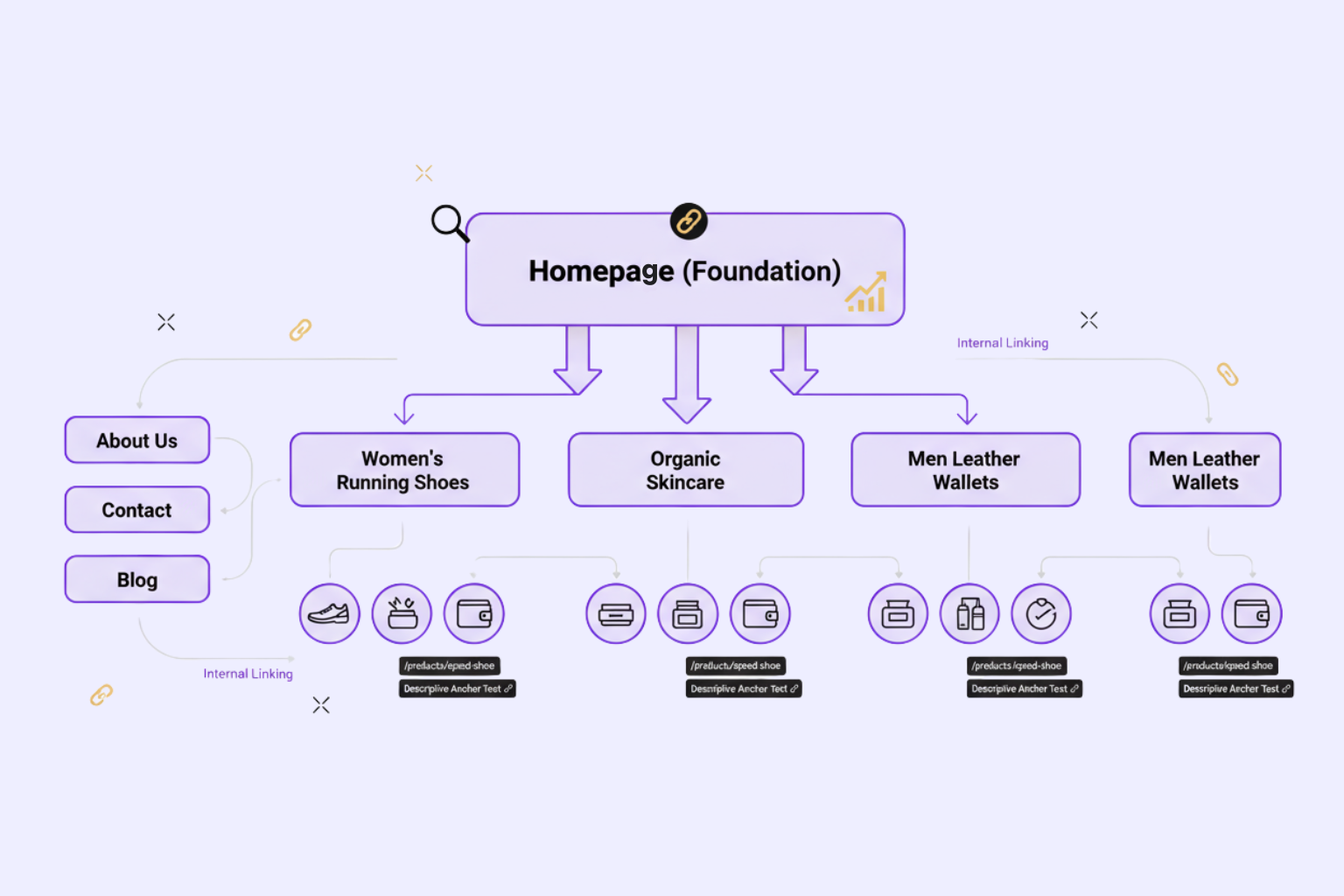
Homepage as Your Foundation
Your homepage is the foundation of your overall site architecture. Usually it is your best page in terms of domain authority, and how you distribute that authority using your internal links determines how other pages rank well.
With perfect Shopify SEO, your homepage links to your leading product collections—or 5-8 primary collections that represent your core product offering. Link context uses descriptive anchors and relevant keywords. Instead of a generic “Shop Now” button, try “Shop Women’s Running Shoes” or “Check Out Organic Skincare Products.”
Don’t link to every product on your homepage. Remember that you are building a hierarchical authority structure with your homepage, and collections, and products. The homepage is the gate to your most important category pages.
Collection Pages: The Middle Layer
Collection pages, also known as category pages, represent the important middle layer of your Shopify site structure. These serve two functions: aiding customers in navigating grouped products, and allowing you to target competitive category-level keywords such as “men’s leather wallets” or “organic coffee beans.”
When properly categorizing collections in a logical way, consider user intent, and search behavior. When grouping products together, select attributes customers actually search for, whether by type, material, use case, or brand. In addition, avoid having too many overlapping collections that lead to keyword cannibalization by having too many pages that target the same keyword.
Your category structure should be broad enough to categorize multiple products but narrow enough to focus on valuable keywords. As a good rule of thumb: collections should contain at least 8-12 products that provide some value to your visitors, but not enough to risk the consumers being overwhelmed (on average fewer than 100 products per collection with no subcategories).
For optimizing your collection URL’s, keep it short and keyword rich. Shopify defaults to /collections/collection-name, which works perfect. Just be sure to use hyphens in the collection names to separate words and include your chosen keywords naturally.
Product Pages: The Final Destination
Product pages are typically at the bottom of your site architecture, but they are usually your money-generating pages. In a perfect site architecture plan, you would only need to click three times from your homepage: homepage → collection → product.
Your product URLs should follow a pattern. Shopify provides two forms for URLs: /products/product-name (flat URL structure); /collections/collection-name/products/product-name (nested URL structure). For the majority of stores, the flat product URL structure is the way to go, because it is cleaner and allows you to avoid duplicate content when products show up in multiple collections.
Internal linking to products is important. Products should be internally linked to, at a minimum, the collection where they are featured, but they should be linked from related products, blog posts that mention them, and any other relevant supporting pages. This internal linking structure will help PageRank be distributed to these pages and ensure that search engines can discover them all easily.
Supporting Pages (About, Contact, Blog)
Additional pages like About Us, Contact, Privacy Policy, and blog posts serve to enrich the depth of your store and add a level of trust. Considering SEO, these pages are usually well positioned in the overall structure, as they can be linked from either the main navigation or the footer of the website. This will ensure they are not competing with your commercial page priority but will still maintain easy access for shoppers.
Assuming you have a blog, it is important to give that a specific thought regarding the navigation structure. Ideally, blog posts should link to product collections or specific items; we want to link relevant content together and build post pages that connect content together, while providing value to shoppers with informational keywords. By doing this, your overall structure becomes more SEO-friendly for your commercial pages in the context of informational and commercial search intent.
The Ideal Website Architecture for Shopify Stores
The Flat vs. Deep Structure Debate
One of the most important decisions in website architecture SEO is choosing between a flat or deep structure. A flat architecture keeps most pages within 2-3 clicks of the homepage, while a deep structure creates multiple levels of subcategories.
For most Shopify stores, a flat architecture delivers better SEO results. Search engines can crawl your entire site quickly, and link equity (ranking power) flows more directly from your homepage to your important pages. The famous “3-click rule” suggests that any page on your site should be reachable within three clicks from your homepage.
However, if you’re running a large catalog with 500+ products, a slightly deeper structure becomes necessary. In these cases, implement a logical site hierarchy with subcategories: Homepage → Category → Subcategory → Product. Just avoid going beyond 4 levels deep, as this diminishes SEO value and frustrates users.
The key is maintaining crawlability and ensuring your most valuable pages aren’t buried six clicks deep where search engines rarely venture. Every additional level in your hierarchy dilutes the SEO power flowing to those bottom-level pages.
Building Your SEO-Friendly Structure
Creating an effective SEO structure for your Shopify store requires methodical planning. Here’s your step-by-step implementation guide:
Step 1: Map Your Product Categories Start by listing all your products and grouping them by logical categories. Look at what your target customers would search for. If you sell fitness equipment, you might create categories like “Cardio Machines,” “Free Weights,” “Yoga Equipment,” and “Recovery Tools.” Each category should target specific keywords you’ve researched.
Step 2: Create Logical Collections In Shopify, set up collections that match your category map. Use clear, descriptive names that include your target keywords. Enable automatic product assignment based on tags when possible, but manually curate important collections to ensure quality.
Step 3: Plan Your URL Structure Decide on your URL patterns before launching. Will you use descriptive URLs with keywords? How will you handle product variants? Document your URL optimization strategy and stick to it consistently across your store.
Step 4: Design Navigation Hierarchy Build your main navigation menu to reflect your structure. Your top-level menu should feature your main collections. If you have subcategories, implement dropdown menus or mega menus that display the entire structure clearly. Always include breadcrumb navigation to show users (and search engines) where they are in your site hierarchy.
Visual Diagram:
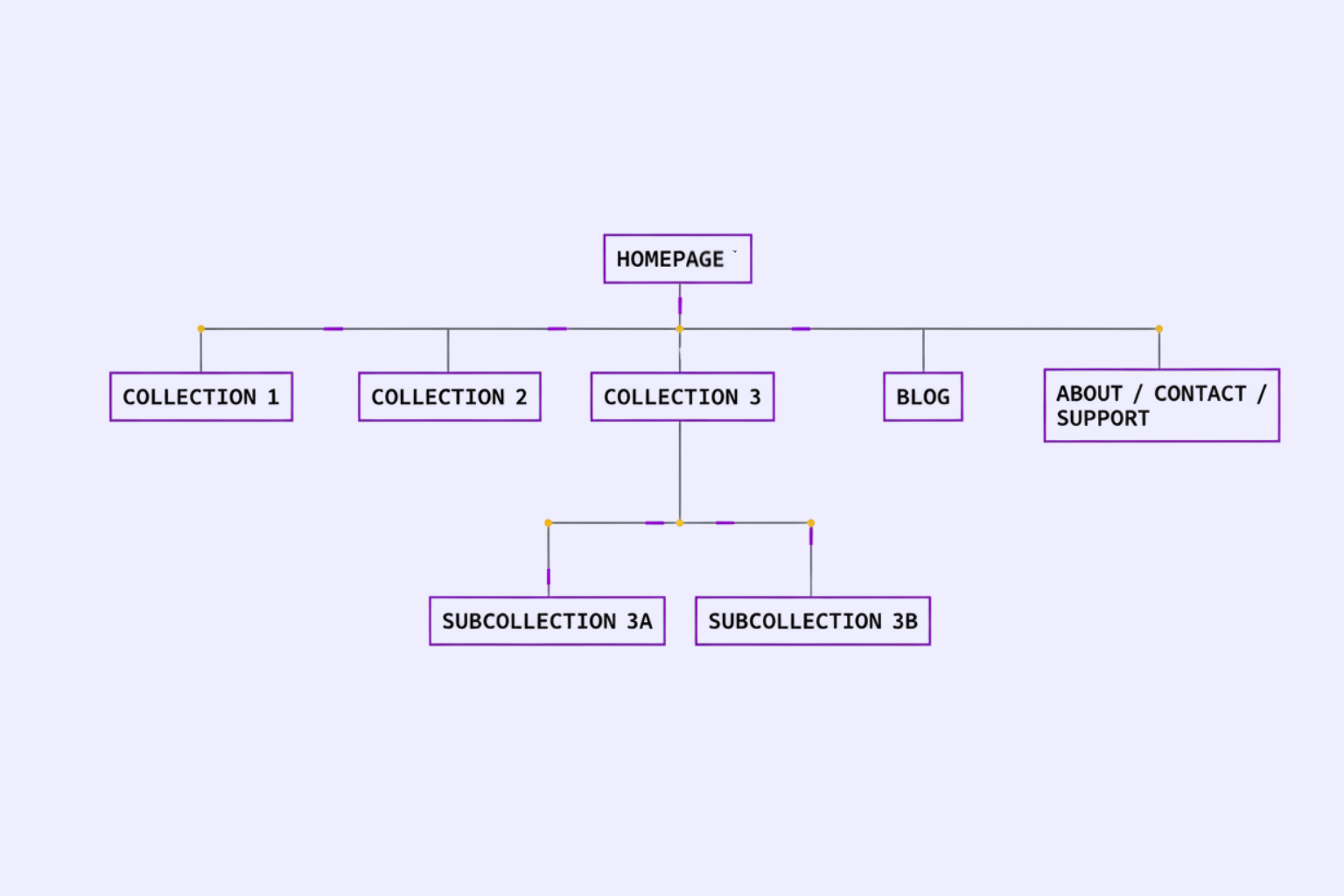
URL Structure Best Practices for Shopify
Clean, descriptive URLs are a cornerstone of good SEO structure. Your URLs should be readable by humans and clearly indicate the page content. Instead of /products/prod-1234567, use /products/organic-cotton-t-shirt-blue.
Include relevant keywords in your URLs, but keep them concise. A URL like /collections/mens-athletic-shoes is perfect—it’s descriptive, includes keywords, and stays under 60 characters. Avoid keyword stuffing; /collections/mens-shoes-athletic-shoes-running-shoes-sneakers looks spammy and provides no additional value.
Shopify handles almost all of the URL structure concerns for you, however, you get to control the collection handles and product handles. Be sure to create these using lowercase, hyphens to separate words, and when possible, avoid any special characters or numbers.
Pay attention to your URL parameters especially. Shopify will add parameters for filtering of products, variants, and making some tracking easier – while this is necessary for a user and your application to function, the tracking for excessive parameters is often problematic because it is seen as duplicate content. Use of canonical tags inform search engines which version of a primary URL to crawl or index (in almost all cases, Shopify does this automatically for you along with most of the other pages you create).
Navigation Structure and Internal Linking Strategy
Designing SEO-Optimized Navigation
Your site navigation serves as the primary road map for both users and search engine crawlers. An SEO-optimized navigation is intuitive, comprehensive, and keyword-aware.
Your main navigation should be consistent across all pages and feature your primary collections. Use descriptive link text that includes relevant keywords—this helps with both usability and SEO. If you have many products, consider implementing a mega menu that displays multiple levels of your navigation structure at once, allowing users to jump directly to specific subcategories.
Mobile navigation deserves special attention, as over 70% of e-commerce traffic comes from mobile devices. Ensure your hamburger menu is easily accessible, and your structure translates well to smaller screens. Avoid hiding important links in hard-to-reach places.
Breadcrumb navigation is essential for any Shopify store beyond 20 products. Breadcrumbs show the path from your homepage to the current page (e.g., Home > Men’s Clothing > T-Shirts > Organic Cotton Tee). They improve user experience, reduce bounce rates, and provide search engines with clear structure signals. Shopify themes typically include breadcrumbs, but verify they’re implemented and displaying correctly.
Internal Linking Structure for Authority Flow
The internal linking method you adopt affects how authority and ranking potential are transmitted throughout your website. Strategic internal linking can greatly enhance your SEO structure by allowing search engines to easily find your best pages and effectively signal topical relevance. PageRank flow is a more straightforward way to view link equity. Your homepage typically has the most authority. When you link from your homepage to your collection pages, you pass off some of the authority. After that, those collection pages pass off authority to product pages they link to. The more link equity a particular page has from respective pages on your own internal site, the better it can rank. Here are some strategic internal linking method best practices:
● Link from high-authority pages (the homepage or just popular blog posts) to pages you want to rank
● Use anchor text that is descriptive with relevant keywords
● Link in content contextually not solely navigational links
● Link relative products to each other (ex. add “You May Also Like” section after product details)
● Link relative blog content to respective collections and products
● Do not have orphaned pages (a page that has zero internal links pointing to it)
Anchor text optimization matters for internal links too. Vary your anchor text naturally while including target keywords. If linking to your “Men’s Running Shoes” collection, use variations like “running shoes for men,” “men’s athletic footwear,” and “shop running shoes” across different links.
Footer and Sidebar Links
Your footer plays an important but often overlooked role in site structure. It appears on every page, making it valuable for linking to important pages that don’t fit in your main navigation—policies, customer service pages, or secondary collections.
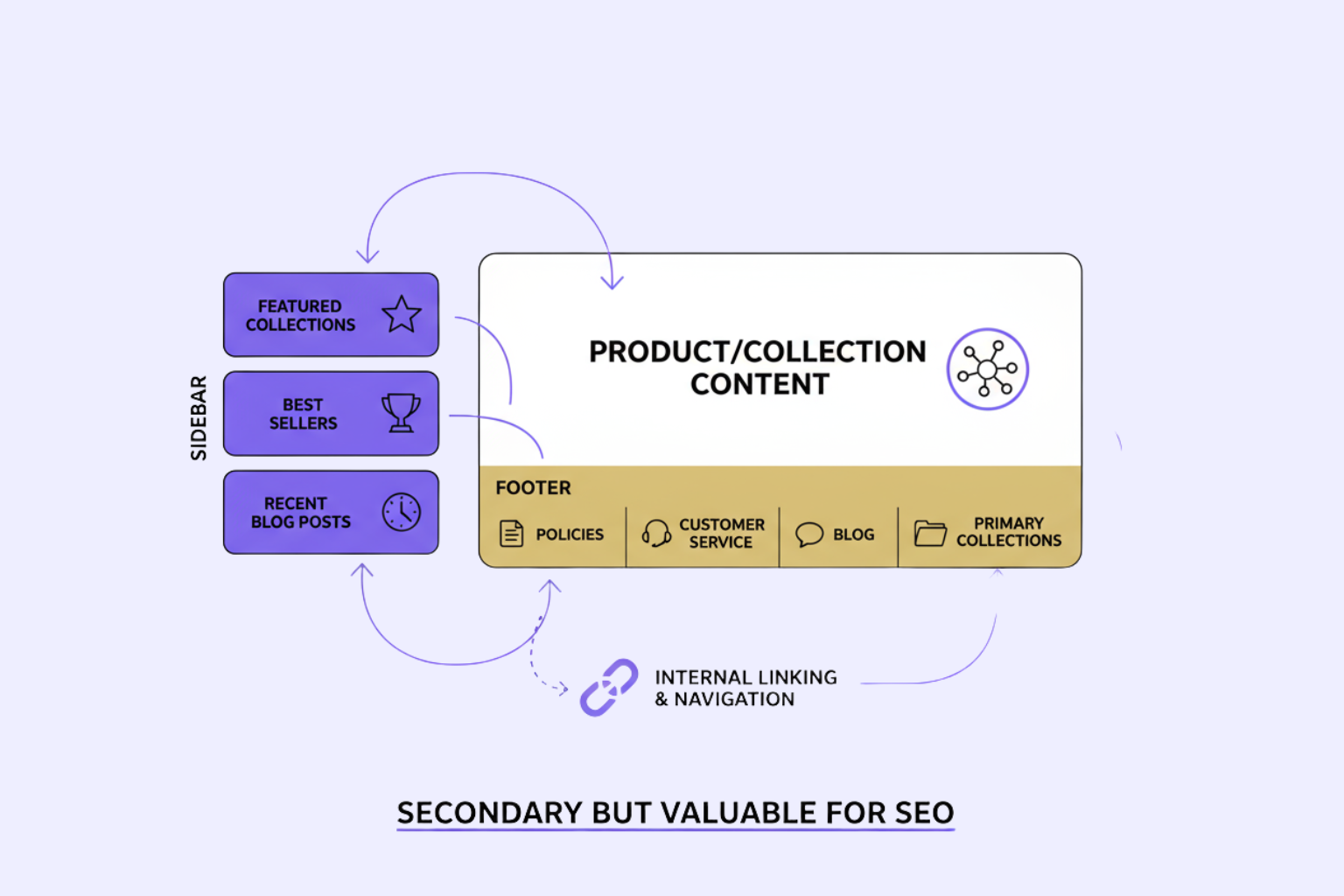
From an SEO structure perspective, footer links pass less value than body content links, but they still contribute to your overall internal linking architecture. Include links to your primary collections, your blog, and any high-value content pages. Organize footer links into logical groups to maintain usability.
Sidebar links (if your theme uses them) can promote featured collections, best-selling products, or recent blog posts. These contribute to your internal linking structure and help visitors discover content they might otherwise miss. Just avoid overloading sidebars with dozens of links, which can appear spammy and dilute link value.
Technical SEO Structure Essentials for Shopify
XML Sitemaps and Site Structure
XML sitemaps serve as a roadmap for search engines, listing all your important pages and indicating their relationships. Fortunately, Shopify automatically generates and updates your sitemap at yourstore.com/sitemap.xml.
Your Shopify sitemap includes separate sections for pages, collections, products, blogs, and blog posts. Search engines use these to discover new content quickly and understand your site hierarchy. While sitemaps don’t directly improve rankings, they ensure complete indexation of your site—critical for any SEO structure.
Submit your sitemap to Google Search Console and Bing Webmaster Tools after launching your store. Monitor these tools for crawl errors or indexation issues that might indicate structural problems. If certain products or collections aren’t being indexed, it’s often a sign of deeper issues with your site structure or internal linking.
Priority and frequency settings in your sitemap help search engines understand which pages change often and deserve frequent re-crawling. Shopify sets sensible defaults, but you can adjust these through apps if you need fine-tuned control.
Robots.txt and Crawl Optimization
Your robots.txt file tells search engine crawlers which parts of your site to access and which to avoid. Shopify manages this file automatically, blocking access to checkout pages, customer account areas, and other pages that shouldn’t appear in search results.
Understanding what your robots.txt blocks helps you ensure important pages remain crawlable. You can view your robots.txt at yourstore.com/robots.txt. For most stores, Shopify’s defaults work perfectly and maintain good crawlability without exposing sensitive pages.
Crawl optimization extends beyond robots.txt. Monitor your site’s crawl stats in Google Search Console to ensure Google isn’t hitting server errors or being blocked from important pages. If crawl errors spike, it might indicate structural issues like broken internal links or redirect chains that need fixing.
Canonical URLs and Duplicate Content
Shopify, like most e-commerce platforms, can create duplicate content issues. Products might appear in multiple collections, creating multiple URLs for the same product. Search parameters and sorting options add even more variations.
Canonical tags tell search engines which version of a page is the “main” one that should rank. Shopify automatically implements canonical tags for most duplicate scenarios, pointing all variations to your primary product URL. This protects your SEO structure from penalties associated with duplicate content.
For collection pages, Shopify sets the canonical to the paginated version without parameters. If you create custom collections with overlapping products, you might need to be strategic about which collections you prioritize in your structure and internal linking to avoid confusing search engines.
Step-by-Step: Implementing Your Shopify SEO Structure
Audit Your Current Structure
Before making changes, understand what you’re working with. Use these free tools to analyze your existing site structure:
- Google Search Console: Check which pages are indexed and identify crawl errors
- Screaming Frog SEO Spider (free up to 500 URLs): Crawl your site to visualize structure and find issues
- Shopify’s built-in navigation editor: Review your current menu structure
- Manual click test: Start from your homepage and see how many clicks it takes to reach various products
Analyze your site depth by tracking the clicks required to reach different pages. If many products require 4+ clicks, your structure is too deep. Look for orphan pages that have no internal links pointing to them—these need to be integrated into your structure.
Plan Your New Structure
Armed with your audit results, create a visual diagram of your ideal structure. Use a simple tool like Google Sheets, a whiteboard, or diagramming software. Map out:
- Your main collections (5-8 primary categories)
- Subcollections if needed (for stores with 100+ products)
- How products will be organized within collections
- URL patterns you’ll use consistently
- Navigation menu layout
Define URL patterns that you’ll apply consistently. For example:
- Collections:
/collections/[collection-name] - Products:
/products/[product-name] - Blog posts:
/blogs/news/[post-title] - Pages:
/pages/[page-name]
Implement Changes Safely
Making structural changes to a live store requires care to avoid losing existing search rankings. Follow this process:
Backup Your Store: Before making any changes, export your product data and take screenshots of your current setup. Shopify doesn’t offer one-click backups, but document your current state thoroughly.
Set Up 301 Redirects: If you’re changing URLs, implement 301 redirects from old URLs to new ones. Shopify includes built-in redirect functionality under Navigation > URL Redirects. This preserves your search rankings by telling search engines the page has permanently moved.
Update Internal Links: After reorganizing collections or changing URLs, audit your internal links. Update menu items, in-content links, and any hardcoded URLs in your theme to point to the new locations.
Test Thoroughly: Click through your entire site to verify all links work, navigation menus display correctly, and breadcrumbs show the right path. Test on multiple devices, especially mobile. Use Google’s Mobile-Friendly Test tool to catch mobile-specific issues.
Monitor and Optimize
Structural optimization isn’t a one-time task. After implementation, track these metrics to gauge success:
- Organic traffic trends: Monitor overall traffic and traffic to specific collections
- Rankings for target keywords: Track positions for your collection-level keywords
- Crawl stats in Search Console: Watch for improvements in pages crawled and indexed
- User behavior metrics: Reduced bounce rates and longer session durations indicate better structure
- Conversion rates: Better structure often leads to higher conversions
Review your Google Analytics and Search Console data monthly. If certain collections aren’t gaining traction, consider restructuring them, improving internal links pointing to them, or adjusting their position in your navigation hierarchy. SEO structure optimization is iterative—use data to continuously refine your approach.
Advanced Tips for Scaling Your SEO Structure
As your Shopify store grows, your SEO structure needs to scale with it. Here are advanced considerations for taking your structure to the next level:
| Aspect | Description | Best Practices |
| Multi-Language Structure Considerations | When expanding internationally, Shopify’s multi-language features create separate URL structures for each language, typically using subdirectories (e.g., /en/, /fr/). | – Implement hreflang tags to indicate language and regional variations. – Maintain consistent site hierarchy across languages. – Use internal linking to connect language versions. |
| Handling Large Product Catalogs (1000+ Products) | Stores with large catalogs need extra structure layers to stay crawlable and organized. | – Use AJAX-based filters to prevent excess indexed URLs. – Create specialty landing pages for long-tail keyword targeting. – Keep navigation simple and avoid deep nesting. |
| Faceted Navigation and SEO | Faceted navigation improves UX but risks duplicate content when filter combinations generate unique URLs. | – Use noindex tags or URL parameters for filter URLs. – Keep main collection pages crawlable. – Ensure filters don’t dilute ranking signals. |
| Structure for B2B vs. B2C Stores | B2B Shopify stores require unique content and navigation paths for wholesale or trade customers. | – Create dedicated branches (e.g., /wholesale/, /trade/). – Include bulk pricing and RFQ (Request for Quote) options. – Optimize for B2B-specific search intent. |
| International Expansion Planning | Target regional markets with localized pages and collection structures. | – Use subdirectories for markets (e.g., /us/, /uk/). – Localize content, pricing, and promotions. – Implement region-specific keywords and hreflang for targeting accuracy. |
Frequently Asked Questions
Q: What is the best SEO structure for a Shopify store?
For the majority of Shopify stores, we recommend a flat, uniform three-level hierarchy: Homepage to Collections to Products. This keeps all products within 3 clicks from your homepage, maximizes crawlability, and uses your link equity effectively. If you are working with a larger catalog (100 or more products) you can add an additional level of subcollections, but we wouldn’t suggest going deeper than 4 levels overall.
Q: How deep should my Shopify site structure be?
Ideally, you should be able to reach every product within 2-3 clicks from your homepage. If you have a small store with less than 50 products, everything should fall within 2 clicks. A medium store with 50-200 products should remain within 3 clicks. A larger store can approach 4 clicks for some products, but that’s it; you lose a lot of SEO value if you have to click beyond 4 pages.
Q: How do I check my current site structure? You can leverage Google Search Console to check which of your pages are indexed and to identify any crawl difficulties. Additionally, you could make use of free tools like Screaming Frog SEO Spider (up to 500 URLs), that will physically crawl your website and develop a visual site map for you. And you could even do it manually, which would entail you navigating your store manually and counting clicks on your home page, then counting clicks on each of the various products, to know how deep you currently are.
Q: Will changing my structure hurt my SEO?
Changes can cause temporary ranking fluctuations, but proper implementation minimizes negative impacts. Always use 301 redirects when changing URLs, update your sitemap, and maintain your internal linking. Most well-executed structural improvements lead to better long-term rankings, with any temporary dips recovering within 4-8 weeks.
Conclusion
Creating a good SEO structure for your Shopify store is one of the best investments you can make for your online business. It may seem technical at first, but the principles are simple: create a logical structure, give users 3 clicks maximum to products, use good URLs, and incorporate internal linking properly.
Keep in mind that perfect is the enemy of good. just get a good structure in place – a homepage that links to the main collections, collections organized logically, and clear URL structure. Then, as your store continues to grow, and you find out what pages are performing well, you can further develop your structure.
The great thing about Shopify is that it takes care of a lot of technical SEO components for you, so you can focus on the strategic items when producing your site architecture. And, as you adopt the principles in this guide – your store will create sustainable organic growth that builds upon itself over time.
So, are you ready to get started? Start by assessing where your current structure is at, map out where you want it to be (your ideal hierarchy), and write your homepage to collection navigational structure today. Perceived, minor structural changes can drive significant traffic increases in a matter of weeks. Future self, will appreciate you for finally building a solid SEO foundation.
Complete Shopify SEO Technical Setup: Configuration Guide
In addition to your Shopify store’s SEO rankings being determined by what you are selling and how, SEO technical setups have a big impact. However, many Shopify owners have some level of difficulty implementing technical SEO setups to see improvement in their rankings.
Technical SEO can be intimidating, especially if you are a beginner to ecommerce, but it is really easier than you think. In many other ecommerce platforms, you would have to manually configure dozens of options in their user admin, but Shopify has really automated a lot of the technical setup for you.
In this guide, we will review everything you need to know about setting up Shopify for search engines. You’ll discover all the important technical SEO setups for URL structure, meta tags, sitemaps, and schema markup. You are either launching a new store or updating an older store, so this step-by-step way of showing you is certain to help you develop a technically sound store to build up a long-term SEO foundation.
Let’s get started on the Shopify technical SEO essentials every store owner needs to know.
Understanding Shopify SEO Technical Requirements
Before diving into configurations, it’s crucial to understand what makes technical SEO for Shopify unique compared to other platforms. Shopify is a hosted e-commerce solution, meaning it manages many technical aspects like hosting, security certificates, and core site structure automatically. This is both an advantage and a limitation.
The platform comes with built-in SEO features that handle fundamental requirements out of the box. Your store automatically generates an XML sitemap, creates canonical tags to prevent duplicate content issues, and provides mobile-responsive themes. However, these default settings aren’t always optimal for every business model or competitive landscape.
Shopify SEO optimization requires understanding three core technical components: crawlability (how search engines access your content), indexability (which pages should appear in search results), and rankability (technical factors that influence your position in search results). Each component involves specific configurations that we’ll address throughout this guide.
How to Configure Shopify for Search Engines
Accessing your Shopify SEO setup begins in the Shopify admin panel. Navigate to “Online Store” and then “Preferences” to find your primary SEO settings. This section controls fundamental elements like your homepage title and meta description, which serve as your store’s primary search engine identity.
Your Shopify admin also provides theme-level settings that affect technical SEO. Under “Online Store” > “Themes” > “Customize,” you’ll find options to modify header structures, navigation elements, and other components that influence how search engines interpret your site architecture.
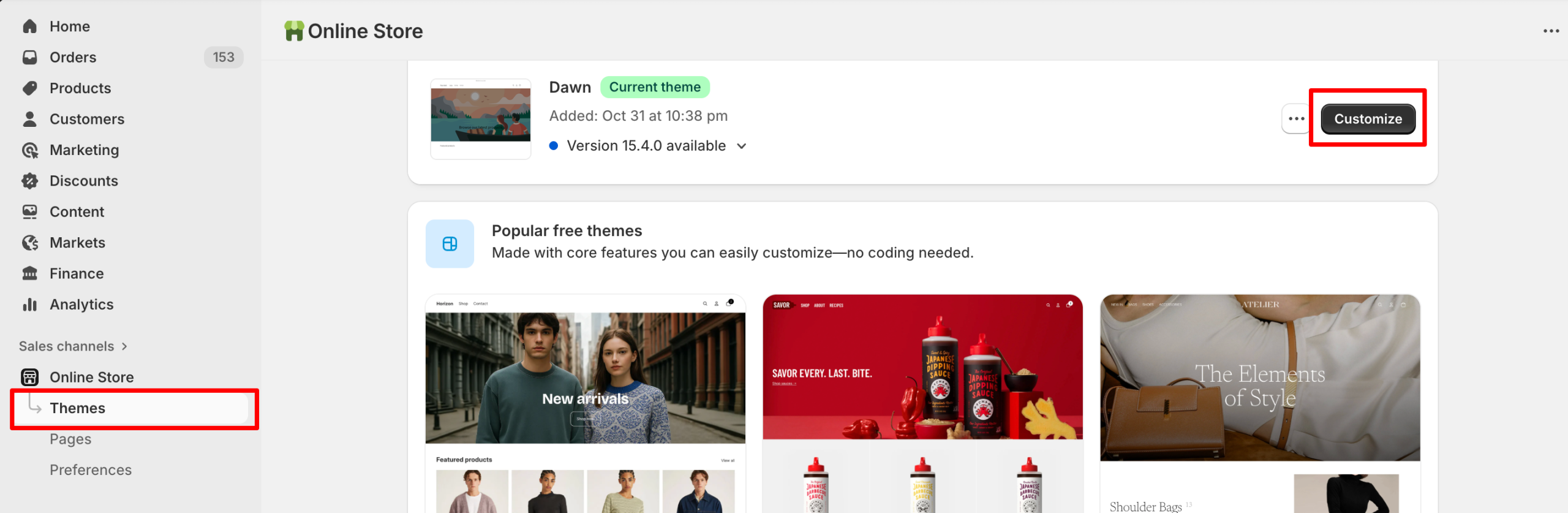
It is essential to know what the differences are between store-level settings and page-level settings. Store-level settings (like sitemap visibility and robots.txt) are store-wide, while page-level settings (like metadata and URLs) can have their own settings at the product and collection level, and for blog posts. You can control both the enterprise-level consistency, i.e., which elements display across the store, as well as the page-level adjustments, where you optimize based on each item (tweaking headers, customizing product details, etc.).
For beginners, however, the good news is that the SEO layer of Shopify is simple. Most changes occur naturally after you have figured out where things are in your admin panel. Generally, all important changes are in your admin panel first, which is easy to navigate the most critical settings and all are clearly labeled and described. Further, Shopify has automatic backups, making it easy to play with settings with confidence you can’t really break your store.
Essential Shopify Technical SEO Configuration
With a solid understanding of Shopify’s technical framework, let’s move into the essential Shopify SEO configuration steps that every store owner should implement immediately. These foundational settings directly impact how search engines crawl, interpret, and rank your store.
Shopify URL Structure Optimization
Your Shopify URL structure optimization is one of the most critical technical SEO elements, yet it’s often overlooked by beginners. Shopify automatically generates URLs based on your product titles and collection names, but these default URLs aren’t always ideal for SEO or user experience.
When creating products and collections, Shopify generates a URL handle—the part of the URL that comes after your domain name. For example, a product titled “Men’s Organic Cotton T-Shirt – Blue” might default to /products/mens-organic-cotton-t-shirt-blue. While functional, you could optimize this to /products/organic-cotton-tshirt-blue for better readability and keyword focus.
To enhance URL structure, follow these recommendations: as much as possible, keep URLs fewer than 60 characters in length, include your primary keyword in a natural way, use hyphens (rather than underscores) to separate words, and don’t include unnecessary parameters or dynamically generated strings. Remember that once a page has been published, changing a page’s URL creates a redirect – more on that later.
Shopify automatically includes collection and product prefixes in your URLs (/collections/ and /products/ respectively), which you can’t change without custom code. Again – not an ideal situation from an SEO perspective, but this is true for all Shopify stores, and will not significantly affect rankings. Focus instead on optimizing the handle aspect that you can control.
For blog posts, Shopify is a bit more flexible. You can go to “Online Store” and “Blog Posts”, then “Manage Blogs” to see the URL editing options. You can create descriptive, keyword-rich URLs here too, just keep it concise, factual to the topic of content and user friendly.
Setting Up Shopify Meta Tags
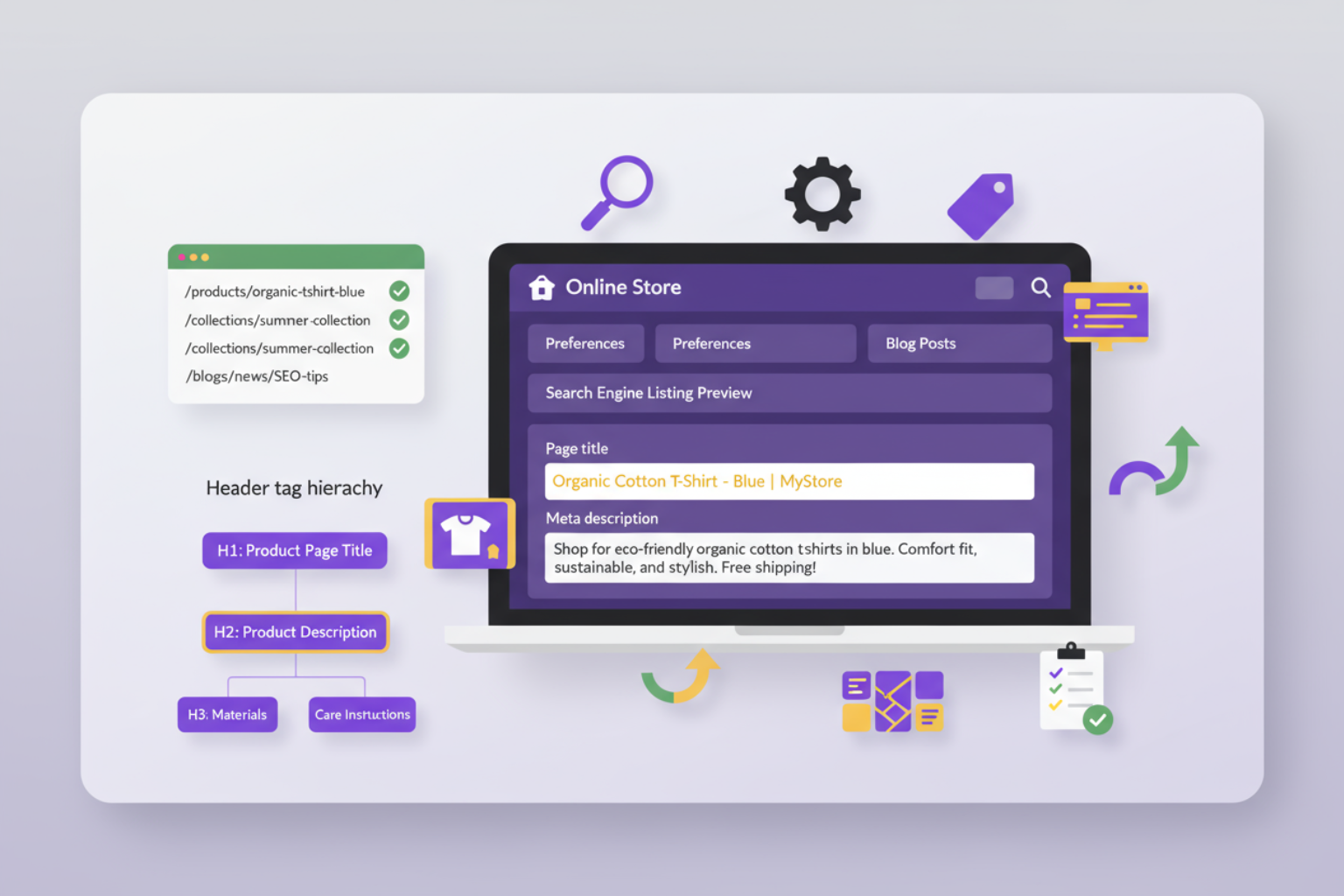
Shopify meta tags serve as your direct communication channel with search engines, telling them what each page is about and how it should appear in search results. Properly configured meta elements can significantly impact your click-through rates and overall Shopify SEO technical performance.
Start with your homepage meta configuration. In your Shopify admin, go to “Online Store” > “Preferences.” Here you’ll find fields for your homepage title and meta description. Your title tag should be 50-60 characters and include your primary keyword and brand name. For example: “Premium Organic Clothing | EcoThreads Sustainable Fashion.”
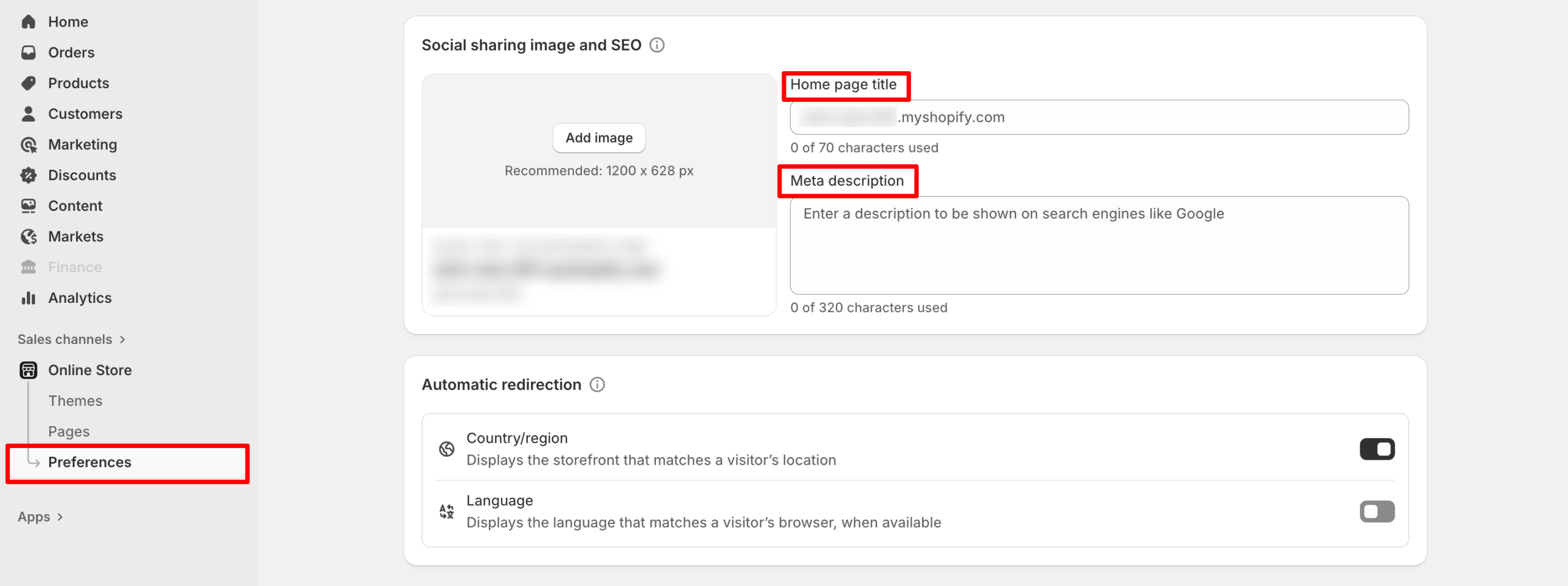
A meta description can range between 150–160 characters to convince searchers to click on your result instead of a competitor’s one. Use your main value proposition, your primary keyword in a natural way, and a subtle call-to-action. For example: “Explore ethically-made organic clothing that look good and feel even better. Free shipping on orders over $50. Shop sustainable fashion today.”
On product pages, Shopify has specific fields dedicated to SEO inside each product page editor. Click into a product, scroll to the bottom of the page until you see “Search engine listing preview,” and then customize the title and description. The title tags for the product page should contain the name of the product, key feature or benefit, plus the product category. Product page titles should stay on topic focused around the product and keyword-rich but shouldn’t be spammy.
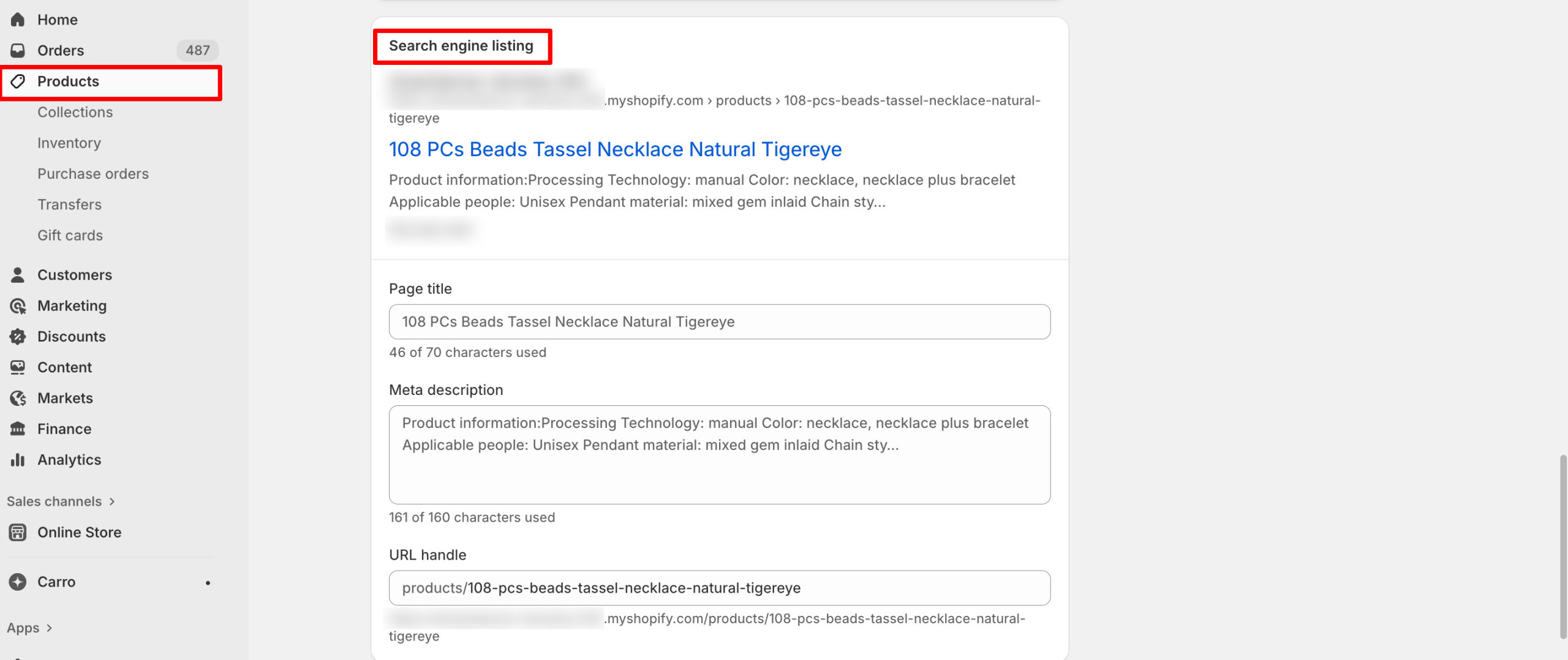
Collection pages follow this same pattern. Head to the bottom of the collection page and find the “Search engine listing preview” section where you can edit custom fields like title and meta description. Like product pages, collection meta titles can be enhanced by including the number of products like (“Shop 50+ Organic T-Shirts”) or by including key categories or subcategories viewable from the main URL (“Men’s & Women’s Sustainable Fashion”).
For blog posts, the title and description meta fields are the same location as products and collections. Blog titles are likely slightly longer and have a more engaging rhetoric since they support informational blog post titles rather than commercial intent. Like products, your target keyword can be placed early in the sentence alongside being written in a way to earn a click.
Configuring Header Tags and Content Hierarchy
Optimizing header tags properly will help search engines understand the structure and hierarchy of your content. Most Shopify themes will handle some of this for you automatically, but still need to check to verify and optimize how header tags are being implemented across your store.
For the homepage, each product page and collection page, you should be using only one H1 tag (page title, typically). In most cases, the default of most Shopify themes will implement the H1 tag so you may not have to worry about this, but it is always a good idea to check. Use the inspect element function of your browser or an SEO browser extension to verify that you are using H1 tags and that they include relevant keywords.
For product descriptions and blog posts, use H2 tags for major sections and H3 tags for subsections within those sections. This helps create a logical hierarchy to your content, which is easy for both users and search engines to follow. For example, in a product description, H2 tags could include features, specifications, care instructions, etc., with H3 tags being subcategories under those.
You will see the most structural benefit using header tags in blog posts. Your article title will be labeled an H1 (automatically done for you at Shopify), then H2 for major sections and H3 for subsections of those sections. Also include relevant Shopify SEO technical related keywords in the headers, as long as they do not interfere with readability. Prioritize processors and ease of readability over keyword stuffing in this part of your content.
Optimizing Your Shopify Site Structure
Beyond page-level elements, your overall Shopify site structure significantly impacts crawlability, user experience, and SEO performance. A well-organized store makes it easy for both customers and search engines to find and understand your content.
Creating an SEO-Friendly Navigation System
Your navigation system serves as both a user experience tool and a powerful SEO signal. Shopify navigation structure should be logical, comprehensive, and optimized to help search engines understand your store’s content organization.
Start with your main navigation menu. Access this through “Online Store” > “Navigation” in your Shopify admin. Your primary menu should include your most important collections, essential pages (About, Contact), and any key content hubs like your blog. Limit top-level menu items to 5-7 options to avoid overwhelming users and diluting link equity.
Implement drop-down menus for subcategories under main collection headers. For instance, a “Women’s Clothing” menu item might expand to show “Tops,” “Bottoms,” “Dresses,” and “Accessories.” This creates a clear hierarchy while keeping your main navigation clean.
Don’t neglect your footer navigation—it’s valuable for both users and SEO. Footer links often include less critical but still important pages like shipping policies, returns, sustainability commitments, or FAQ sections. These pages contribute to your overall site authority and can rank for long-tail keywords.
Breadcrumb navigation enhances both user experience and SEO by showing the path from homepage to the current page. Most modern Shopify themes include breadcrumbs automatically, but verify they’re implemented correctly. Breadcrumbs create internal links, help search engines understand site structure, and can appear in search results as rich snippets.
Internal Linking Strategy for Shopify
Strategic internal linking Shopify implementation distributes link equity throughout your store and helps search engines discover and understand relationships between your pages. A well-executed internal linking strategy can significantly boost your overall Shopify store SEO performance.
Link related products within product descriptions. If you’re selling a yoga mat, naturally link to complementary products like yoga blocks or carrying straps within the description text. Use descriptive anchor text that includes relevant keywords rather than generic “click here” phrases.
Utilize Shopify’s built-in related products feature, which creates automatic internal links based on tags or collections. While these links have limited SEO value compared to in-content links, they still contribute to crawlability and user experience.
Your blog presents the biggest internal linking opportunity. Every blog post should include 3-5 internal links to relevant products, collections, or other blog posts. For example, an article about “Sustainable Fashion Trends” should link to your sustainable clothing collections and related blog content.
Collection pages can link to relevant blog content through custom HTML blocks in the collection description. This bidirectional linking between informational content and commercial pages creates a robust internal linking structure that benefits both users and SEO.
Optimizing Shopify Image SEO
Images are crucial for e-commerce, but they also present technical SEO challenges and opportunities. Shopify image optimization involves multiple factors: file naming, alt text, compression, and proper implementation.
Before uploading images to Shopify, rename files with descriptive, keyword-rich names. Instead of “IMG_1234.jpg,” use “organic-cotton-blue-tshirt-front.jpg.” This provides context to search engines before they even process the image’s alt text.
Alt text Shopify configuration is non-negotiable for proper Shopify SEO technical implementation. Alt text serves multiple purposes: accessibility for visually impaired users, context for search engines when images fail to load, and ranking factor for image search. Write descriptive alt text that explains what’s in the image while naturally incorporating relevant keywords.
Image file size directly impacts page load speed, a confirmed ranking factor. Compress all images before uploading—aim for under 100KB for product images without sacrificing quality. Tools like TinyPNG or Shopify apps can automate compression while maintaining visual appeal.
Implement lazy loading to defer offscreen image loading until users scroll. Most modern Shopify themes include lazy loading automatically, but verify this feature is enabled in your theme settings. This improves initial page load time, especially on product collection pages with dozens of images.
Advanced Shopify SEO Technical Settings
Once you’ve mastered the essentials, several advanced technical configurations can further enhance your Shopify technical SEO checklist and give you a competitive edge in search rankings.
| Aspect | Key Actions | Notes & Best Practices |
| Sitemap Overview | Shopify automatically generates your sitemap at yourstore.com/sitemap.xml. | Acts as a roadmap for search engines to crawl and index your content. |
| Sitemap Structure | Includes separate sitemaps for products, collections, blog posts, and pages. | Review periodically to ensure no duplicate or irrelevant pages. |
| Sitemap Submission | Submit to Google Search Console and Bing Webmaster Tools. | In GSC → “Sitemaps” → Add yourstore.com/sitemap.xml. Helps faster content discovery. |
| Robots.txt Basics | Shopify auto-manages robots.txt, blocking admin and checkout pages. | Manual editing is limited on Shopify’s hosted platform. |
| Custom Noindex Setup | Use meta robots noindex tag in theme Liquid files. | Useful for hiding thank-you, test, or promotional pages. |
| Index Coverage Monitoring | Track via Google Search Console → Coverage Report. | Shows indexed, excluded, and error pages. Fix crawl errors promptly. |
Shopify Schema Markup Setup
| Schema Type | Purpose | Implementation Tips |
| Product Schema | Helps display product details (price, availability, reviews) in SERPs. | Shopify themes include basics; enhance with apps like Judge.me, Loox, or Yotpo. |
| Organization Schema | Communicates brand info (logo, social links, contact) to search engines. | Add via JSON-LD in theme code for potential knowledge panel visibility. |
| Breadcrumb Schema | Improves navigation visibility and user experience in search results. | Often prebuilt in modern themes; verify with Google Rich Results Test. |
| Review Schema | Displays star ratings in SERPs to boost CTR. | Implement via review apps that include structured data markup. |
| Testing & Validation | Use Google Rich Results Test to detect errors and preview results. | Test regularly after theme updates or code changes. |
Setting Up 301 Redirects in Shopify
| Purpose | Action Steps | Best Practices |
| Prevent Broken Links | Navigate to Online Store → Navigation → URL Redirects → “Create URL Redirect.” | Always use 301 (permanent) redirects to preserve SEO equity. |
| Automatic Redirects | Shopify auto-generates redirects when handles change. | Regularly audit to remove redirect chains that slow load time. |
| Bulk Redirects | Use CSV upload for large-scale URL changes or site migrations. | Download Shopify’s CSV template to import redirect pairs. |
| Monitor 404 Errors | Check Google Search Console → Coverage → Not found (404). | Redirect important URLs with prior backlinks or traffic to maintain SEO value. |
Shopify Performance and Technical Optimization
Page speed and performance are confirmed ranking factors and critical components of Shopify page speed optimization. While Shopify’s hosted infrastructure provides a fast foundation, several optimizations can further enhance your store’s technical performance.
Optimizing Shopify Page Speed for SEO
Shopify page speed optimization starts with theme selection. Choose lightweight, well-coded themes with built-in performance optimization. Many free themes are actually faster than premium alternatives because they include fewer features and less complex code.
Your installed apps significantly impact page speed since most inject JavaScript or CSS into your theme. Audit your apps regularly and remove any that aren’t essential. Each additional app potentially adds load time, so be selective about which functionality truly justifies the performance cost.
Image optimization remains the single biggest opportunity for most stores. Beyond compression mentioned earlier, implement modern image formats like WebP when possible. Some Shopify themes and apps automatically convert images to WebP for browsers that support it, with fallbacks for older browsers.
Minimize custom code and third-party scripts. Every custom font, tracking pixel, and embedded widget adds HTTP requests and increases load time. Evaluate whether each script is truly necessary, and consider combining or deferring scripts where possible through theme customization.
Shopify’s built-in CDN (Content Delivery Network) automatically distributes your content across servers worldwide, reducing load time for international visitors. This feature requires no configuration—it’s automatically active for all Shopify stores. However, you can maximize its benefit by ensuring your content is cacheable and optimized.
Use Google PageSpeed Insights and Core Web Vitals metrics to measure performance. Focus particularly on Largest Contentful Paint (LCP), First Input Delay (FID), and Cumulative Layout Shift (CLS)—Google’s primary speed metrics. These scores directly impact your Core Web Vitals Shopify performance and search rankings.
Shopify Mobile SEO Optimization
With Google’s mobile-first indexing, Shopify mobile SEO optimization is non-negotiable. Fortunately, Shopify themes are mobile-responsive by default, but several optimizations ensure optimal mobile performance.
Test your store on actual mobile devices, not just desktop browser emulation. Real device testing reveals issues that browser tools might miss, particularly around touch targets, navigation usability, and font readability. Test on both iOS and Android devices if possible.
Ensure all interactive elements are appropriately sized for touch. Buttons, links, and form fields should be at least 48×48 pixels to accommodate average finger size. Most Shopify themes handle this correctly, but custom elements might need adjustment.
Mobile navigation should be intuitive and accessible. Hamburger menus are standard on mobile Shopify themes, but ensure your menu hierarchy is shallow enough for easy navigation. Three levels deep (main category > subcategory > item) is typically the maximum for good mobile UX.
Mobile page speed is often slower than desktop due to network limitations. Prioritize mobile performance by minimizing above-the-fold content, deferring non-essential resources, and ensuring critical content loads quickly. Google’s Mobile-Friendly Test tool identifies mobile-specific issues.
Test your checkout process on mobile devices thoroughly. While checkout optimization extends beyond pure SEO, a smooth mobile checkout experience reduces bounce rates and improves overall site quality signals that indirectly impact rankings.
Fixing Common Shopify Technical SEO Issues
Even with careful configuration, certain technical SEO issues commonly arise on Shopify stores. Understanding how to identify and resolve these problems is essential for maintaining optimal Shopify SEO technical performance.
Handling Shopify Canonical Tags
Shopify canonical tags setup helps prevent duplicate content issues, which occur when the same content is accessible through multiple URLs. Shopify automatically implements canonical tags on most pages, but understanding how they work helps you identify potential issues.
Product pages with multiple variants (like different colors or sizes) all display under a single URL with the canonical tag pointing to that main product URL. This is correct behavior—don’t try to create separate URLs for each variant as it creates duplicate content problems.
Collection pages can be accessed through multiple URLs if a product belongs to multiple collections. Shopify’s canonical tags typically point to the original collection where the product was first added, preventing duplicate content penalties while allowing flexibility in product categorization.
For pages accessible through multiple navigation paths, verify canonical tags point to the preferred version. Use your browser’s “View Page Source” function and search for “rel=canonical” to check which URL the tag references. It should always point to the definitive version of that content.
If you discover incorrect canonical implementation, it usually requires theme-level code adjustment. Most issues stem from custom template modifications or apps that inadvertently affect canonical tag generation. Consult with a Shopify expert if you identify systematic canonical tag problems.
Resolving Indexation Problems
Shopify indexing issues can prevent your pages from appearing in search results despite correct technical configuration. Google Search Console is your primary tool for identifying and diagnosing indexation problems.
Common indexation errors include pages blocked by robots.txt (usually intentional for admin and checkout pages), pages with noindex tags (check if these are intentional), and soft 404 errors (pages that return success codes but contain little or no content).
If important pages aren’t being indexed, verify they’re included in your sitemap and linked from other pages on your site. Orphan pages (those not linked from anywhere) often struggle to get indexed because search engines have difficulty discovering them.
For newly added pages, use Google Search Console’s URL Inspection tool to request indexing. This prompts Google to crawl the page more quickly than waiting for automatic discovery. However, don’t overuse this feature—Google limits how many requests you can submit.
Search visibility problems sometimes stem from crawl budget limitations. While this rarely affects small to medium Shopify stores, larger stores with thousands of products might benefit from prioritizing which pages search engines crawl. Remove low-value pages from your sitemap and navigation to focus crawl budget on important content.
Monitor your Index Coverage report weekly to catch new issues early. Sudden drops in indexed pages often indicate technical problems that need immediate attention. Conversely, unexpected increases might reveal unwanted pages being indexed that should be excluded.
Shopify SEO Technical Monitoring and Tools
Implementing technical SEO configurations is just the beginning—ongoing monitoring and optimization ensure sustained performance. Several tools and practices help you maintain and improve your Shopify store SEO over time.
Google Search Console is your most important free SEO tool. It provides direct insights from Google about how your store appears in search results, which queries drive traffic, and any technical issues affecting performance. Set up weekly email alerts to stay informed about critical issues.
Google Analytics 4 tracks user behavior and traffic sources, helping you understand which technical optimizations drive results. Pay attention to organic search traffic trends, landing page performance, and user engagement metrics. Declining organic traffic often signals underlying technical or content issues.
For more advanced analysis, consider tools like Ahrefs, SEMrush, or Moz. These paid platforms provide comprehensive site audits that identify technical SEO issues, track keyword rankings, analyze backlinks, and monitor competitors. Monthly audits help catch emerging problems before they impact rankings significantly.
Shopify-specific SEO apps can automate various technical optimizations and provide user-friendly interfaces for managing SEO elements. Popular options include Plug in SEO, SEO Manager, and Smart SEO. These apps offer automated audits, bulk optimization tools, and simplified management of meta tags and structured data.
Create a regular technical SEO maintenance schedule. Monthly tasks should include checking Google Search Console for errors, reviewing page speed metrics, auditing installed apps for performance impact, and verifying critical pages remain indexed. Quarterly reviews should include comprehensive site audits using professional SEO tools.
Document your technical SEO setup and any customizations you make. This documentation becomes invaluable when troubleshooting issues, training team members, or working with SEO consultants. Include details about app installations, custom code modifications, and specific configuration choices with their rationale.

2025 Black Friday Strategy for E-commerce Businesses
Black Friday 2025 is the biggest revenue opportunity of the year for e-commerce businesses with online sales expected to rise to new highs, once again despite economic headwinds. While Salesforce has a more measured forecast of$288 billion in U.S. online holiday sales, with a relatively modest 2.0% increase, skilled e-commerce entrepreneurs know that with a sound Black Friday plan, they’ll be able to capture an advantage over competitors who are unwilling to change with the times and customer shopping patterns.
This guide will give beginning e-commerce store owners recommendations and actionable ideas, proven strategies for implementing these recommendations to achieve the best results of 2025 Black Friday Strategy. No idea is off limits from using AI for understanding personalized customer experiences, using online chat for crisis management, to ideas about how to create valuable Black Friday campaigns.
Understanding the 2025 Black Friday Landscape
The Black Friday landscape for 2025 has changed noticeably, as mobile commerce is now leading, with about 70% of all online purchases being made using a mobile device. The mobile-first trend requires the pages and websites featuring products to have responsive features and for the pages to load quickly in order to capture the attention of smartphone shoppers. In addition, more than half of consumers (54%) now start shopping at least one week before Black Friday, which will benefit brands that launch promotions ahead of time. As communities embrace artificial intelligence (AI) into business operations, e-commerce continues on a path of personalization, as AI chatbots increase conversions by 9%, along with creating a personalized experience.
Building Your Comprehensive 2025 Black Friday Strategy
Essential Components of a Winning 2025 Black Friday Strategy
To develop a strong 2025 Black Friday strategy, you have to start planning early and with a solid foundation. Top e-commerce retailers start their preparations at least three months in advance to optimize their website, organize inventory, and develop marketing campaigns—this will hedge your risk of overloading your system during peak traffic times.
More generally, a solid budget plan that typically utilizes 15–20% of your marketing budget would include things like paid advertising, email, social media, or influencer marketing. After that, it’s time to set some objectives. Setting measurable goals will help you make decisions and track performance, whether that’s setting a revenue goal, asking for an increase in purchases for the season, or simply conversion improvements throughout the season.
Market research and competitor analysis is critical to establishing differentiation in the marketplace. Competitor research should include studying the competition’s pricing strategy, promotional timing, and customer enrollment; this will unlock the secret to identifying ideal discount levels for promotions and the ideal messaging to use with customers. Technical hardware and software are very important to ensuring that your site remains stable. Try to have charge load speed under three seconds at least, and ensure that your site is usable on mobile devices. Use a CDN and optimized images as well, if possible; and use the CDN to help manage performance and customer experience during periods of high site traffic.
Advanced Market Research and Competitive Intelligence
Deep Competitor Analysis Practices
Using advanced competitive intelligence is not the same as simply doing price checks to understand your competing business’ strategies, strengths, and weaknesses. A comprehensive competitor analysis looks at price patterns during the year in order to leverage those patterns into predictive discount strategies for Black Friday. It looks at how your competitors have evolved their unique marketing message to uncover any first-move advantages for your own market position. Charts used for customer reviews also show relevant sentiment for your competitors’ competitive advantages, in addition to uncovering weaknesses in the consumer experience.
Tools such as SEMrush, Ahrefs, and SimilarWeb provide insights into traffic patterns, keyword strategy, and advertising budget for your competitors. Social media monitoring platforms also follow engagement rates, which content is performing or not, and general customer sentiment across the social channels for the categories they compete. Email subscription services demonstrate competitor promotion timing, discount strategy, and timing of messaging during Black Friday.
Finally, Mystery shopping provides direct insights into your competitor’s customer experience. Understand how their placement of strengths and weaknesses plays into their given customer journey, checkout process, and customer service level will give your business competitive intelligence for strategic pricing, positioning, and service opportunity differentiation to secure direct market share from other competitors during the Black Friday competition.
Customer Behavior Pattern Analysis
When we examine customer behavioral patterns, we can implement accurate targeting and personalization strategies to drive conversion rates and average order values (AOV). Advanced analytics platforms provide full customer journey mapping from the point of awareness all the way through to post-purchase behaviors, identifying critical decision points and places for friction that hinder conversion.
Cohort analysis highlights how customer behavior varies both between groups and across promotional periods, providing insight into targeted messaging and timely offers. Analysis of purchase timing can identify ideal promotional periods while also predicting the group demand pattern for the purposes of inventory planning. Recognizing habitual cross-sell and upsell patterns can inform bundling strategies and recommendation engine enhancement.
Tools such as heat mapping and user session recording offer a visual representation of customer behavior on product pages, through the checkout process, and by examining promotional landing pages. These tools allow for optimizing customer experience, while decreasing the abandonment rate during peak times.
Market Trend Forecasting and Opportunity Identification
Trend predictions combine the review of historical information with current data trends to proactively anticipate new possibilities and potential threats. The observation of social media trends for products helps identify new product categories, new consumer preferences, and creating opportunities for viral marketing which would all drive potential housing performance for Black Friday.
Reviewing Google Trends for relevant search terms helps determine search volume patterns for relevant keywords to inform the timing of content creation and advertising to maximize impression potential. Reviewing industry reports published by firms such as McKinsey, Deloitte, and Forrester will provide macro-economic context and future consumer behaviors which will aid strategic planning decisions.
Critical Pre-Launch Preparation Strategies
Website Performance and Technical Optimization
Optimizing website performance has quickly placed itself at the top of everyone’s priority list to get ready for Black Friday. The foundation of technical readiness is load testing, which means intentionally replicating traffic to the site under Black Friday conditions and finding ways to resolve bottlenecks before real customers are impacted. Beyond load testing the site’s busiest sections, it will be wise to stress test payment processing systems, shopping carts, and checkout processes to help ensure successful/streamlined payment and cart functionality during peaks.
Alongside performance optimization, another aspect of optimization for Black Friday is mobile optimization, which should involve more than just keeping a responsively designed site that auto-sizes images and graphics. There is a movement toward touch-friendly navigation and checkout processes, as well as one-click purchasing and advanced digital wallets. Considering mobile devices are projected to produce the most traffic on Black Friday, optimizing for mobile customers’ experience will undoubtedly affect conversion rates and overall success of the campaign. One consideration made specifically toward mobile optimization is optimizing page speed as it will bring into consideration things like compressed images, minimized code, and server response.
Inventory Management and Product Strategy
Effective inventory management for Black Friday requires sophisticated demand forecasting based on historical sales data, market trends, and promotional intensity. Successful e-commerce businesses analyze previous years’ performance data to identify top-selling products, peak traffic times, and customer purchasing patterns. This analysis informs inventory allocation decisions and helps prevent stockouts of high-demand items while avoiding overstock of slower-moving products.
Product selection and pricing strategies should focus on high-margin items that can sustain promotional discounts while maintaining profitability. Creating product bundles that combine popular items with slower-moving inventory can increase average order values while clearing excess stock. Competitive pricing analysis ensures that promotional prices remain attractive compared to competitors while preserving profit margins. Dynamic pricing capabilities allow real-time adjustments based on demand, inventory levels, and competitive positioning.
Safety stock calculations become crucial during Black Friday preparation, as stockouts during peak demand periods can result in significant lost revenue and customer disappointment. Implementing inventory tracking systems that provide real-time visibility into stock levels enables proactive management and prevents overselling. Coordination with suppliers and logistics partners ensures adequate inventory replenishment capabilities and shipping capacity to handle increased order volumes.
Creating Compelling 2025 Black Friday Strategy for Marketing
Multi-Channel Marketing Approach
Effective Black Friday email marketing starts with a plan that segments the email audience based on customer engagement, purchase history, and behavior. Messaging can then be highly personalized based on these different segments of customers—in other words, creating an email sequence that’s relevant to loyal customers, recent purchasers, and inactive subscribers. Automated email sequences may include teaser emails leading up to Black Friday, early access emails for VIP customers, and post-purchase follow-up emails to send repeat purchases and encourage a return visit.
Using A/B tests to test email subject lines, times of day email is sent, and promotional offers will allow for data-driven decision-making throughout the campaign period. A/B testing will include testing various discount levels, messaging approaches, and visual designs to determine what combination of items will provide the highest results for email opens and clicks and ultimately conversions. Another crucial aspect of email marketing is automation and successful automation workflows will include an abandoned cart recovery sequence, a browse abandonment sequence, and a sequence for upselling after they have made a purchase to extract the highest amount of revenue from each subscriber.
Creating and implementing a social media strategy will require a content plan for each platform with content suitable to each platform. Campaigns on Instagram and Facebook should focus on products through images, videos, behind-the-scenes content, and user-generated content, which will foster engagement among the community. LinkedIn campaigns may target the business-to-business customers of your brand by promoting professional product messaging and offers focused on a particular industry. Campaigns on TikTok and Youtube should combine advertisement and experience by creating content through video, providing opportunities to showcase products in action and develop moments which create shareability.
AI-Powered Personalization Tactics
Customer behavior analysis using artificial intelligence enables a comprehensive understanding of shopping habits, browsing behavior, and the best timing for purchasing decisions. Machine learning enables brands to determine the right potential customers to target and the best products to target by category and price range, which enables a business to serve the customer better offers when they are most likely to purchase.
Dynamic content technologies vary the message of what is offered on brand websites in real-time to each individual visitor based on their behavior, increasing customer engagement, and average order value by presenting products that are more relevant to the shopper. Predictive recommendation engines use historical and seasonal data to recommend the “best” products a customer is likely to purchase, enhancing the shopping experience from the homepage through checkout while leading to higher conversions and repeat purchases.
Advanced Promotional Strategies
Scarcity and Urgency Marketing
Scarcity marketing stimulates urgency by leveraging psychological triggers to make consumers purchase right away. The use of limited time offers and countdown timers stimulate fear of missing out (FOMO) while messaging like “Only a few left” increases perceived value, and triggers immediate purchasing behavior.
The addition of social proof (live purchase notifications, customer reviews, and visitor counters) establishes trust and motivates conversions. Creating a wait list for out-of-stock products keeps consumers engaged and waiting for the opportunity to purchase. Flash sales, progressive discounts, and exclusive deals further elevate the excitement through the entirety of the Black Friday weekend while building loyalty.
Cross-Selling and Upselling Optimization
Using strategic product bundling raises average order values and offers true customer value by offering products that complement each other. Bundle creation approaches based on the data analyze purchase patterns to show the types of items frequently bought together, to then promote attractive package deals. Seasonal bundles capture holiday gift giving trends and provide easy shopping ideas at the holidays.
Upselling techniques provide premium product alternatives at thoughtful times along the customer journey. Product comparison tools validate differences in features and highlight established perceived value of higher-tier product offerings. Limited time upgrade promotions drive additional urgency for customers to make purchases despite the added time of exploring the existing premium offering.
Cross-sells are also frequently included along the shopping experience, from product pages to checkout. AI-enabled recommendations analyze customer behaviors and purchase history to suggest relevant complements. The opportunity for cross-sell with greater revenue potential continues with post-purchase through emails and retargeting ads.
Technology Stack and Infrastructure Optimization
| Category | Key Focus Areas | Best Practices & Optimization Tips |
| E-commerce Platform Selection & Configuration | – Scalability & performance – Security & integration – Traffic management | – Choose platforms like Shopify Plus, Magento Commerce, or BigCommerce Enterprise for high-volume sales – Enable compression, caching, and optimized database queries – Use CDNs and load balancing for faster, more stable performance – Manage API integrations carefully to avoid system overload |
| Payment Processing & Security Enhancement | – Multiple payment options – Checkout optimization – Fraud & data protection | – Offer diverse methods: credit cards, Apple Pay, Google Pay, BNPL – Ensure SSL certificates, PCI compliance, and fraud detection systems – Set up backup gateways and perform load testing for payment reliability |
| Customer Service Technology Integration | – Omnichannel support systems – AI chatbot assistance – Service performance analytics | – Integrate live chat, email, social media & phone channels – Deploy AI chatbots for routine queries, escalate complex cases to agents – Build robust FAQs, video guides, and self-service knowledge base – Track response & resolution rates, automate escalation for urgent issues |
International Expansion and Global Considerations
Cultural Adaptation and Localization
Cultural sensitivity in marketing ensures that global campaigns are relevant and authentic to local audiences. Local color associations, holidays, and cultural norms vary – red may be lucky in China, while signifying danger in Western markets – to adapt campaigns, promotions, or the timing of the campaigns or promotions.
Language localization is even more complex than just translating a campaign; it also involves using local jargon or calls of action, imagery, or tone. Using a local influencer can add credibility and make a campaign culturally relevant. It is equally important to manage time zones. Make campaign launches staggered, time social posts to coincide with peak local hours, and provide 24/7 customer support to help create a seamless brand experience for the consumer, no matter where they are in the world
International Logistics and Fulfillment
Global fulfillment strategies assess possible cost efficiency trade-offs against delivery speed expectations from market to market. Having regional distribution centers can help reduce shipping times and costs, and they also allow for agile inventory management of the most popular products in certain markets. Utilizing a third-party logistics provider can provide expertise about international shipping regulations, customs clearance, etc.
Cross border shipping can be optimized through careful selection of carriers, management of customs documentation, and providing delivery process scheduling estimates to customers. Duty and tax calculation tools inform customers about total costs ahead of checkout, which helps to reduce cart abandonment rates and require customer service inquiries. Return and exchange policies must consider the costs of return and exchange shipping from international markets, and the time it may take to receive or recoup your purchase.
Maximizing Long-Term Value Beyond Black Friday
| Category | Key Focus | Tactics & Best Practices |
| Customer Retention & Relationship Building | Turning one-time buyers into loyal customers | – Send thank-you messages with product care info & related recommendations – Launch loyalty enrollment campaigns offering exclusive rewards & early sale access – Collect feedback via email surveys and review prompts to improve products & relationships |
| Advanced CLV Optimization | Increasing customer lifetime value | – Use segmentation analysis to identify high-value customers – Enhance loyalty programs with tiers, personalized rewards & gamification – Implement cross-sell & upsell offers via email automation & retargeting |
| Subscription & Recurring Revenue | Building predictable, long-term revenue streams | – Create subscription bundles with flexible plans & exclusive benefits – Develop membership programs with special pricing & community access – Reduce churn using pause options, plan adjustments, and win-back campaigns |
Conclusion
To fully command your 2025 Black Friday Strategy, you will need to blend old-school retail principles with what you’ve learned about online shopping technology and consumer behavior. The detailed approach in this guide covers every important element of a Black Friday plan, from research and analysis at the outset to optimization and planning for the next season after the sale. Success will be found in thorough preplanning, strategic deployment of plans in real time, and continued optimization of plans based on data and consumer feedback after Black Friday.
Black Friday, which has evolved from the one-day shopping challenge to a multi-week holiday shopping season, involves deliberate and thoughtful approaches to mobile-first consumer behavior, leveraging AI-generated personalization experiences, and planning for targeting new international markets. Successful e-commerce businesses recognize that Black Friday is not necessarily about earning top-line revenues, but about a new customer acquisition opportunity, reinforcement of brand loyalty, and the continuation of market share for a full year after the sale.
2025 BFCM Shopify Apps: Your Complete Guide to BFCM Success
The Black Friday Cyber Monday (BFCM) weekend of 2024 generated over $10.8 billion in online sales, marking a 10.2% increase from the previous year. As we approach BFCM 2025, industry experts predict even more explosive growth, with mobile commerce expected to account for 80% of all transactions. For Shopify store owners, this presents an unprecedented opportunity—but only if you’re properly equipped with the right tools. If you’re feeling overwhelmed by the hundreds of Shopify apps on the market, you’re in a crowded class. This article cuts through the noise to provide you with an easy overview of the best Shopify apps for Black Friday 2025, including implementation tips, pricing, and performance metric results from the real world. By the end of the article, you will have a clear plan on what 2025 BFCM Shopify Apps you need to select and implement in order to significantly boost your holiday sales performance regardless of your technical skills or financial budget.
Why 2025 BFCM Shopify Apps Are Essential for Your Success
The numbers don’t lie: stores that strategically implement Shopify Black Friday apps see average conversion rate improvements of 35-60% during peak shopping periods. Without proper app support, even the best products and marketing campaigns can crumble under the pressure of BFCM traffic spikes.
Consider this: during BFCM 2024, the average Shopify store experienced traffic increases of 400-800%. Manual management of discounts, inventory tracking, customer service, and email campaigns becomes virtually impossible at this scale. Black Friday Cyber Monday Shopify tools automate these critical processes, ensuring smooth operations when every second counts.
How to Choose the Right 2025 BFCM Shopify Apps for Your Store
Selecting the right discount apps for Shopify requires a strategic approach. The key is understanding your specific needs, budget constraints, and technical capabilities before diving into app installations.
Essential App Categories for Black Friday Success
| Category | Purpose & Key Features |
| Marketing & Promotion Tools | Handle discount automation, countdown timers, and promotional banners. Create urgency and drive conversions. |
| Analytics & Reporting Solutions | Provide real-time data tracking for performance metrics, customer behavior, and conversion funnels to enable quick optimization. |
| Customer Service Enhancements | Manage peak traffic support with live chat, help desk integration, and automated responses to maintain satisfaction. |
| Inventory Management Systems | Prevent overselling and stockouts with real-time tracking, automated alerts, and demand forecasting. |
Top 2025 BFCM Shopify Apps for Marketing and Promotion
The foundation of any successful Black Friday campaign lies in effective promotion and urgency creation. These Shopify flash sale apps and countdown timer Shopify apps have proven track records of driving conversions during peak shopping periods.
Bold Discounts – Flash Sales
Bold Discounts is different from automated discount apps for Shopify BFCM because of its advanced rules-based logic and integration capabilities. This powerhouse app can manage complex discount strategies, even ones that can not be done manually.
Key Features and Benefits:
- Set your discount and apply it to a product, collections, or your whole store
- Increase conversions with a real-time countdown on your site that will promote your sale
- Run unlimited promotional campaigns without discount stacking
- Schedule an offer, campaign, events, or holiday promotions with advanced scheduling
- Set collections to automatically include promotional products marked with a sale tag.
Pricing Structure: Starting at Free (Dev Shop) to $19.99/a month.
Setup Difficulty: Beginner-friendly rating: 7/10. The interface is intuitive, but advanced features require configuration time.
Hextom: Countdown Timer Bar – Create Urgency That Converts
Urgency is the secret weapon of successful BFCM campaigns, and Countdown Timer Plus excels at creating authentic time pressure that drives immediate action.
The Psychology Behind BFCM Urgency: Consumer behavior research shows that 67% of purchase decisions during Black Friday are impulse-driven. Visible countdown timers tap into loss aversion psychology, making customers 3.2 times more likely to complete purchases immediately rather than “thinking about it.” The App has multiple timer types – one-time, auto-recurring and options for daily & weekly timer for a number of sales events! The App also has targeted options based on geo location, customer, page, etc.
Functions:
- Timed sales can be set up as one-time, auto-recurring, daily, or weekly, depending on the type of sale you are running.
- Advanced targeting: location, Shopify markets, customer, page, product, device
- You can plan sales events in advance and schedule them so that they occur at a specific time, like on Black Friday.
- Completely customizable with different rotations, animations, backgrounds, and styles
- Works on all pages, simple 1-click enablement, no coding
Pricing Structure: Starting at Free to $9.99/a month.
Setup Difficulty: Beginner-friendly rating: 7/10.
iCart
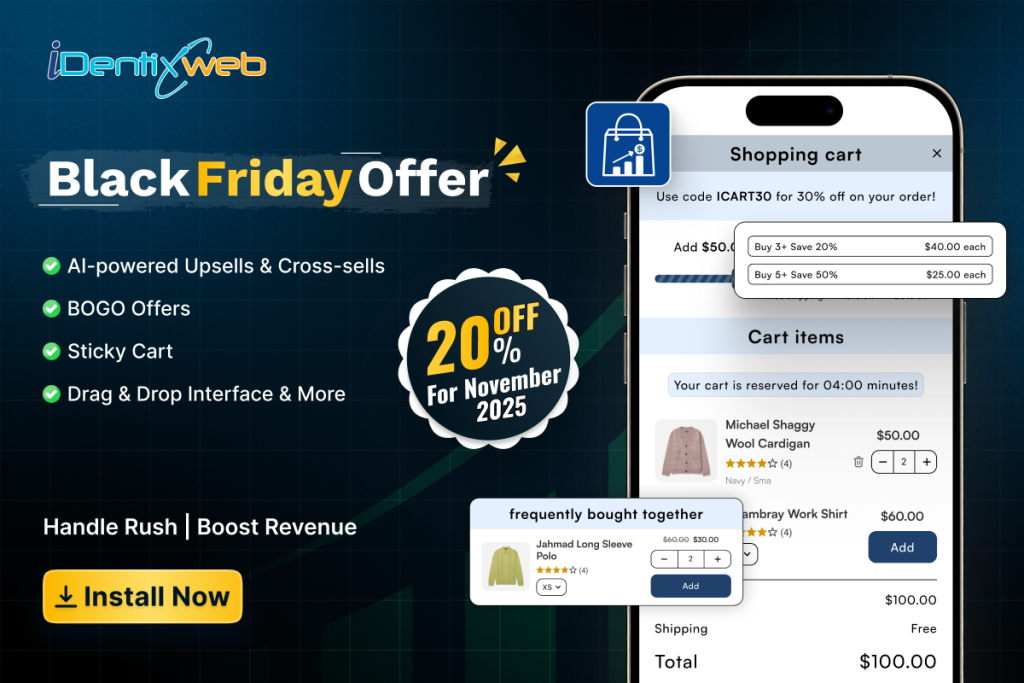
Your cart shouldn’t just hold products. It should actively sell them. iCart transforms the standard checkout flow into a revenue-generating machine that works hardest right before customers complete their purchase.
The Pre-Checkout Opportunity
Most stores lose sales at the cart stage, but that’s actually where buying intent is highest. Customers who add items are already committed. They just need the right nudge. iCart capitalizes on this moment with strategic upsells, progress bars, and discount incentives that feel helpful rather than pushy. The slide cart keeps shoppers engaged without pulling them away from browsing, turning every cart view into a chance to increase order value.
Functions
- Enable slide cart, cart popup, or full cart in one click with no coding required
- In-cart upsells and cross-sells show relevant products directly in the cart
- Free shipping progress bars motivate customers to hit spending thresholds
- Volume discounts and free gift offers reward larger orders
- Sticky cart drawer remains visible while customers browse
- Drag-and-drop interface for complete customization without technical skills
Pricing Structure
Starting at Free to $29.99/month
Setup Difficulty
Beginner-friendly rating: 8/10
Trustoo Pop ups, Email Popups
Email capture becomes critical during BFCM when competition for customer attention peaks. Privy combines Shopify popup apps for Black Friday deals with sophisticated email marketing Shopify Black Friday automation.
Gaining new customers is one of the toughest things to do in e-commerce. Trustoo puts it at your fingertips. Popups with discounts to grow your email/SMS marketing list, retain on exit intent and convert leads, fully customizable to fit your brand.
Functions:
- Grow your email / SMS marketing list with opt‑in pop up or email sign up forms.
- Retain your potential customers with exit intent or spin the wheel popup games.
- Increase conversions with fully customizable pop up discounts.
- Change the design of the popup to match your brand with an easy-to-use editor.
- Integrate with any email marketing apps like Klaviyo, Mailchimp, SMSBump, Privy
Pricing Structure: Starting at Free
Setup Difficulty: Beginner-friendly rating: 8/10.
Dondy WhatsApp Marketing & Chat
Dondy helps brands run all their customer marketing from one powerful channel – WhatsApp.
From broadcast campaigns and review requests to abandoned cart recovery and automated order updates, Dondy centralises key customer touchpoints on the world’s #1 messaging app. With AI-powered messaging, brands can deliver smarter, more personalised customer communication at scale. Fully integrated with Shopify and Gorgias, Dondy makes setup seamless and ensures all messages are automated and personalised based on real-time store and support data. Additionally, we help brands add a WhatsApp chat widget to their site so they can engage shoppers where they already are – on WhatsApp.
Functions:
- Send campaigns and recover abandoned carts with AI-powered automation
- Segment your customers based on who you want to target
- Schedule campaigns and messages to save time and streamline workflows
- Personalise messages to increase conversions and revenue
- Add a WhatsApp widget to engage shoppers directly on your site
Pricing Structure: Free plan, Pro plan ($6.99/month, 7-day free trial), Power Automation plan ($79.99/month, 7-day free trial), Elite plan ($159.99/month, 7-day free trial)
Setup Difficulty: Beginner-friendly rating 8/10
Essential 2025 BFCM Shopify Apps for Analytics to Track Your Performance
Data-driven decision making during BFCM can mean the difference between good and exceptional results. These Shopify analytics apps for BFCM tracking provide the insights needed for real-time optimization.
Google Analytics Enhanced E-commerce
While free, Google Analytics Enhanced E-commerce requires strategic setup to maximize its value for BFCM tracking.
Advanced Tracking Setup for BFCM:
- Funnel analysis identifying dropout points in the purchase proces
- Product performance analysis by category and individual SKU
- Customer journey mapping from first visit to purchase
- Attribution modeling to understand which marketing channels drive sales
Lucky Orange – Heat Maps and Session Recordings
Understanding user behavior during BFCM’s chaotic shopping environment requires visual insights that traditional analytics can’t provide. Observe how shoppers navigate your store, so you can make data-backed, confident decisions. Watch authentic visitor sessions to uncover friction points in the customer journey, view dynamic heatmaps to discover what attendees focus on (or don’t), and monitor checkout events such as “Checkout Started” or “Product Viewed” to understand the when and where buyers stop completing their purchase.
Functions:
- Session Recordings – Watch how visitors navigate your store to spot problems
- Heatmaps – Reveal where visitors click & scroll to identify missed opportunities
- Checkout Tracking & Analytics – Track key events & pinpoint friction in checkout
- Conversion Funnels – Prebuilt tracking to show where visitors abandon purchases
- Page Insights – Identify frustration signals to improve the user experience
Pricing Structure: Starting at Free to $19, $39, $89 a month
Setup Difficulty: Beginner-friendly rating: 6/10.
Customer Experience Apps That Boost Black Friday Conversions
A superior customer experience becomes a competitive differentiator when even the corner store has a discount. This is why these apps focus on trust and friction-less process improvements when considering Shopify apps to optimize Black Friday conversions.
Judge.me – Social Proof and Reviews
Use Judge.me to convert doubt into trust by collecting, managing, and displaying unlimited product reviews with photos and videos, storing reviews, Google reviews, testimonials and product ratings that help shoppers buy with confidence. Show reviews, ratings on Meta & TikTok. Increase review requests w referrals, discount codes and import your Amazon reviews. Add beautiful review widgets and testimonial sliders in minutes…!
Functions:
- Collect and handle reviews, photos, videos, quotes, and ratings without limit
- Show beautiful review widgets, quotes sliders and product ratings
- Distribute coupons and referrals to obtain more reviews and repeat purchases
- Collect, display and manage Google Reviews. Synchronize with Meta, X, Shop App
- Import Amazon and Etsy reviews, and reviews from other platforms (Yotpo, Loox, etc)
Pricing Structure: Starting at Free to $15 a month
Setup Difficulty: Beginner-friendly rating: 8/10.
Willdesk: Live Chat&AI Chatbot
Channelwill’s Willdesk provides e-commerce centers with AI automation (GPT-4) that handle order tracking, returns, cancellations, address updates, and more, all by one smart AI agent. In addition to AI-assisted support, Willdesk unifies email, live chat, and social media (Instagram, Messenger, WhatsApp) in a ticketing capabilities.
Functions:
- Branded self-service widget, validating Trackingmore API by default, no unnecessary tracking app needed.
- AI-driven omnichannel: product recommendations, emotion detection, after sales.
- Manage your inbox tickets from multiple social media, chat, email all in one help desk capability.
- Get a complete customer index that integrates with Klaviyo, Mailchimp, Privy, SMSBump, etc.
- Multi-store integration for customization such as fonts, FAQs, and style.
Pricing Structure: Starting at Free to $16.9, $42.9, $149.9 a month
Setup Difficulty: Beginner-friendly rating: 9/10.
ReConvert Upsell & Cross Sell!
The customer journey doesn’t end at checkout. ReConvert maximizes the 2025 BFCM Shopify apps for upsell opportunity through strategic post-purchase optimization. The ultimate upsell and cross-sell application created for Shopify is Upsell Cart and AOV. Personalized Product upsells, upsell Cart post-purchase upsell, resell and get customers to rebuy with thank you page upsale, checkout upsells, (Shopify Plus) product bundle apps upsel and more! Mobile optimized and customizable funnel advanced analytics, powerful segmentation, and A/B testing and integrations post upsell. Join thousands of Shopify stores who are using ReConvert up sell app. Upsell Cart drawer frequently bought together app.
Functions:
- Product upsell Cart Upsell, Checkout upsell and post purchase upsell funnels.
- Post checkout blocks, upcart with one click upsell offers and bundle apps builder
- Recharge: shopify plus thank you page sweet upsell product upsell apps AB test
- Easily build checkout upsell app strategy with a drag and drop bundles products
- Selleasy with Shopify functions, bundle upsel, cross sell, monster upsell OCU
Pricing Structure: Starting at Free to $4.99 a month
Setup Difficulty: Beginner-friendly rating: 9/10.
Inventory and Order Management Apps for BFCM Success
Nothing derails BFCM momentum like order tracking management failures. These ensure operational excellence during peak periods.
Parcel Panel Order Tracking
Keep track of orders in real-time and fix exceptions before customers inquire. Automatically send shipping notifications for each customer whenever there are changes. Have a branded, multilingual order lookup page with rich customizations to avoid the “Where is my order?” questions. Improve revenues with a smart upsell system. Get access to powerful analytics and optimize your shipping solutions in Shopify. Hide all Chinese origin details with 1 click—perfect for dropshipping. Don’t forget—we offer email or live chat support 24/7—be like our other customers, and let us help you work smarter!
- Track your orders & last-mile delivery, and synchronize shipping information to PayPal tracking.
- Engage customers with ParcelPanel notifications whenever there is an order status change.
- Have a branded tracking page with estimated delivery dates and much more so your customers don’t bother you about Where is my Order (WISMO) inquiries.
- Hide all Chinese origin details with 1 click—perfect for the dropshipping business.
- Recover lost revenues with the smart upsell system, whether that’s shipping protection, powerful analytics, or 24/7 support.
Pricing Structure: Starting at Free to $11, $59 a month
Setup Difficulty: Beginner-friendly rating: 8/10.
Dropshipman: Easy Dropshipping – Shipping and Fulfillment
BFCM success depends heavily on delivery promise fulfillment. Dropshipman streamlines order management and shipping operations when every package counts. Dropshipman can source and wholesale products from AliExpress,Temu, and Alibaba and give you access to hot-selling products. Agents quote prices and fulfill orders from Amazon, Alibaba, Walmart, Wix, Etsy, eBay and Shein.
Functions:
- Maximize your profits in your niche market with winning wholesale product that can drive you revenue.
- Easily source products, edit the listings, and post all from one plug-and-play platform.
- Grow your brand with our custom packaging and thank-you cards services.
- Reliable order fulfillment with our experienced team and full order tracking.
- Your going to have a dedicated manager as well as support 24/7 (English, Portuguese , Español..)
Pricing Structure: Starting at Free to $19.9, $79.9, $299 a month
Setup Difficulty: Beginner-friendly rating: 8/10.
Cart Recovery and Retention Apps for Post-BFCM Success
BFCM presents unique opportunities for both immediate cart recovery and long-term customer retention. These best cart abandonment apps Shopify Black Friday and customer retention apps Shopify post-BFCM maximize both opportunities.
Klaviyo: Email Marketing & SMS
Email marketing during BFCM requires sophisticated automation and segmentation. Klaviyo excels in abandoned cart recovery and comprehensive customer lifecycle management.
Go beyond marketing basics with personalized emails and automated SMS conversations that drive sales for your store & create smarter digital relationships. Centralize your data 350+ integrations & the only CRM built for B2C. Marketing, service, analytics & data in one solution.
Improve your marketing campaigns using built-in AI tools, advanced segmentation, proven email templates, and sms automation workflows. Achieve higher ROI with a single login, on one platform.
Functions:
- Use data from Shopify & other apps with web activity, tags, & more
- Create AI-powered segments and triggers with historical data and real-time data
- Access omnichannel templates for Welcome, Back in Stock, Abandon, & Price Drop
- View real-time revenue data at an automation, campaign, segment, or channel level
- Send hugely customized email, sms, and WhatsApp campaigns. Collect & publish reviews.
Pricing Structure: Starting at Free to $15, $20 a month
Setup Difficulty: Beginner-friendly rating: 6/10.
Smile: Loyalty Rewards Program
Customer retention beyond BFCM requires strategic loyalty program implementation. Smile.io creates lasting relationships that extend far past the holiday season.
Smile.io provides loyalty, referrals, and VIP rewards programs that can maximize sales and repurchases, reduce your acquisition costs, and increase brand loyalty. A loyalty program can be created in minutes using Smile (no coding needed!). And managing loyalty is simple with the help of easy to integrate apps. You can rely on a team of experts if you need help with anything from technical issues, to rewards, or loyalty best practices for your business.
Functions:
- Incentivize repeat purchases by giving points & VIP status with every order
- Incentivize social activity on Instagram, TikTok, Facebook and other custom actions
- Incentivize sales with points bonus events
- Integrate Smile with your favorite software like Klaviyo, Gorgias, or 25+ other apps
- Fine-tune your loyalty program by benchmarking performance against similar stores
Pricing Structure: Starting at Free to $49, $199, $999 a month
Setup Difficulty: Beginner-friendly rating: 7/10.
Common Mistakes When Choosing 2025 BFCM Shopify Apps and How to Avoid Them
Learning from others’ mistakes can save significant time and revenue during your critical BFCM period. These conversion optimization and sales funnel enhancement insights come from analyzing hundreds of BFCM campaigns.
| Mistake | Impact | Fix |
| App Overload (too many apps) | Slower site speed, higher bounce rates | Limit apps (8–12 small, 12–18 medium, 15–25 large) and remove overlaps |
| Poor Performance Monitoring | Issues go unnoticed during high traffic | Use PageSpeed Insights, GTmetrix, Pingdom, or New Relic |
| Unoptimized App Loading | Critical features delayed, slower page experience | Prioritize multi-function apps, optimize load order, use lazy loading |
| Weak Mobile Optimization | Lower conversions, high abandonment on mobile | Choose mobile-friendly apps, test on devices, ensure Shopify compatibility |
| Bad Mobile UX (buttons/forms) | Frustrated users, checkout drop-offs | Use 44px+ buttons, optimize popups/forms for mobile use |
| Mobile Speed Neglect | Mobile users abandon 3× faster than desktop users | Compress images, reduce JS, enable progressive loading |
Measuring Success: BFCM App Performance Metrics
Effective measurement of your top Shopify apps for holiday sales promotion ensures continuous improvement and ROI validation.
| KPI Area | Metrics to Track | Typical Results |
| Conversion Rate | – Site-wide vs pre-app baseline – App-specific A/B tests – Mobile vs desktop | +15–35% |
| Average Order Value (AOV) | – Pre vs post-app AOV – Upsell & cross-sell revenue – Bundle/promo effectiveness | +20–45% |
| Cart Abandonment | – Overall abandonment reduction – Recovery rate from campaigns – Checkout-stage drop-offs | -25–50% |
| Customer Lifetime Value (CLV) | – Repeat purchase rates – Loyalty engagement – Upsell/cross-sell over time | ↑ Long-term revenue |
| Return on Ad Spend (ROAS) | – Marketing channel ROI – Organic traffic conversions – Email & social campaign ROI | 300–600% ROI in 90 days |
Frequently Asked Questions About 2025 BFCM Shopify Apps
What are the best Shopify apps for Black Friday?
The best Shopify apps for Black Friday depend on your specific business needs and size. However, essential categories include: discount and promotion apps (like Bold Discounts), email marketing automation (like Klaviyo), customer service tools (like Gorgias), analytics platforms (like Google Analytics Enhanced E-commerce), and inventory management systems (like QuickBooks Commerce). Most successful stores implement 8-15 carefully selected apps across these categories.
How do I prepare my Shopify store for BFCM?
The best apps from the Shopify App Store for Black Friday will depend on the type of business you have and your business size. However, there are key categories to consider: discount/promotion apps (ex: Bold Discounts), email marketing automation (ex: Klaviyo), customer service (ex: Gorgias), analytics (ex: Google Analytics Enhanced E-commerce), and inventory management (ex: QuickBooks Commerce). The most successful stores generally utilize 8-15 apps, which are very specifically chosen across each of these categories.
Which discount apps work best for Black Friday sales?
Preparing for Black Friday/ Cyber Monday takes about 8 weeks: research/choose apps (weeks 1-2), install and configure settings (weeks 3-4), customize and test (weeks 5-6), and optimize further if necessary with backup plans (weeks 7-8). Preparation includes load testing, mobile optimization, training your employees, and developing a monitoring dashboard that allows you to see every aspect of your stores operation in one place and in real-time.
What Shopify apps increase Black Friday conversions?
Conversion-focused apps include social proof tools (Judge.me for reviews), urgency creators (countdown timers), cart recovery systems (Klaviyo email automation), and customer service solutions (Gorgias live chat). The combination of trust signals, urgency, and smooth customer experience typically results in 20-40% conversion rate improvements during BFCM.
How to automate Black Friday promotions on Shopify?
Automation requires email marketing platforms (Klaviyo), discount management apps (Bold Discounts), tracking systems (Parcel Panel), and customer service tools (Willdesk). Set up behavioral triggers, inventory-based rules, and customer segment automation at least 4 weeks before BFCM to ensure smooth operation during peak traffic periods.
Conclusion: Your Path to BFCM Success with the Right Shopify Apps
Preparation and deciding on the best tools at your disposal typically separate victory and despair on BFCM. The revenue-driving and must-have apps discussed in this guide are the building blocks to incredible BFCM performance.
The app ecosystem you build today will benefit your store, interventions will be beneficial in BFCM 2025, and the entire year. By investing in great apps, and laying the groundwork, you are actually building a structure for robust e-commerce growth.
Don’t wait until November to start preparing for BFCM. The stores that will enjoy the largest competitive advantages preparing for and executing the solution these stores is the best time consuming and labor neglect early as fall holidays approach.
Choose one app category to implement, that has the largest opportunity to help you with your most urgent challenge, implement it from beginning to end, measure the outcomes, then begin adding to expand your BFCM app stack to your store. Your future BFCM success story will start with the choices you make today.
Are you ready to improve your Shopify store in preparation for BFCM 2025? Choose the app category that will drive value into your business the quickest, and begin assembling your success for Black Friday.